

Table of Contents
Introduction
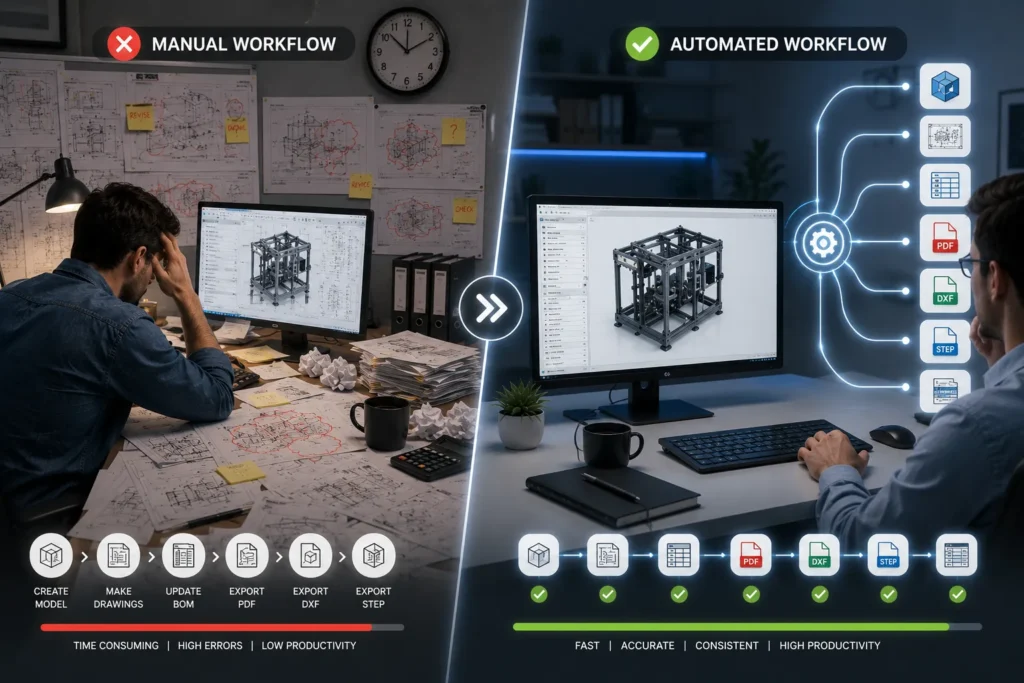
Every engineering company reaches a point where repetitive CAD work begins consuming more time than actual engineering. Engineers repeatedly create similar parts, update drawings, rename files, export PDFs, generate DXFs, modify dimensions, and prepare manufacturing documentation.
While manual workflows have been the standard for years, modern CAD automation is changing how engineering teams work.
Whether you’re using SolidWorks or Autodesk Inventor, automation can significantly reduce repetitive design tasks while improving consistency, accuracy, and delivery speed.
This article compares manual CAD workflows with CAD automation and explains where automation creates the highest return on investment.
What Is a Manual CAD Workflow?
Manual CAD workflows require engineers to perform every design activity individually.
Typical tasks include:
- Creating parts manually
- Updating assemblies
- Editing dimensions
- Creating drawings
- Exporting PDF files
- Generating DXF files
- Updating BOMs
- Renaming files
- Filling custom properties
- Revising multiple configurations
Although straightforward, these activities become increasingly repetitive as product complexity grows.
Common Challenges with Manual CAD Workflows
1. Repetitive Engineering Tasks
Many products differ only in dimensions or configurations.
Engineers often spend hours making identical edits.
Example: Instead of designing 100 cabinets, an engineer designs one cabinet 100 times.
2. Higher Risk of Human Errors
Manual processes often lead to:
- Missing dimensions
- Wrong material assignments
- Incorrect drawing revisions
- Outdated BOMs
- Wrong file names
Even small mistakes can delay production.
3. Longer Design Cycles
Each design revision requires manual updates across:
- Parts
- Assemblies
- Drawings
- BOM
- Manufacturing files
A simple dimensional change may require updating dozens of files.
4. Limited Scalability
As order volumes increase, companies typically hire more designers instead of improving workflow efficiency.
This increases engineering costs without significantly improving productivity.
What Is CAD Automation?
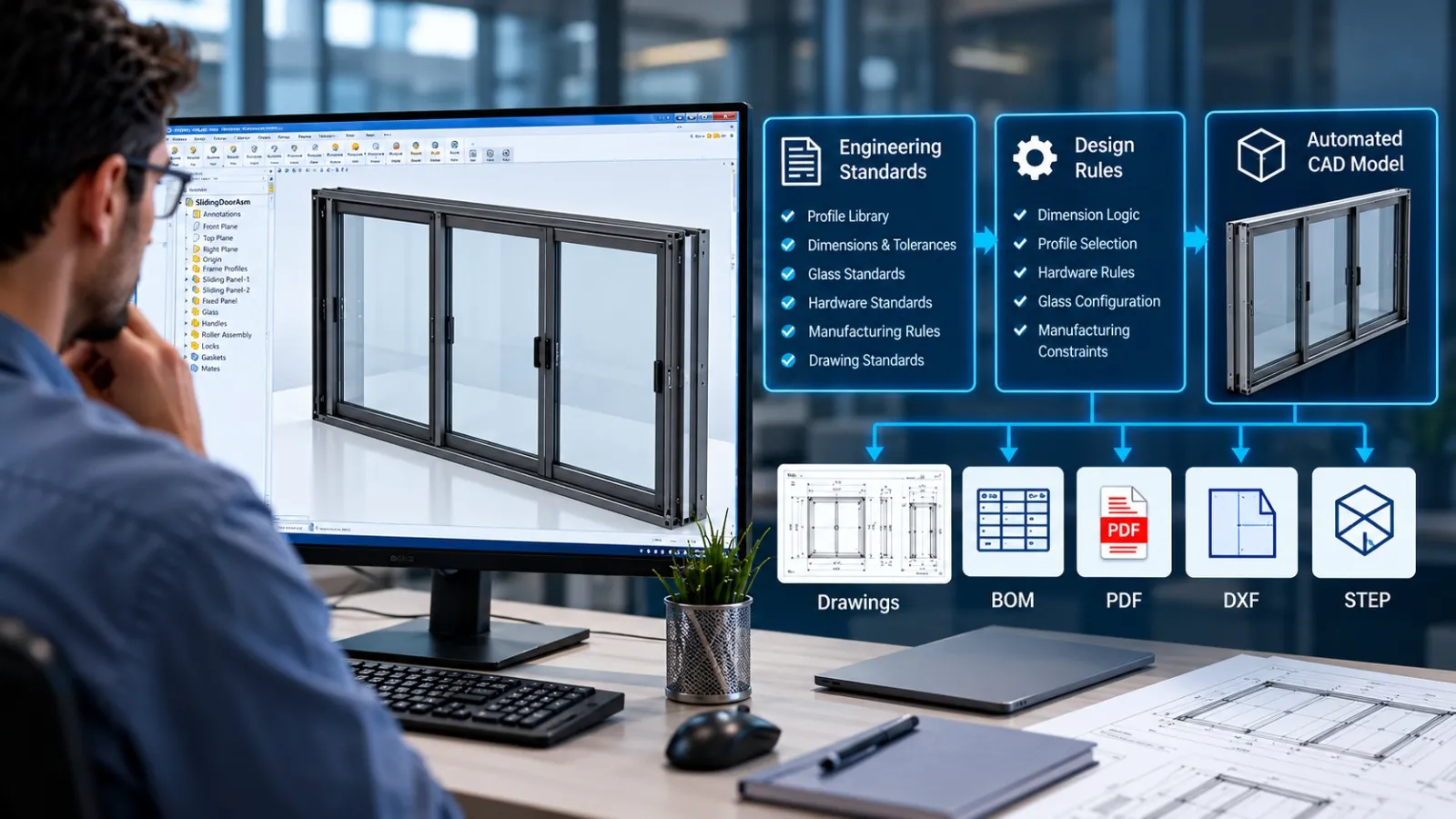
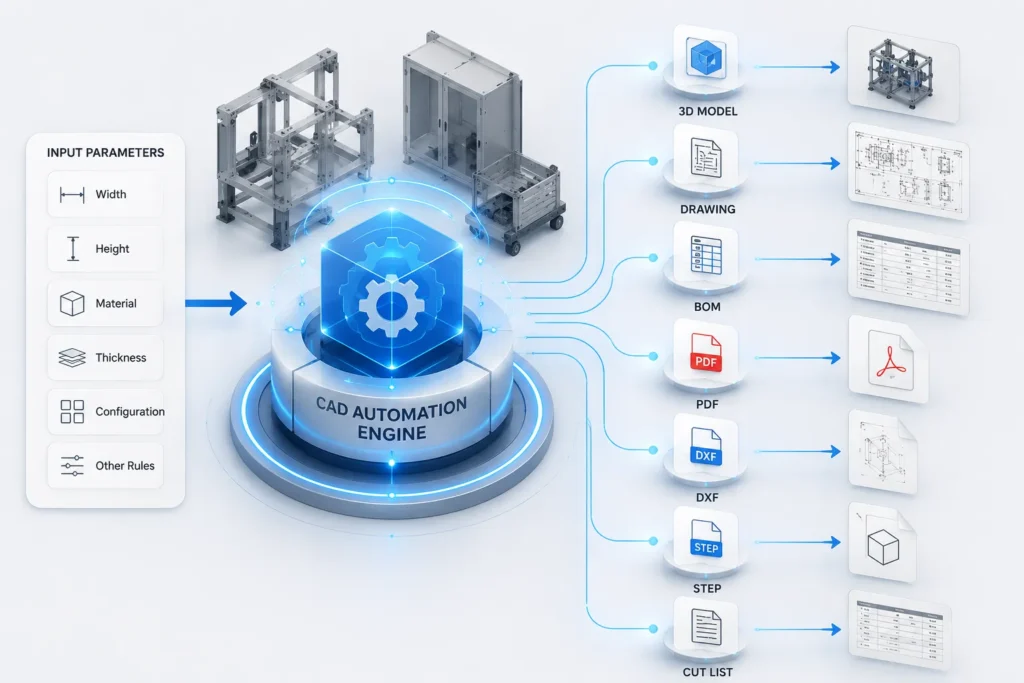
CAD automation uses custom rules, scripts, APIs, macros, or configurable design logic to automate repetitive engineering tasks.
Instead of manually creating every model, engineers provide design inputs such as:
- Width
- Height
- Length
- Material
- Thickness
- Configuration
- Customer specifications
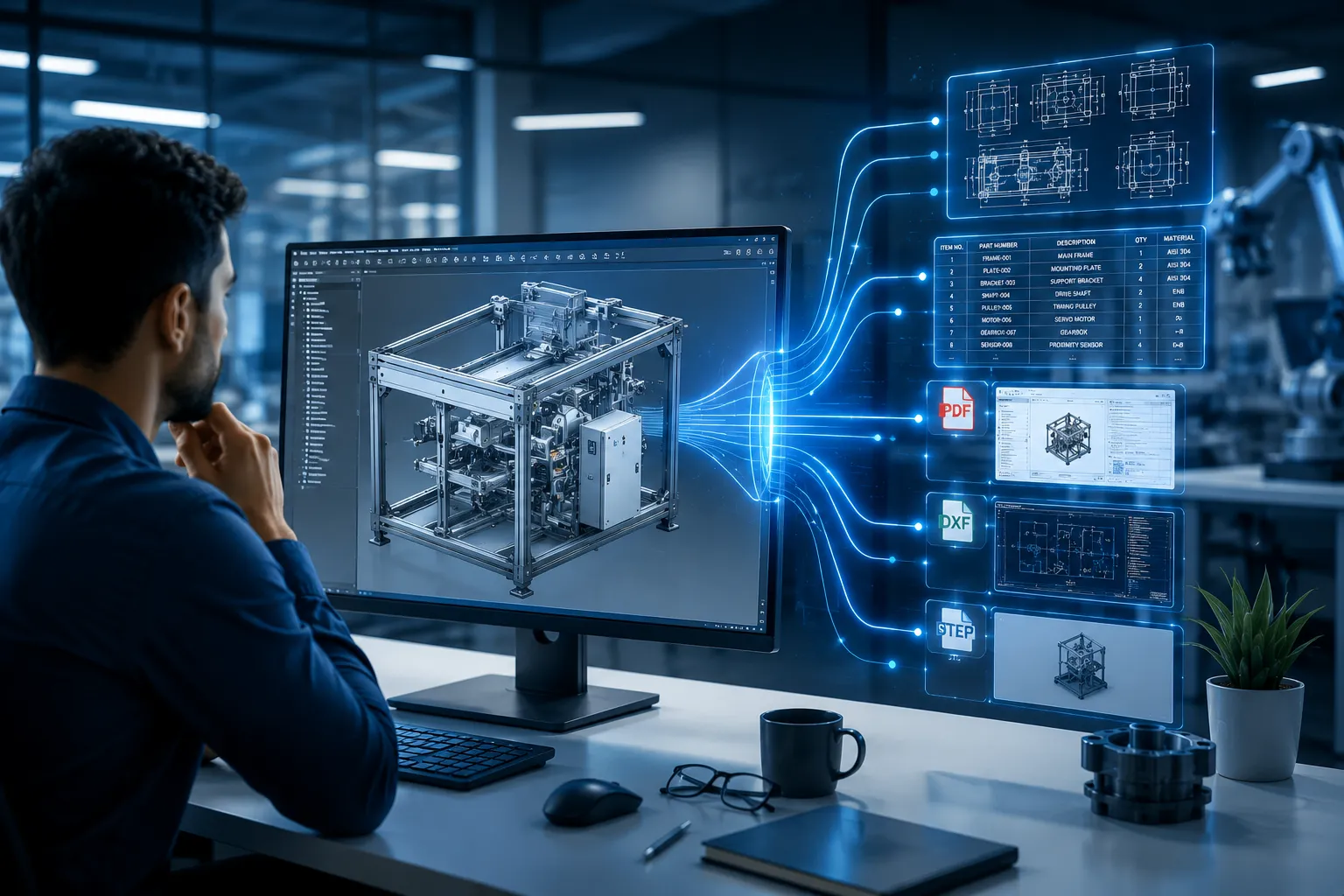
The automation then generates:
- 3D models
- Assemblies
- Manufacturing drawings
- PDFs
- DXFs
- BOMs
- CNC-ready files
- Production documentation
SolidWorks Automation
Automation within SolidWorks can be developed using:
- SolidWorks API
- VBA
- C#
- VB.NET
- Add-ins
- Task Scheduler
- PDM integration
Typical automation includes:
- Parametric model generation
- Automatic drawing creation
- Batch PDF export
- DXF generation
- Sheet metal flat pattern export
- BOM generation
- Custom property updates
- File naming automation
- ERP data export
Autodesk Inventor Automation
Inventor provides several automation tools.
Most commonly:
- iLogic
- Inventor API
- VBA
- .NET Applications
Typical Inventor automation includes:
- Configurable products
- Automatic assemblies
- Drawing generation
- Rule-based part creation
- Material updates
- BOM creation
- Parameter-driven models
- Manufacturing documentation
Manual CAD vs CAD Automation
| Feature | Manual Workflow | CAD Automation |
| Design Speed | Slow | Very Fast |
| Repetitive Work | High | Minimal |
| Human Errors | Higher | Reduced |
| Drawing Creation | Manual | Automatic |
| BOM Generation | Manual | Automatic |
| DXF Export | Manual | Batch Processing |
| Standardization | Depends on User | Consistent |
| Scalability | Limited | High |
| Engineering Productivity | Moderate | High |
Tasks That Can Be Automated
Most manufacturing companies repeatedly perform similar engineering activities.
Automation can handle:
- Standard equipment
- Sheet metal products
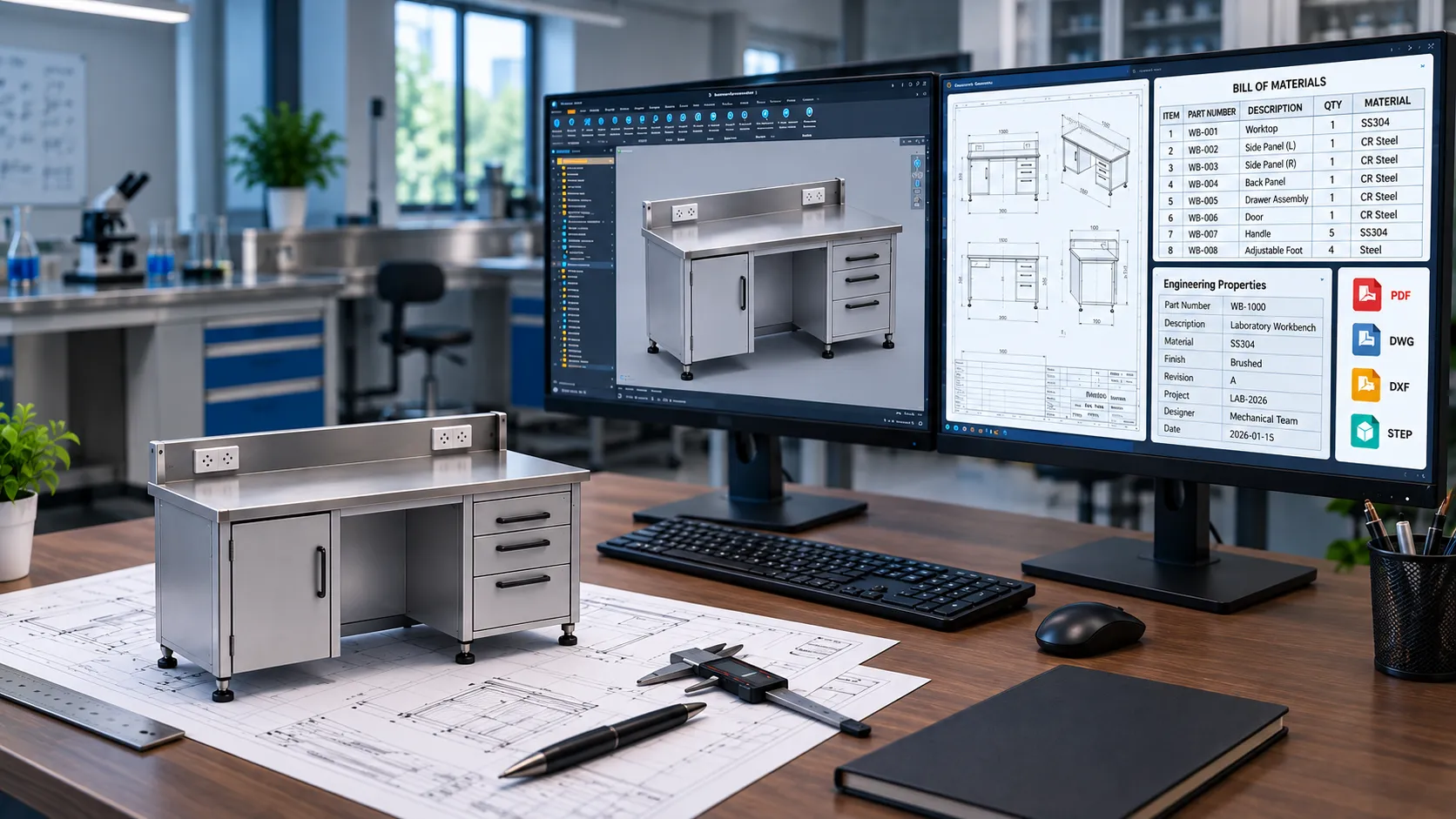
- Workbenches
- Laboratory furniture
- Storage cabinets
- Machine frames
- Structural assemblies
- Pressure vessel components
- Weldments
- Modular products
- Conveyor systems
- Industrial furniture
Typical Engineering Activities Suitable for Automation
Instead of manually repeating these tasks:
- Create new assemblies
- Update dimensions
- Rename files
- Create manufacturing drawings
- Export PDFs
- Generate DXFs
- Create STEP files
- Update custom properties
- Create BOMs
- Generate cut lists
Automation performs them in minutes.
When Should Companies Invest in CAD Automation?
Automation delivers the greatest value when your team:
- Designs configurable products
- Frequently modifies dimensions
- Creates similar drawings repeatedly
- Produces many manufacturing drawings
- Generates hundreds of PDFs and DXFs
- Uses standard design rules
- Wants to reduce engineering lead times
- Experiences frequent manual errors
If your products are highly configurable, combining CAD automation with a product configurator can further reduce engineering effort and improve design consistency.
Benefits Beyond Speed
CAD automation is not only about saving time.
Organizations also benefit from:
- Improved Design Consistency
- Every drawing follows the same standards.
- Better Manufacturing Accuracy
- Automatically generated files reduce documentation errors.
- Faster Quotations
- Configurable designs enable quicker engineering estimates.
- Easier Engineering Reviews
- Standardized outputs simplify quality checks.
- Greater Engineering Capacity
Teams can handle more projects without proportionally increasing headcount.
SolidWorks vs Inventor Automation
Both platforms provide strong automation capabilities, but the best approach depends on your existing CAD environment, product complexity, and integration needs.
SolidWorks Automation is ideal for:
- Sheet metal fabrication
- Weldments
- Industrial equipment
- Furniture manufacturing
- Manufacturing documentation
- PDM-integrated workflows
Inventor Automation is ideal for:
- Configurable machinery
- Rule-based assemblies
- Equipment design
- Parameter-driven products
- Automated documentation
- Autodesk ecosystem users
How Immersiv Techsphere Helps
At Immersiv Techsphere, we develop custom CAD automation solutions, including SOLIDWORKS API and VBA automation, tailored to your engineering workflows and manufacturing requirements.
Our capabilities include:
- SolidWorks API development
- Autodesk Inventor automation
- VBA and .NET automation
- Rule-based product configurators
- Automated drawing generation
- Batch PDF, DXF, and STEP export
- BOM and cut list automation
- PDM workflow automation
- ERP-ready data extraction
- Custom engineering tools for manufacturing teams
Whether you manufacture sheet metal products, industrial equipment, laboratory furniture, fabricated structures, or configurable products, our automation solutions help reduce repetitive engineering work while improving design consistency and productivity.
FAQs
Yes. Existing parametric models can often be enhanced with custom automation, APIs, or add-ins without rebuilding the entire design library.
No. Automation handles repetitive, rule-based tasks, allowing engineers to focus on design decisions, innovation, validation, and problem-solving.
Yes. Autodesk Inventor’s iLogic and API capabilities are particularly effective for parameter-driven and configurable product design.
The combination of faster engineering cycles, fewer documentation errors, and consistent manufacturing outputs often delivers the highest return on investment.
Conclusion
Manual CAD workflows are effective but often slow down engineering teams with repetitive modeling, drawing updates, BOM creation, and file exports. CAD automation eliminates these repetitive tasks, enabling engineers to focus on design, innovation, and problem-solving.
Whether you use SolidWorks or Autodesk Inventor, implementing CAD automation can improve productivity, reduce errors, and standardize engineering outputs. The right automation solution helps manufacturers deliver projects faster while building a more efficient and scalable design process.
Have a Project in Mind?
Need help with 3D animation, industrial visualization, HSE training animation, or product visualization? Tell us about your project and our team will get back to you.