

Table of Contents
Introduction :
In today’s fast-paced engineering environment, improving engineering productivity, CAD workflow automation and design efficiency is essential for staying competitive and tools like SolidWorks have transformed the way engineers design and develop products. However, many engineering teams still spend a considerable amount of time performing repetitive manual tasks within their workflows. While these tasks may seem small individually, they collectively lead to: increased design time, higher chances of human error and reduced overall productivity. With the right application of automation tools such as SolidWorks API (Application Programming Interface) and VBA (Visual Basic for Applications), these repetitive processes can be automated efficiently.
What is SolidWorks Automation?
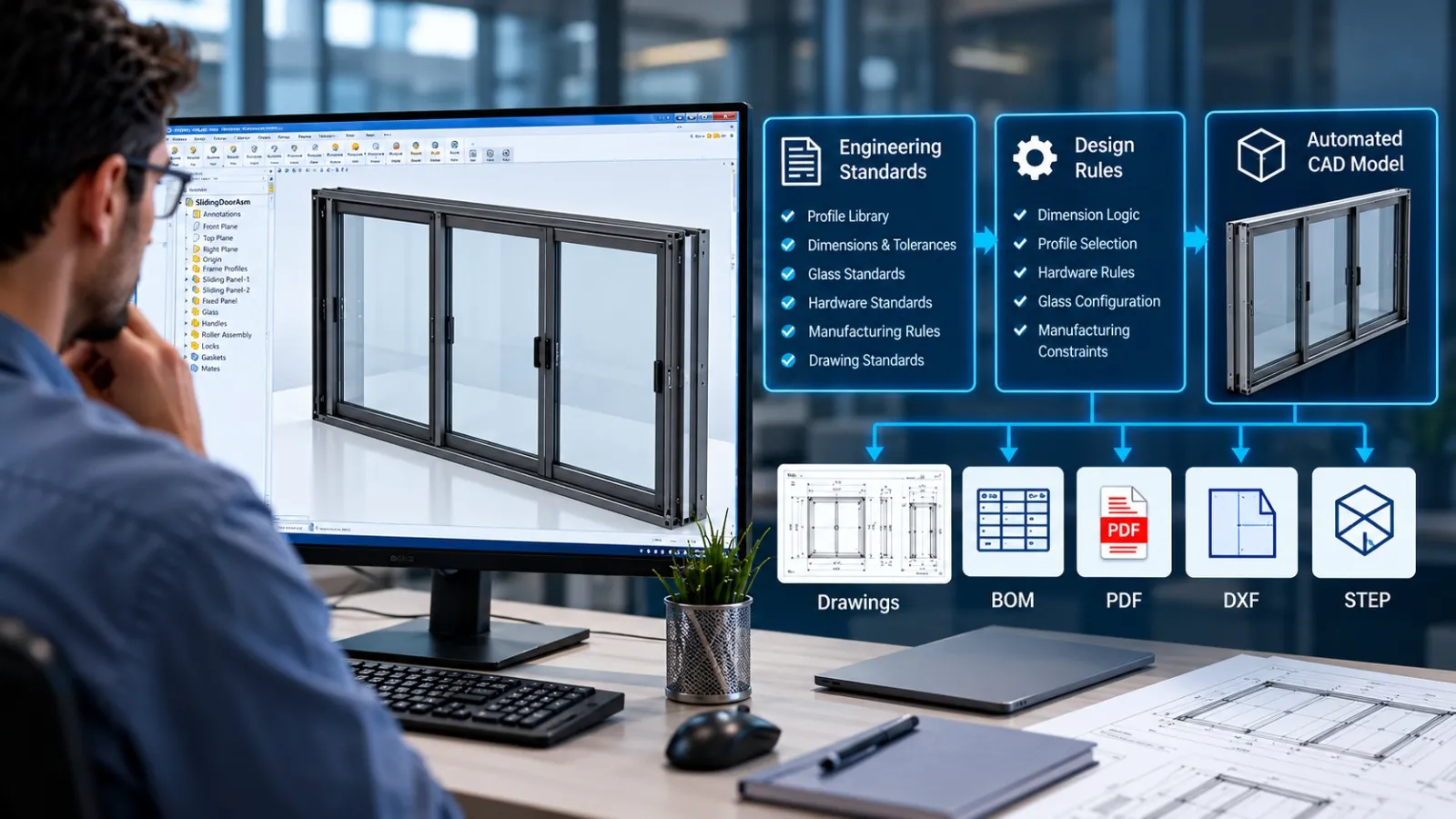
SolidWorks automation refers to the use of tools like API and VBA to automate repetitive design tasks, reduce manual effort and improve workflow efficiency. By implementing CAD workflow automation, companies can significantly reduce design time, improve accuracy, standardize processes and increase overall engineering productivity. This makes automation a critical part of modern digital engineering workflows.
Why Manual Work in SolidWorks Reduces Productivity?
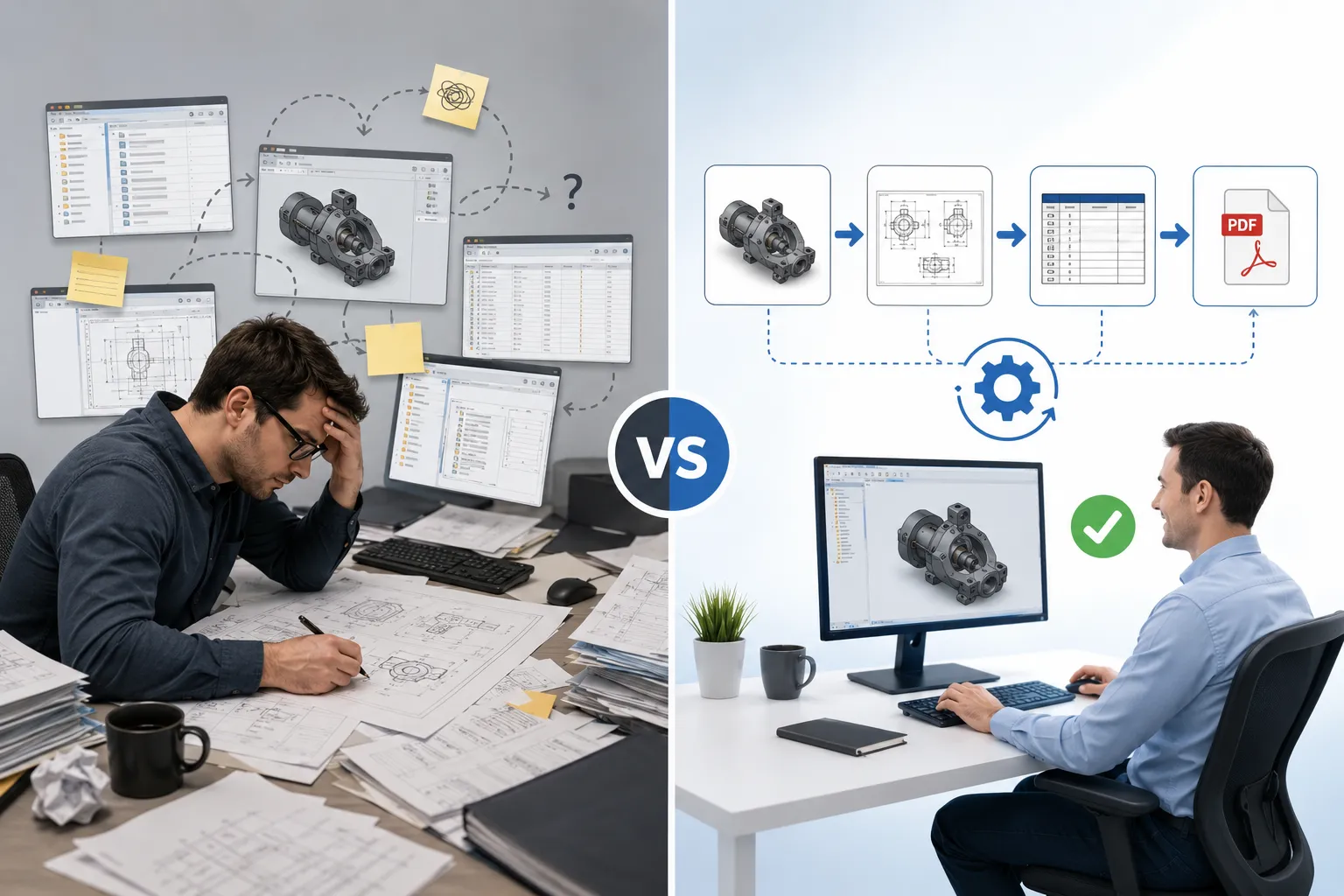
Many engineering teams still rely on manual processes for tasks that can be automated. Common challenges include repetitive modeling work, time-consuming drawing updates, manual data entry errors and inefficient file management. These issues directly impact design efficiency and engineering productivity, making automation essential.
Common Signs Your Engineering Team Needs CAD Automation
If engineering teams spend a significant amount of time on repetitive tasks, it may be time to consider CAD automation.
Common indicators include:
- Engineers spend hours updating drawings after every design revision.
- BOM generation and data extraction are largely manual processes.
- Similar products or assemblies are modeled repeatedly with minor variations.
- Documentation errors occur frequently due to manual data entry.
- Design changes require extensive rework across multiple files and drawings.
Identifying these challenges early can help organizations improve engineering productivity, reduce errors, and streamline design workflows through automation.
Here are 5 SolidWorks tasks engineers should never do manually :
- Batch DXF Export for Sheet Metal
The Problem: Generating DXF files manually for multiple sheet metal parts can be repetitive and time-consuming. Engineers often need to open each part, flatten the model, export the DXF, and save it in the correct location. This process becomes even more challenging when dealing with large assemblies or frequent design revisions.
The Smarter Approach: Using SolidWorks API and VBA automation, DXF files can be generated automatically in bulk. Automation can export flat patterns, apply naming conventions, and save files to predefined folders, significantly reducing manual effort and improving consistency.
- Automatic Drawing Creation
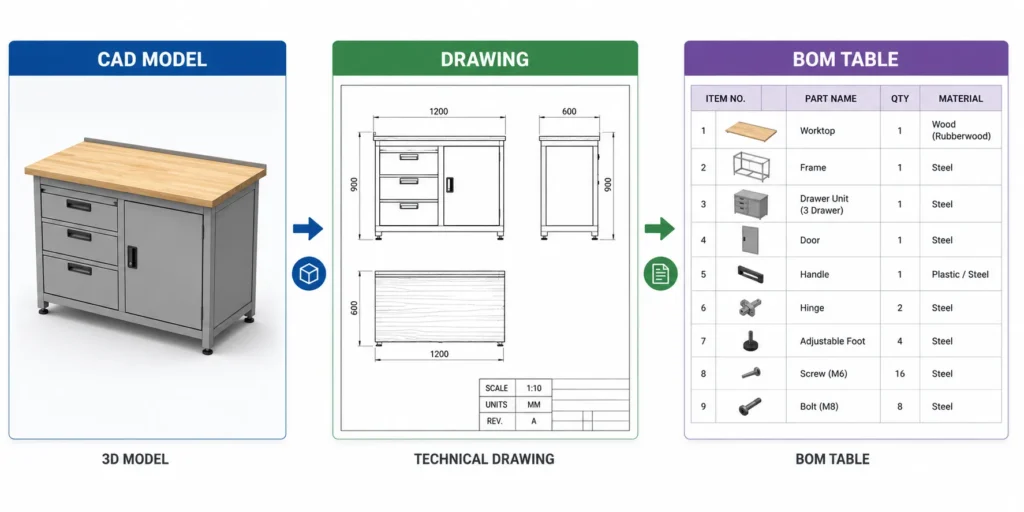
The Problem: Creating manufacturing drawings for every part and assembly manually consumes valuable engineering time. Repetitive tasks such as inserting views, dimensions, annotations, and title block information can slow down project delivery and increase the risk of documentation errors.
The Smarter Approach: Drawing automation enables engineers to generate standardized drawings automatically from CAD models. This ensures faster documentation, improved consistency, and automatic updates whenever design changes occur.
- File Renaming and Data Management :
The Problem: Managing file names, versions and folder structures manually in large projects can quickly become chaotic and doing it manually will result in high risk of misnaming or duplication, difficulty in tracking revisions and inefficient data organization.
The Smarter Approach: Using automated scripts, engineers can: standardize file naming conventions, automate version control processes and organize project data systematically. - Configuration-Based Model Generation
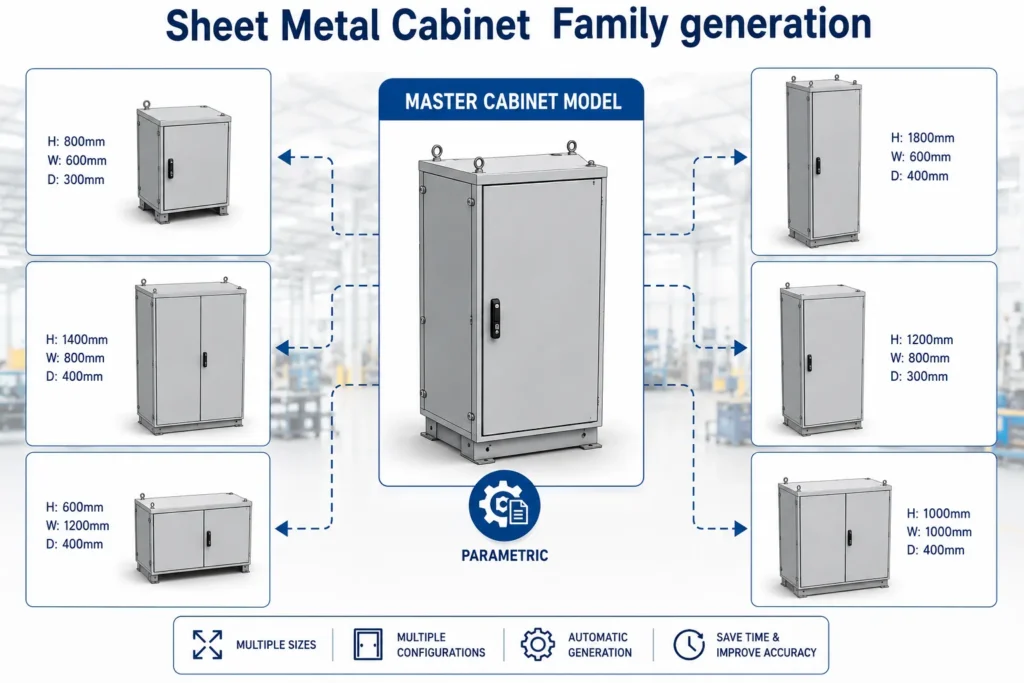
The Problem: Many products are available in multiple sizes and configurations. Creating each variation manually increases design effort and introduces the possibility of inconsistencies between models.
The Smarter Approach: Using parametric design and automation, engineers can generate multiple product variants from a single master model. Dimensions, features, and configurations can be controlled through predefined rules, reducing modeling time and improving design accuracy. - BOM Extraction to Excel
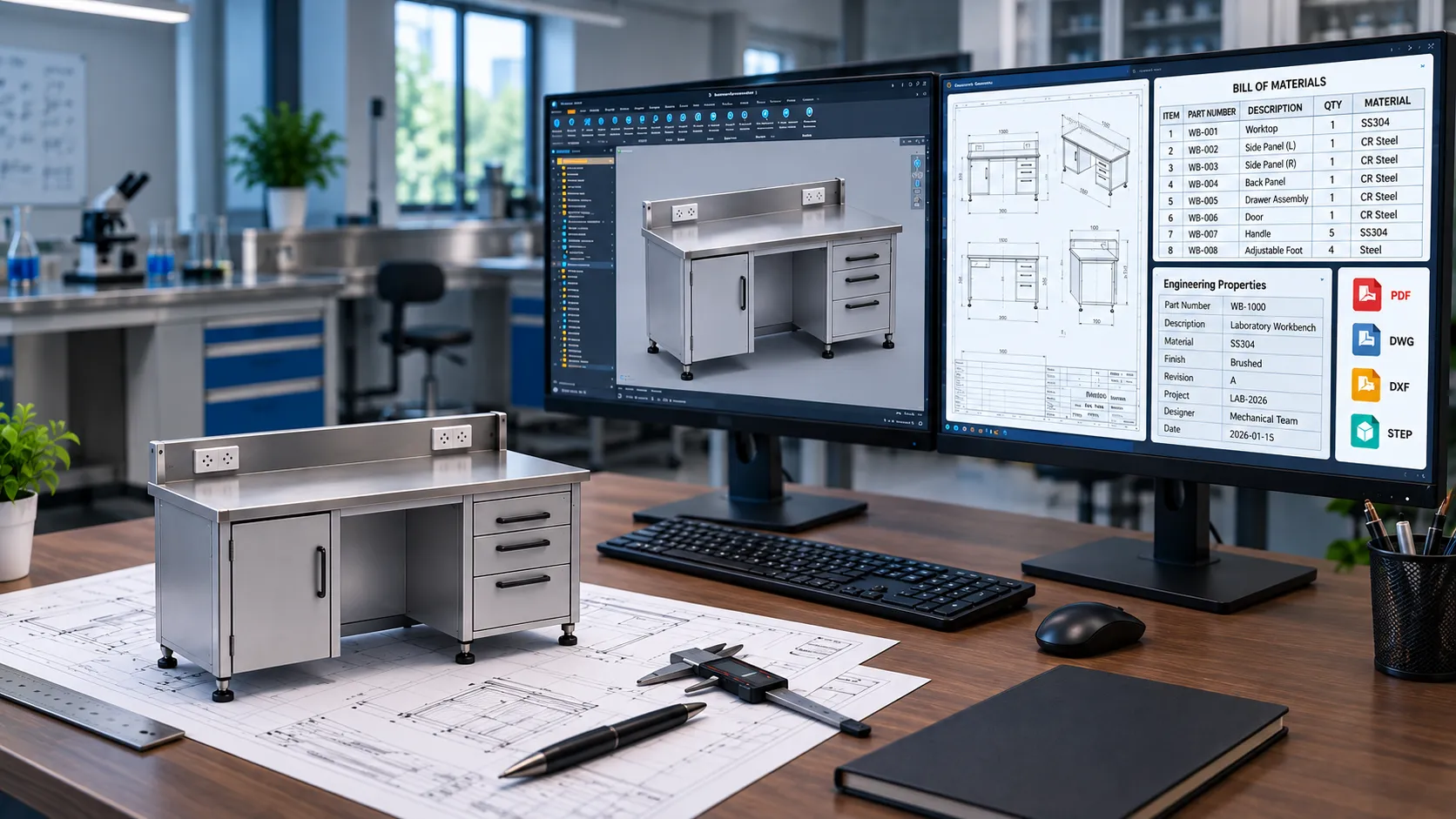
The Problem: Manually extracting Bill of Materials (BOM) data from assemblies and transferring it to spreadsheets is a repetitive process that can lead to data entry errors and outdated information.
The Smarter Approach:Automation tools can extract BOM information directly from SolidWorks assemblies and export it to Excel instantly. This improves accuracy, saves time, and ensures engineering, procurement, and manufacturing teams work with the latest data.
Benefits of Automating SolidWorks Workflows :
Implementing SolidWorks automation using API and VBA provides several advantages, including:
- Reduced repetitive manual work
- Faster engineering documentation
- Improved design accuracy
- Accelerated product development
- Better data consistency
- Increased engineering productivity
- Scalable automation workflows
Automation allows engineers to focus on innovation and problem-solving, rather than repetitive execution.
Real-World Applications of SolidWorks Automation
- Automated Drawing Generation
Automation helps generate and update manufacturing drawings automatically, reducing manual drafting effort and ensuring consistency across engineering documentation. - BOM Generation and Data Extraction
SolidWorks automation can extract bill of materials (BOM) data directly from assemblies, improving accuracy and reducing the time required for documentation and procurement processes. - Configurable Products and Product Variants
Engineering teams can automate the creation of configurable products by generating multiple design variations from predefined rules and parameters, reducing repetitive modeling work. - Sheet Metal Design Automation
Automation is widely used in sheet metal applications to generate flat patterns, manufacturing drawings, cut lists, and design variations efficiently. - Industrial Equipment Design
Manufacturers can automate repetitive design tasks for machinery, equipment assemblies, and standard components, helping accelerate product development cycles. - Engineering Documentation
Automation streamlines the creation of reports, custom properties, design data, and technical documentation, improving consistency across engineering projects.
Role of Automation in Digital Engineering Workflows :
Modern engineering requires efficient and scalable workflows. Technologies like: CAD automation, API-based scripting and design process automation are transforming how engineering teams operate, making automation a necessity rather than an option.
Why Automation Is No Longer Optional :
Engineering teams that continue to rely on manual workflows often struggle with: slower product development cycles, higher operational costs and limited scalability. By integrating automation using SolidWorks API and VBA, companies can: reduce repetitive work, improve accuracy, accelerate design processes which result in increased overall productivity. Automation allows engineers to focus on innovation and problem-solving, rather than repetitive execution.
How Immersiv Techsphere Supports SolidWorks Automation :
At Immersiv Techsphere, we help engineering teams improve efficiency through advanced SolidWorks automation, CAD workflow automation and engineering design automation Solutions.
Our Key Capabilities Include:
- Batch DXF Export Automation for Sheet Metal Components
- Automated Drawing Generation from Parts and Assemblies
- BOM Extraction and Excel Reporting
- File Renaming Based on Custom Properties
- Configuration-Based Product Generation
- Custom CAD Automation Solutions Tailored to Your Unique Design and Engineering Requirements
Still wondering why choose Immersiv Techsphere?
Well we hold expertise in SolidWorks automation and CAD workflows, focus on engineering productivity improvement and provide customized solutions for manufacturing industries which are reliable and efficient automation implementation. Our goal is to help engineering teams eliminate repetitive manual work and adopt automation-driven workflows, enabling them to: save time, reduce errors, improve efficiency and accelerate product development.
FAQs
A. SolidWorks API (Application Programming Interface) allows customization and automation of design workflows.
A. Yes, automation tools can create and update drawings automatically based on model changes.
A. Tasks such as drawing generation, BOM creation, file management, custom property updates, and repetitive modeling can be automated.
A. Yes. Using SolidWorks API and automation tools, engineers can export DXF files for multiple sheet metal components in bulk while maintaining naming conventions and folder structures.
A. Yes, manufacturers commonly use automation to improve engineering productivity, standardize workflows, and reduce design time.
Conclusion :
Manual engineering tasks such as batch DXF exports, drawing creation, BOM extraction, file management and configuration generation consume valuable engineering time and increase the risk of errors. Automating these processes improves consistency, accelerates documentation, and enables engineers to focus on higher-value design activities.
With SolidWorks API and VBA automation, engineering teams can streamline workflows, improve productivity, and scale engineering operations more effectively.As digital engineering continues to evolve, automation has become essential for staying competitive and accelerating product development.
Is your engineering team spending too much time on repetitive SolidWorks tasks instead of focusing on design and innovation?
Request a demo from immersiv techsphere today and discover how automation can transform your engineering processes and improve efficiency.
Have a Project in Mind?
Need help with 3D animation, industrial visualization, HSE training animation, or product visualization? Tell us about your project and our team will get back to you.