


Table of Contents
Engineering teams often spend significant time on repetitive tasks such as creating similar models, generating drawings, updating BOMs, and managing design revisions. As products become more configurable and project timelines become shorter, these manual processes can impact productivity and increase the risk of errors.
CAD automation helps organizations streamline engineering workflows by automating repetitive design activities, improving consistency, and allowing engineers to focus on higher-value design and innovation tasks.
From macros and parametric modeling to automated drawing generation and data management, CAD automation is transforming the way manufacturers and engineering teams develop products and manage design processes.
What is CAD Automation?
CAD automation has become indispensable for professionals across various industries. Automation simplifies complex design tasks, minimizes human errors, accelerates project timelines, and improves the quality of the final product.
It involves using specialized tools and scripts to automate repetitive tasks in the design process. By automating the processes, these tools save valuable time and resources. This makes it an essential asset in today’s competitive landscape.
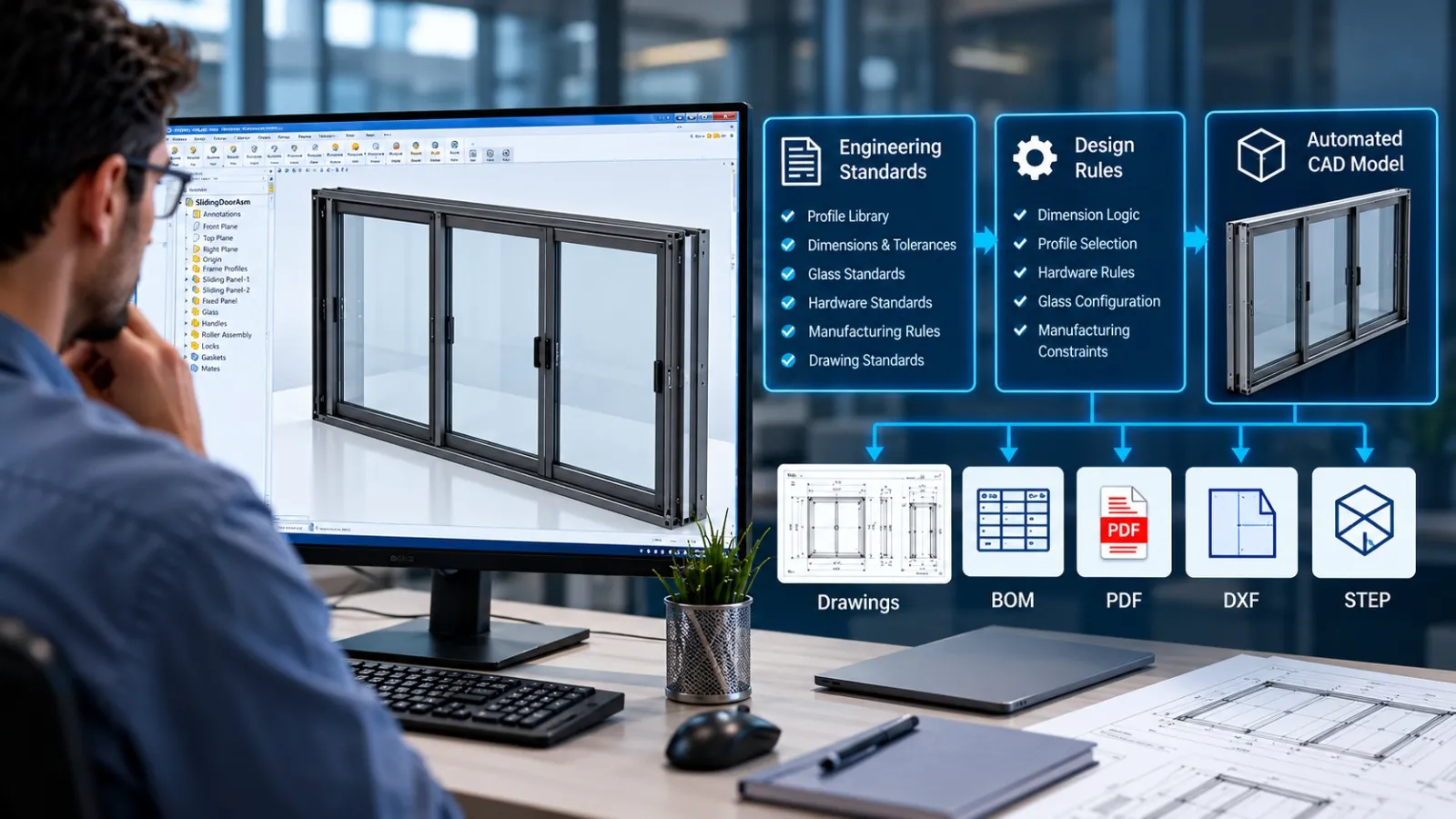
Modern CAD automation goes beyond simple task automation. It enables organizations to standardize design processes, automate documentation, improve engineering productivity, and reduce repetitive work across product development workflows.
Why Manual CAD Workflows Slow Down Engineering Teams
As products become more complex and customization increases, engineering teams often spend significant time on repetitive design and documentation tasks. Activities such as creating similar models, updating drawings, generating BOMs, and managing design revisions can consume valuable engineering resources and slow project execution.
Manual CAD workflows may work for simple projects, but they become increasingly difficult to manage as product variations, design changes, and documentation requirements grow. These repetitive processes can lead to inconsistencies, longer design cycles, and a higher risk of human error.
Common challenges include:
- Repetitive modeling and drafting tasks
- Manual drawing and BOM creation
- Time-consuming design revisions
- Inconsistent documentation
- Increased risk of errors
- Delays in project delivery
To overcome these challenges, many organizations are adopting CAD automation tools that streamline repetitive tasks, improve consistency, and allow engineers to focus on design innovation rather than routine activities.
How CAD Macros Reduce Repetitive Design Tasks
Macros are small programs or scripts that automate repetitive tasks within the CAD Software. These custom programs enhance efficiency by recording and executing a series of actions. It enables engineers to automate design processes.
Users can create macros to automate anything from simple geometric operations to complex design tasks using Visual Basic for Applications (VBA). Users can also customize macros to suit specific project needs, reducing manual labor and enhancing productivity.
One common application of macros is automating the creation of standard and repetitive Processes. This allows designers to work smarter, faster, and with greater precision.
Common macro applications include automated drawing exports, PDF generation, custom property updates, BOM extraction, and batch processing of CAD files. These automations help reduce manual effort while improving consistency across projects.
How Parametric Design Automation Accelerates Product Development
Parametric design automation is a powerful feature that enables the creation of intelligent and configurable models. Equations and logical functions can link parameters, such as dimensions. It allows designs to adapt and change based on user input.
For example: with parametric design automation, one can create a model that adjusts its size and shape based on specific criteria or customer requirements. This speeds up the design process and ensures accuracy and consistency in the final product.
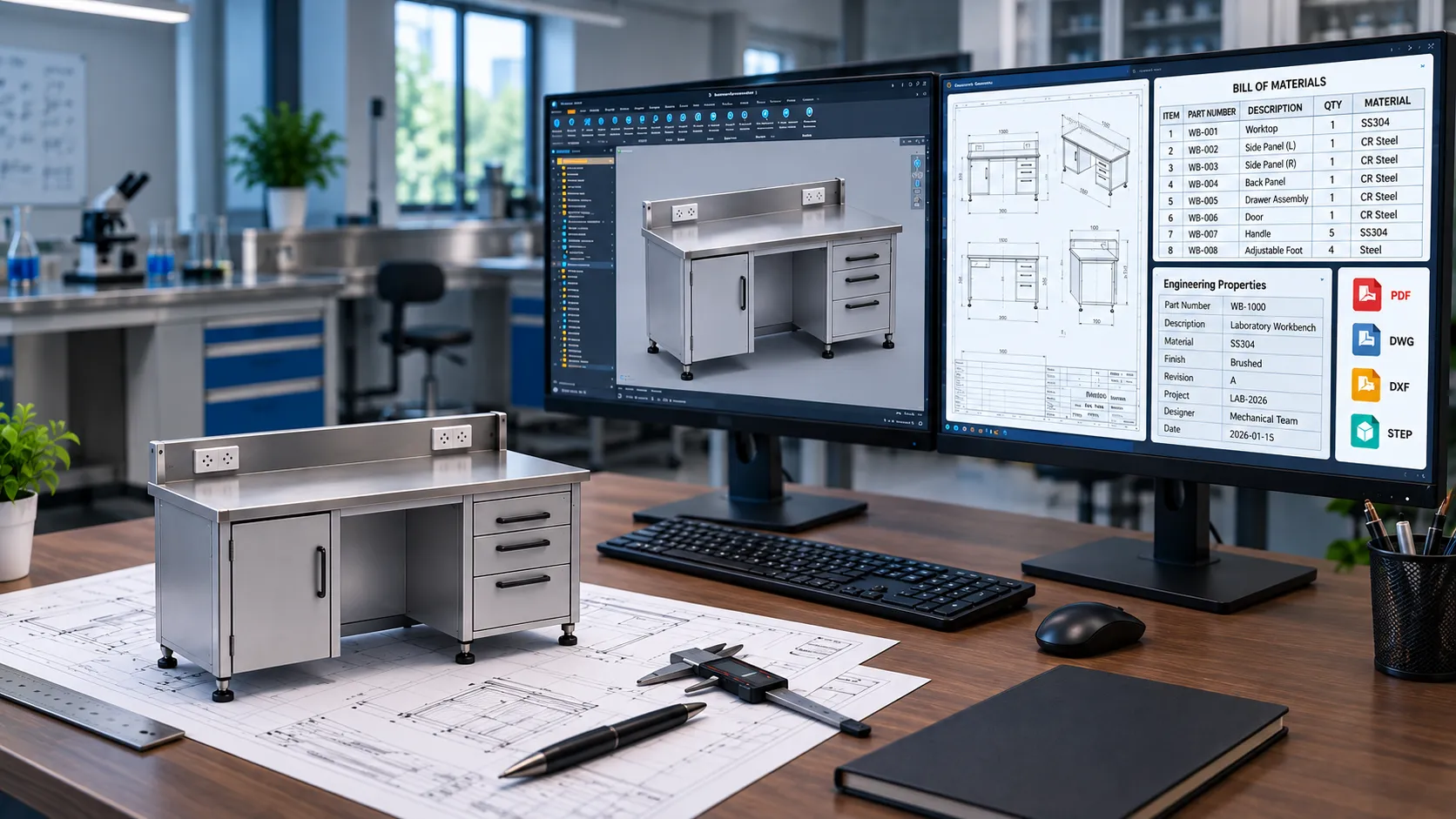
Parametric automation is widely used for configurable products such as sheet metal cabinets, laboratory furniture, industrial equipment and modular systems where multiple design variations share common engineering rules.
Why PDM is Essential for Design Data Management
PDM (Product Data Management) is a robust solution for managing design data, documents, and workflows. It streamlines the collaboration process by providing a centralized location for storing and accessing design files.

PDM ensures that everyone in the team is working with the latest design revisions, preventing errors caused by using outdated files.
PDM also offers automation capabilities for data retrieval, document approval processes, and revision management. This simplifies data management and helps maintain data integrity.
Modern PDM systems also support version control, approval workflows, engineering change management, and collaboration between distributed design teams.
How SolidWorks Supports CAD Automation
SolidWorks is a powerful CAD software known for its user-friendly interface and robust feature set. It has been at the forefront of CAD automation, offering a range of tools and features that streamline the design process.
Feature-based Parametric Modeling
SolidWorks employs a parametric modeling approach, allowing users to create intelligent 3D models. The system automatically reflects changes made to one part of the design in related parts, ensuring consistency and reducing the need for manual adjustments.
Design Tables and Configurations
This software allows users to create design tables and configurations, enabling the quick generation of design variations. This is particularly useful for products with multiple configurations, as it eliminates the need to recreate similar models from scratch.
Macro Recording and Automation
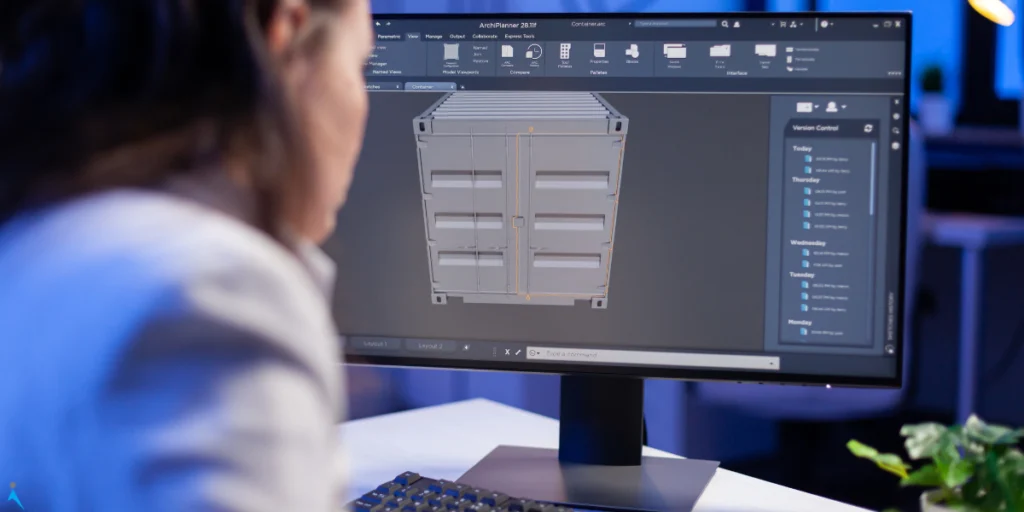
SolidWorks supports the recording of macros, which are sequences of commands that can be played back to automate specific tasks. This feature is highly beneficial for repetitive actions, saving time and reducing the risk of errors.
PDM Integration
It seamlessly integrates with Product Data Management (PDM) systems, facilitating collaboration and version control. This ensures that all team members are working with the latest design data.
Where CAD Automation Delivers the Greatest Impact?
- Manufacturing Drawings
Automate drawing generation, revision updates, and documentation workflows. - Sheet Metal Products
Generate configurable cabinets, enclosures, and furniture variants automatically. - Industrial Equipment
Automate repetitive modeling tasks and product variations. - Structural Components
Standardize detailing and repetitive engineering workflows. - Product Configurators
Generate CAD models automatically based on user-defined parameters.
CAD Automation Use Cases in Manufacturing
- Automated drawing generation
- BOM automation
- Rule-based design
- Product configurators
- Engineering documentation automation
- Standardization of product families
Why CAD Automation is Becoming Essential for Modern Engineering
CAD automation helps engineering teams reduce repetitive work, improve design consistency, and accelerate product development. From automated drawings and BOM generation to configurable product design and workflow standardization, automation enables organizations to improve productivity while maintaining engineering quality.
As manufacturers continue their digital transformation journey, CAD automation is becoming a critical tool for improving efficiency, scalability, and competitiveness.
How Immersiv Techsphere Supports CAD Automation
Immersiv Techsphere helps manufacturers automate repetitive CAD tasks using SolidWorks API, VBA, and rule-based design. Our solutions support 3D model generation, manufacturing drawings, BOM creation, design validation, and engineering documentation. By streamlining workflows and reducing manual effort, we help teams improve efficiency, consistency, and product development speed.
Frequently Asked Questions About CAD Automation
A. CAD automation uses software tools and custom programming to automate repetitive engineering and design tasks.
A. It reduces manual design work and allows engineers to focus on higher-value engineering activities.
A. Manufacturing, sheet metal, industrial equipment, structural steel, furniture, and process equipment industries commonly use CAD automation.
Why CAD Automation is Becoming Essential for Modern Engineering
CAD automation helps engineering teams reduce repetitive work, improve design consistency, and accelerate product development. From automated drawings and BOM generation to configurable product design and workflow standardization, automation enables organizations to improve productivity while maintaining engineering quality.
As manufacturers continue their digital transformation journey, CAD automation is becoming a critical tool for improving efficiency, scalability, and competitiveness.
Have a Project in Mind?
Need help with 3D animation, industrial visualization, HSE training animation, or product visualization? Tell us about your project and our team will get back to you.