

Table of Contents
Introduction
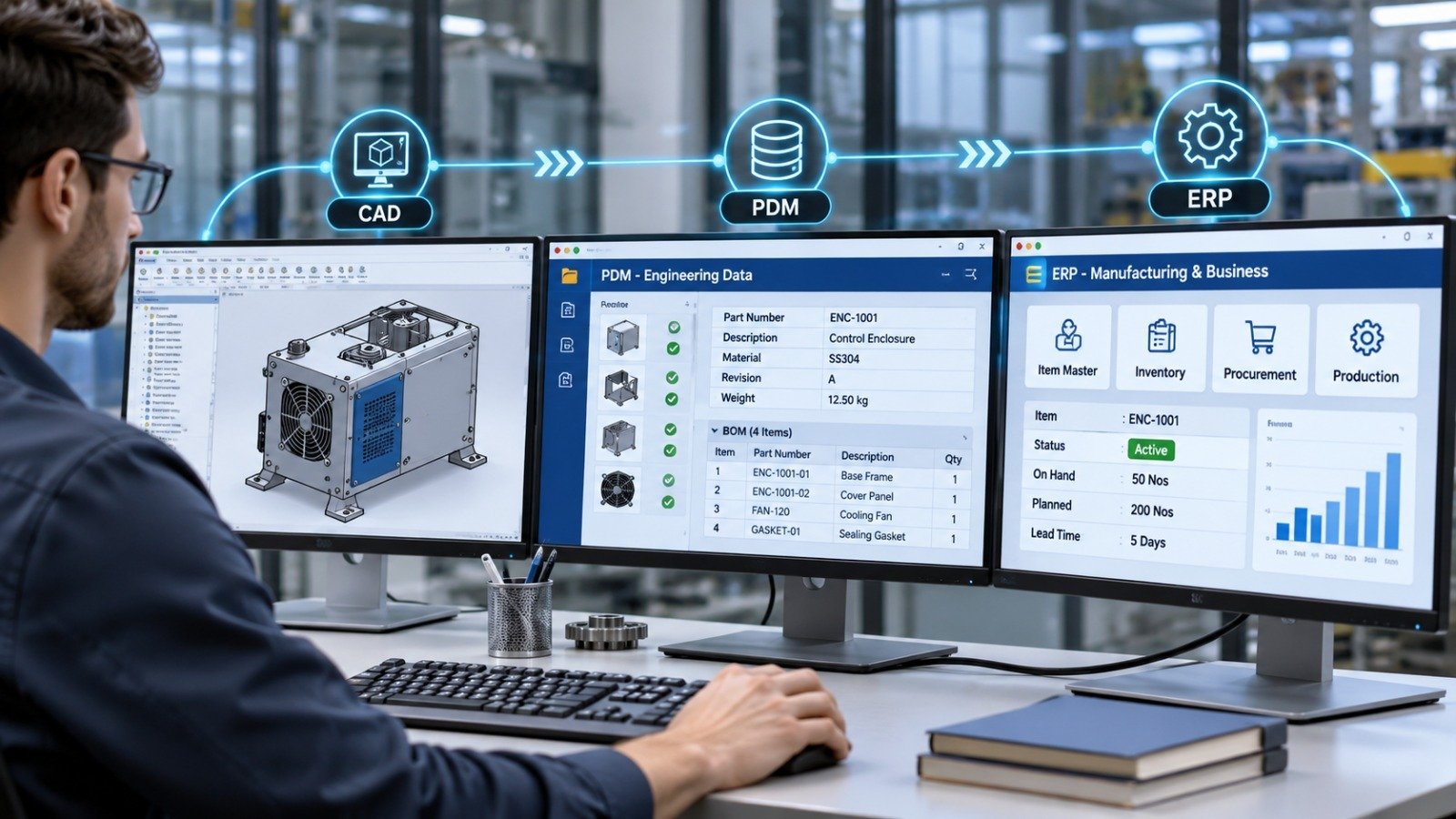
Engineering and manufacturing teams often use different software systems to manage product design, engineering data, inventory, purchasing and production. While engineers work with CAD models and drawings in SolidWorks, other departments rely on ERP (Enterprise Resource Planning) systems to manage materials, item codes, costs, production orders and inventory.
The challenge begins when information needs to move between these systems.
For example, when an engineer updates a component’s material, part number or revision in SolidWorks, the same information may also need to be updated in the ERP system. Managing these updates manually can lead to duplicate data entry, inconsistent records and delays in production.
This is where SolidWorks PDM and ERP Integration becomes useful.
By combining SolidWorks PDM, API-based development and CAD automation using .NET and VBA, businesses can establish a structured process for transferring engineering metadata to business systems. This allows engineering and manufacturing teams to work with more consistent product information without repeatedly entering the same data.
In this blog, we will explore how SolidWorks PDM and ERP integration works, what information can be transferred, and how .NET and VBA automation can support the integration process.
What Is SolidWorks PDM and ERP Integration?
SolidWorks PDM (Product Data Management) is used to manage engineering files, revisions, workflows and product-related information. An ERP system, on the other hand, manages business operations such as procurement, inventory, production planning, costing and order management.
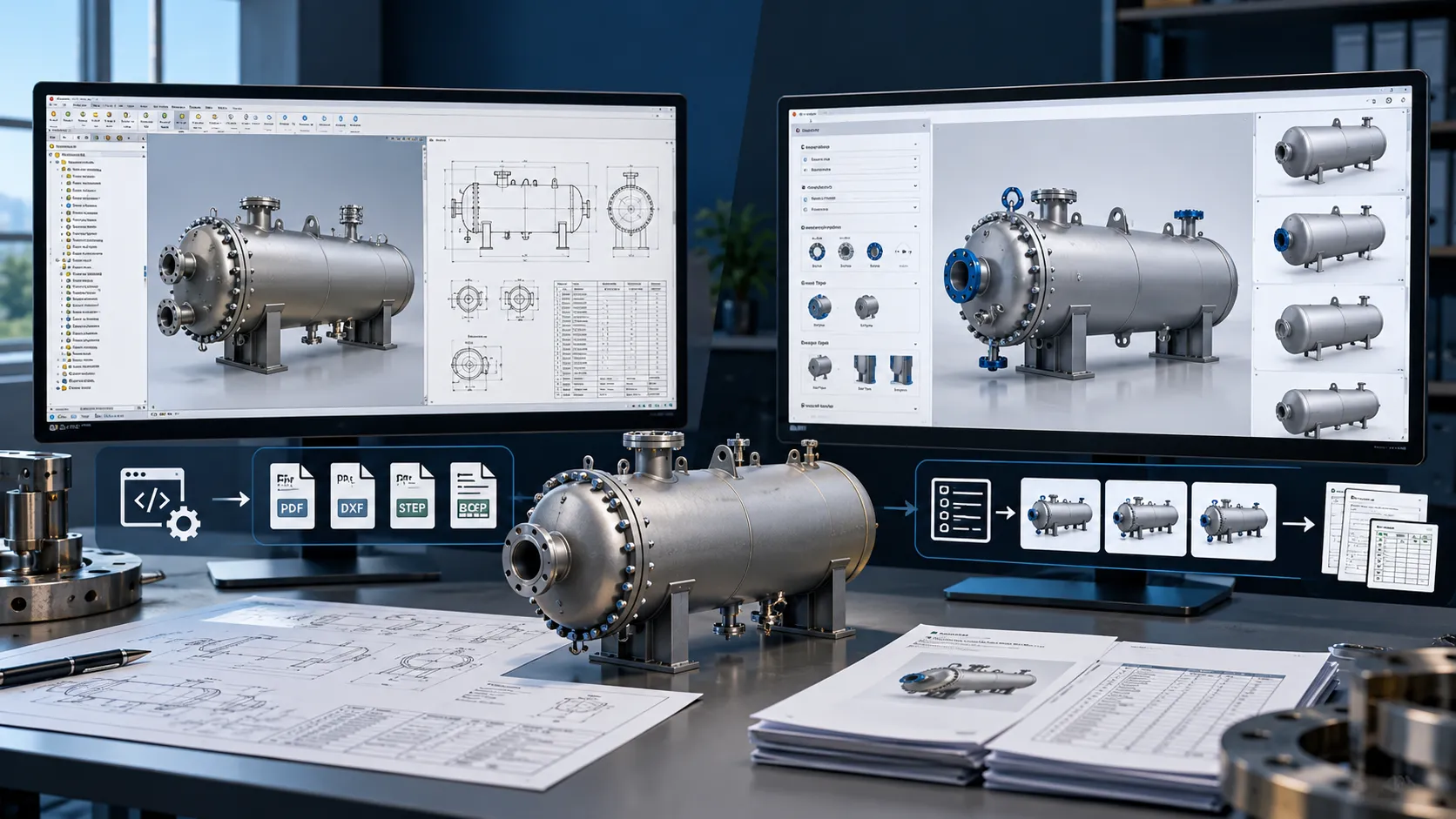
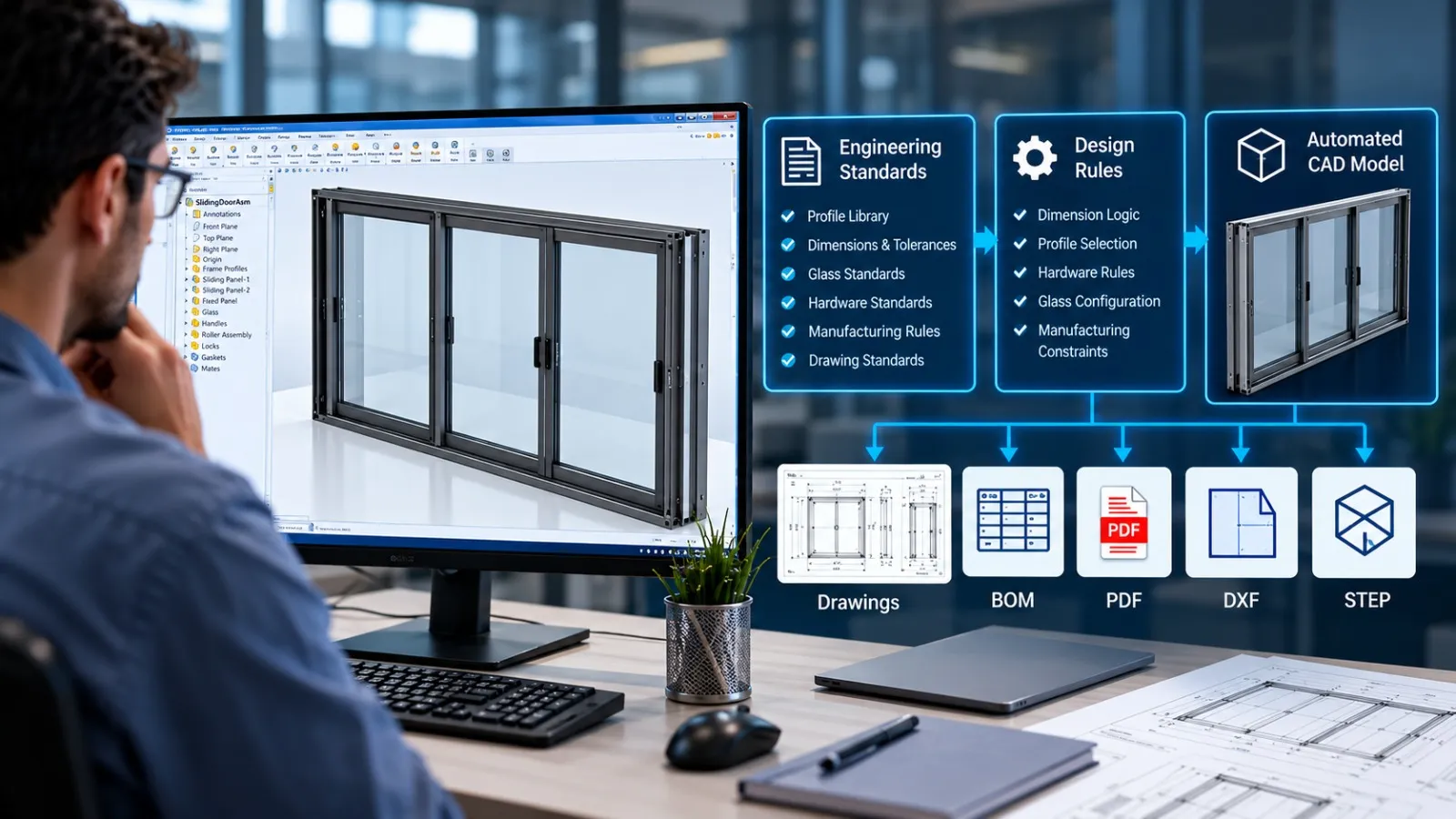
Integrating these systems creates a connection between engineering data and business processes. Custom SolidWorks API Automation can further streamline this process by extracting engineering information, automating repetitive CAD operations and connecting design data with downstream business systems.
For example, consider a manufacturing company designing a sheet metal enclosure in SolidWorks.
The engineering team creates the 3D model, generates manufacturing drawings and assigns properties such as:
- Part Number
- Description
- Material
- Thickness
- Weight
- Revision
- Quantity
- Finish
These properties can be stored as custom properties in SolidWorks and managed through SolidWorks PDM data cards and variables.
Once the design reaches the required approval stage, selected information can be transferred to the ERP system to support item creation, purchasing, inventory planning and production.
The important point is that integration does not simply mean exporting CAD files. It involves transferring the right engineering information at the right stage of the product development process.
Why Do Manufacturing Companies Need CAD and ERP Integration?
In many manufacturing businesses, engineering and business teams work with separate software systems. Without a proper connection, the same product information may need to be entered and maintained in multiple places.
This creates several operational challenges.
- Duplicate Data Entry Engineers may enter part information in SolidWorks, while purchase or production teams manually enter the same details into the ERP system. This increases administrative work and creates opportunities for data entry mistakes.
- Inconsistent Product Information Suppose an engineer changes a component’s material from mild steel to stainless steel. If the updated material information is not reflected in the ERP system, the purchasing department may continue working with outdated specifications.
- Revision Management Problems Manufacturing teams need to identify which revision of a component or assembly is approved for production. When engineering revisions and ERP item records are not properly synchronized, teams may work with outdated information.
- Delayed Production Planning Production planning depends on accurate information about components, quantities, materials and product structures. Manual information transfer can delay these activities, particularly when a company manages hundreds or thousands of parts.
CAD and ERP integration helps establish a more consistent flow of information between engineering and business operations.
What CAD Metadata Can Be Transferred to an ERP System?
The information transferred depends on the company’s engineering standards, ERP capabilities and integration requirements.
Common examples include:
| CAD Metadata | Purpose in ERP |
|---|---|
| Part Number | Unique item identification |
| Part Description | Item identification and documentation |
| Material | Material procurement and planning |
| Weight | Logistics and costing calculations |
| Thickness | Sheet material planning |
| Revision | Engineering change tracking |
| Quantity | Production and assembly planning |
| BOM | Component and material planning |
| Finish/Coating | Manufacturing and purchasing specifications |
| Make or Buy | Procurement planning |
Not every SolidWorks property should automatically become an ERP field. The integration should define which properties are required by each department.
Understanding CAD Properties and PDM Variables
SolidWorks supports custom properties at the document and configuration levels. These properties can contain information such as part numbers, descriptions, materials and weights.
SolidWorks PDM can map selected file properties to PDM variables through data card configurations.
For example:
- A SolidWorks custom property named Part Number can be mapped to a PDM variable.
- A Material property can be made available on the PDM data card.
- A revision variable can be managed through the PDM revision workflow.
This creates a structured source of engineering metadata that can be accessed by automation routines.
One important consideration is property consistency. If different designers use different property names or formats, automated data extraction becomes difficult. Standardizing property templates is therefore an important first step.
Automating the extraction and management of these properties can reduce repetitive engineering work. Explore how SolidWorks API and VBA automation can help streamline drawing documentation, property management and other engineering tasks.
How Does SolidWorks PDM and ERP Integration Work?
A typical integration connects SolidWorks, PDM and ERP through APIs or an intermediate application that manages communication between the systems.
The exact architecture depends on the ERP software, available APIs, business requirements and the level of automation required.
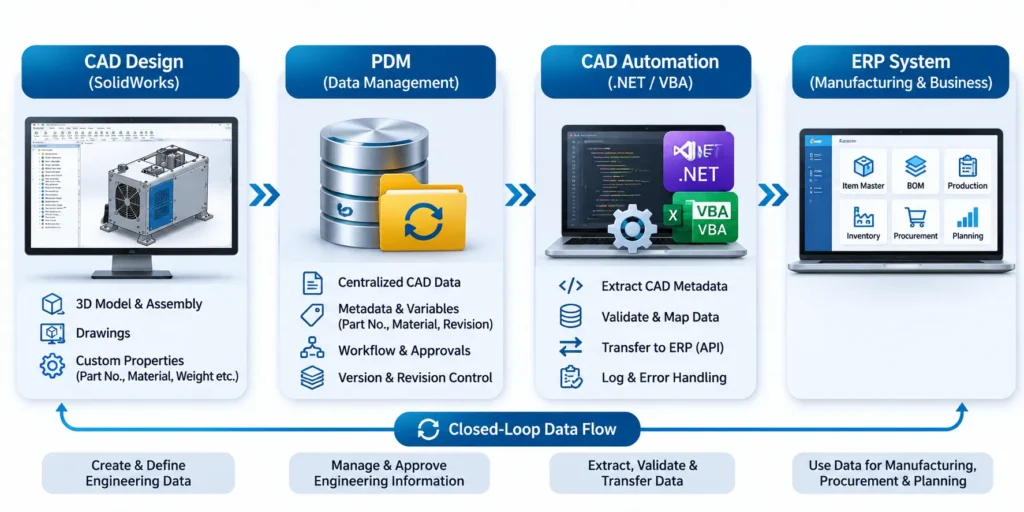
Here is a practical workflow.
Step 1: Create and Manage CAD Data in SolidWorks
Engineers create 3D models, assemblies and manufacturing drawings in SolidWorks.
Custom properties are defined to store important information, including part numbers, descriptions, materials and other manufacturing details.
For example, a sheet metal component may contain:
- Part Number: BRK-001
- Material: SS304
- Thickness: 2 mm
- Finish: Powder Coated
- Revision: A
Step 2: Store Engineering Data in SolidWorks PDM
The CAD files are checked into the PDM vault, where file versions, revisions, workflows and associated metadata can be managed.
PDM data cards can display information from mapped CAD properties and PDM variables.
This makes it possible to establish a consistent location for accessing approved engineering information.
Step 3: Trigger the Automation Process
The integration can be configured to execute when a specific event occurs.
For example:
- A file is checked into the PDM vault.
- A design moves to an approved workflow state.
- An engineering change is released.
- A production BOM is ready for transfer.
A PDM API add-in or an external application can respond to supported PDM events and execute the required automation.
The most important consideration is to select the correct trigger. For example, transferring data only after engineering approval helps prevent unapproved design information from reaching production.
Step 4: Extract and Validate CAD Metadata
The automation application reads the required properties from SolidWorks or PDM.
Before sending the information to ERP, it can validate:
- Whether the part number exists.
- Whether mandatory properties are populated.
- Whether the material code is valid.
- Whether the revision is correct.
- Whether the BOM contains the required component information.
If required information is missing, the automation can generate an error or send the record for correction instead of transferring incomplete data.
Step 5: Transfer Information to the ERP System
After validation, the application maps engineering properties to the corresponding ERP fields.
For example:
| SolidWorks / PDM Field | ERP Field |
|---|---|
| Part Number | Item Number |
| Description | Item Description |
| Material | Material Code |
| Weight | Item Weight |
| Revision | Engineering Revision |
| BOM Quantity | Component Quantity |
The data can be transferred using the ERP system’s supported integration method, such as REST API, SOAP API, database interface or an approved middleware platform.
The actual method depends on the ERP vendor and its integration architecture.
Step 6: Receive ERP Response and Update Status
After sending the information, the integration application should capture the ERP response.
For example, the ERP system may return:
- Successful item creation.
- Existing item number.
- Invalid material code.
- Missing mandatory information.
- Duplicate record.
The application can maintain a transfer log and report the result to the engineering or ERP team.
This feedback process is important because successful data transmission does not always mean that the ERP system has accepted and processed the information.
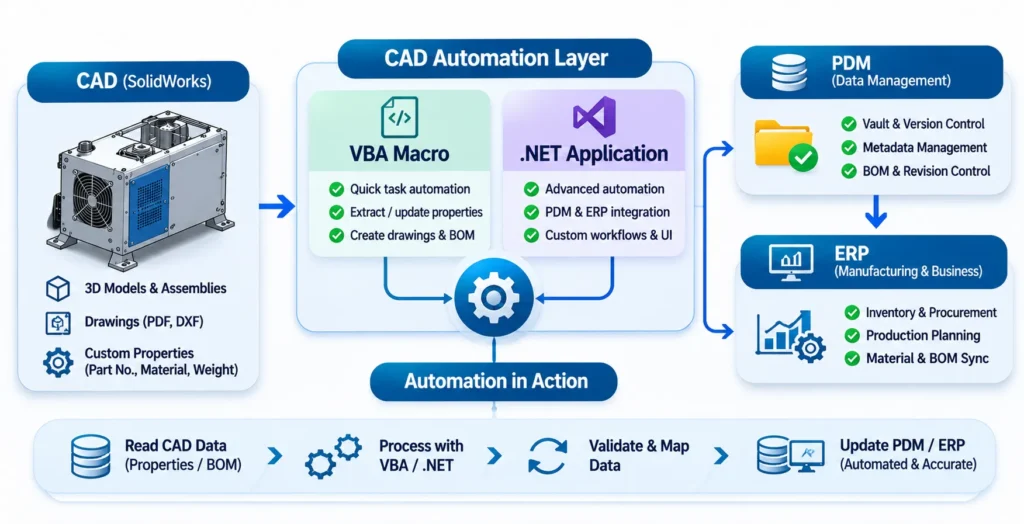
How Do .NET and VBA Support CAD Automation?
This is where custom CAD automation becomes particularly useful.
SolidWorks and PDM provide APIs that allow developers to access engineering data and automate specific operations. Using these APIs, developers can create applications that connect CAD information with external business systems.
Two commonly used approaches are VBA-based automation and .NET-based application development.
1. SolidWorks VBA Macros for Data Automation
VBA (Visual Basic for Applications) is commonly used to automate repetitive tasks within SolidWorks.
A VBA macro can access SolidWorks document properties, configurations, assemblies and other supported API functions.
For example, a company may need to extract the following information from hundreds of SolidWorks files:
- Part Number
- Description
- Material
- Weight
- Configuration Name
- Revision
Instead of opening each file and copying the information manually, a VBA macro can automate property extraction and organize the results into an Excel file or another structured format.
VBA can also support smaller automation tasks involving PDM API functionality when configured with the appropriate references and environment.
Practical applications of VBA automation include:
- Extracting custom properties from SolidWorks files.
- Generating Excel reports from CAD metadata.
- Checking mandatory property values.
- Automating repetitive engineering data preparation.
- Preparing structured data for ERP import.
VBA is particularly useful for smaller automation requirements, internal engineering utilities and quick workflow improvements.
2. .NET Development for Advanced PDM and ERP Integration
For more extensive integration requirements, .NET development using C# or VB.NET provides a more structured approach.
The SOLIDWORKS PDM Professional API exposes functionality for accessing vault files, variables, workflows, file history, revisions and other PDM information.
It also supports the development of standalone applications and PDM add-ins.
A .NET application can be developed to:
- Connect to the SolidWorks PDM vault.
- Read file metadata and PDM variables.
- Retrieve approved file and BOM information.
- Validate engineering properties.
- Map CAD data to ERP fields.
- Communicate with ERP APIs.
- Maintain synchronization logs.
- Handle failed transfers and retry operations.
For example, a manufacturing company can develop a custom .NET application that checks for files entering an approved PDM workflow state. The application extracts the required metadata, validates the information and sends it to the ERP system through its API.
The application can also record the ERP response and identify records that need attention.
3. VBA vs .NET: Which Approach Should You Choose?
Both technologies can support CAD automation, but their applications are different.
| Requirement | VBA | .NET (C#/VB.NET) |
|---|---|---|
| Simple SolidWorks macros | Suitable | Suitable |
| Custom property extraction | Suitable | Suitable |
| Excel-based reporting | Suitable | Suitable |
| PDM API interaction | Possible | Suitable |
| Complex ERP API integration | Limited suitability | Highly suitable |
| Large-scale automation applications | Less suitable | Suitable |
| Custom PDM add-ins | Limited use cases | Suitable |
| Error handling and application management | Basic to moderate | More extensive capabilities |
The choice depends on the complexity of the workflow.
A VBA macro may be sufficient for extracting CAD properties and preparing an Excel report. However, when a business needs continuous communication between PDM and ERP, a dedicated .NET application or integration service is generally a more maintainable approach.
It is also possible to use both technologies together. VBA can automate activities inside SolidWorks, while a .NET application manages the larger integration process.
What Are the Common Challenges in PDM and ERP Integration?
Although integration can improve engineering and manufacturing workflows, the implementation needs proper planning.
Some common challenges include:
- Different Data Structures SolidWorks, PDM and ERP may use different field names and data formats. For example, SolidWorks may store a material as a text property, whereas ERP expects a predefined material code. A mapping and validation layer is needed to convert the information correctly.
- Part Number Management Companies may use different part numbering rules across engineering and ERP systems. The integration must establish which system generates and controls the unique item number to avoid duplicate records.
- Revision and Engineering Change Management A change in a CAD file does not necessarily mean that the ERP record should immediately be updated. The integration should follow an agreed engineering change process and transfer information at the appropriate approval stage.
- BOM Structure Differences SolidWorks assemblies and ERP manufacturing BOMs may not always follow the same structure. For example, an engineering BOM may include reference components, purchased items and subassemblies, while a manufacturing BOM may require a different structure. The integration must define how these differences are handled rather than transferring every assembly relationship without validation.
- Duplicate and Failed Data Transfers Network interruptions, API errors and repeated workflow triggers can result in failed or duplicate transactions. A reliable integration should include transaction tracking, duplicate checks, error logging and controlled retry mechanisms.
These considerations help ensure that engineering and business systems remain consistent.
What Are the Benefits of Automating CAD and ERP Workflows?
When designed around actual business requirements, SolidWorks PDM and ERP integration can improve several areas of manufacturing operations.
- Reduced Manual Data Entry: Engineering information can be transferred automatically instead of being repeatedly entered by different departments.
- Better Data Consistency: Standardized property mapping helps maintain consistent part descriptions, material information and revision details.
- Improved Engineering Change Management: Approved design information can be transferred through a defined workflow, reducing the possibility of production teams using outdated engineering data.
- Faster BOM and Item Data Processing: Automated extraction and transfer can reduce the time required to prepare item records and product structures.
- Better Coordination Between Departments: Engineering, purchasing, inventory and production teams can access more consistent product information through their respective business systems.
- Scalable Engineering Workflows: Custom automation can be extended as product volumes, engineering teams and manufacturing requirements grow.
How Can Immersiv Techsphere Help with CAD Automation?
Every manufacturing company has different engineering processes, property standards, PDM configurations and ERP requirements. Therefore, a standard automation approach may not address every business requirement.
At Immersiv Techsphere, we work on custom CAD automation solutions focused on reducing repetitive engineering activities and improving data management workflows.
Our automation development capabilities include:
- SolidWorks API Automation: Custom applications for automating CAD operations and accessing engineering information.
- SolidWorks VBA Macros: Automation of repetitive modelling, property extraction, drawing and reporting tasks.
- .NET-Based Automation: Custom applications and integrations for connecting engineering data with external business systems.
- SolidWorks PDM Automation: Custom workflows and API-based applications for managing file properties, metadata and engineering processes.
- BOM and Data Automation: Automated extraction, validation and preparation of engineering information for downstream systems.
Whether the requirement involves bulk property extraction, automated BOM generation, PDM data management or ERP connectivity, the objective is to develop an automation workflow that fits the company’s existing engineering and manufacturing processes.
We automate Efforts.
Frequently Asked Questions
Yes. SolidWorks PDM can be integrated with ERP systems using APIs, custom applications and middleware. The integration can transfer approved engineering metadata, item information and BOM data to support manufacturing and business operations.
Yes, this can be developed using the PDM API or an integration application. Custom properties mapped to PDM variables can be extracted, validated and transferred to the corresponding ERP fields.
Common development options include VBA, C# and VB.NET. VBA is useful for macros and smaller automation tasks, while C# and VB.NET are suitable for developing more extensive PDM applications, add-ins and ERP integration solutions.
The SolidWorks API is primarily used to interact with CAD documents, models, assemblies, drawings and configurations.
The SolidWorks PDM API is used to interact with the PDM vault, including files, folders, variables, workflows, revisions and file history.
Both APIs can be used together to develop integrated engineering automation solutions.
Yes. BOM information can be extracted from SolidWorks assemblies or PDM-managed BOMs and transferred to an ERP system. The integration needs to account for item numbers, quantities, configurations, component relationships and the ERP’s required BOM structure.
For complex ERP integration, .NET is generally more suitable because it provides a broader application development environment, structured API communication and more extensive error-handling capabilities.
VBA remains useful for smaller SolidWorks automation tasks and data preparation. The right choice depends on the integration requirements.
Not necessarily. Installing SolidWorks PDM does not automatically establish synchronization with an ERP system. A suitable integration must be configured or developed based on the available APIs, business workflows and data requirements.
Conclusion
SolidWorks PDM and ERP integration helps manufacturing companies connect engineering information with business operations. However, successful integration depends on more than simply transferring CAD properties or exporting BOM files.
It requires standardized metadata, proper revision control, data validation and a reliable communication process between systems.
With SolidWorks API, PDM API, .NET and VBA automation, businesses can reduce repetitive data entry, improve engineering data consistency and establish more connected manufacturing workflows.
At Immersiv Techsphere, we develop custom CAD automation solutions that help engineering teams automate repetitive tasks and connect their design processes with wider business requirements.
Explore our Intelligent CAD and Design Automation Services to understand how custom SolidWorks API applications, VBA macros and engineering workflow automation can improve manufacturing processes.
Have a Project in Mind?
Need help with 3D animation, industrial visualization, HSE training animation, or product visualization? Tell us about your project and our team will get back to you.