

Table of Contents
Introduction
When evaluating a product, technical buyers want more than an attractive picture. They need to understand how a product is built, what materials are used, how its components fit together and which features make it suitable for their requirements.
This is where 3D product rendering becomes useful.
Whether it is an industrial machine, sheet metal enclosure, laboratory workstation or commercial furniture product, realistic product rendering helps manufacturers communicate design intent through detailed visual representations.
Instead of relying only on technical drawings or physical samples, buyers can explore a product’s appearance, materials, finishes and key design features through high-quality 3D visuals.
But what makes a product rendering useful from a technical buyer’s perspective? Let’s explore.
Why Product Rendering Matters to Technical Buyers
A technical drawing communicates dimensions, tolerances and manufacturing information. A photograph shows the actual product. But what if the product is still in the design stage, or the manufacturer wants to present multiple configurations before production?
This is where product rendering fills an important gap.
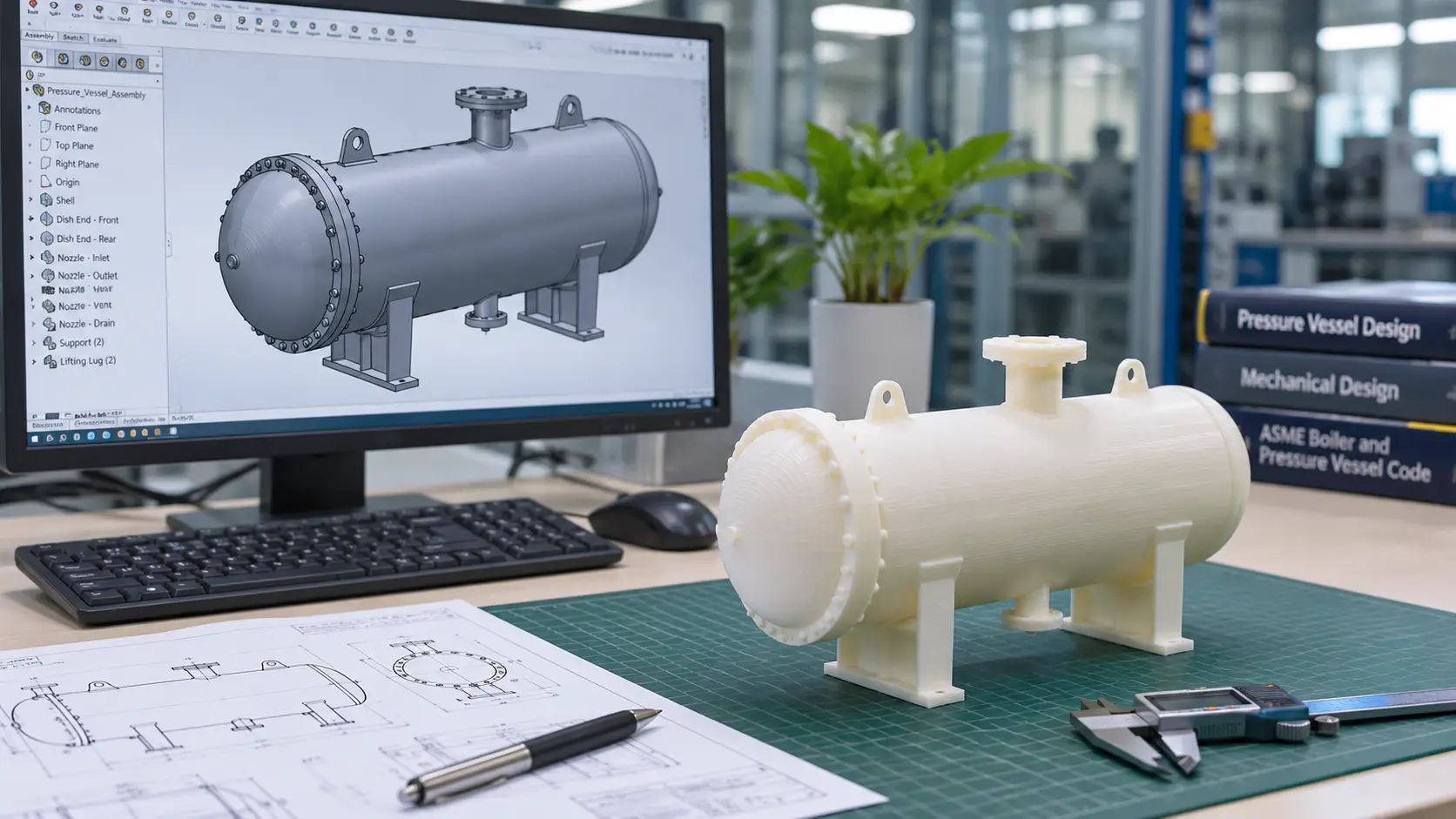
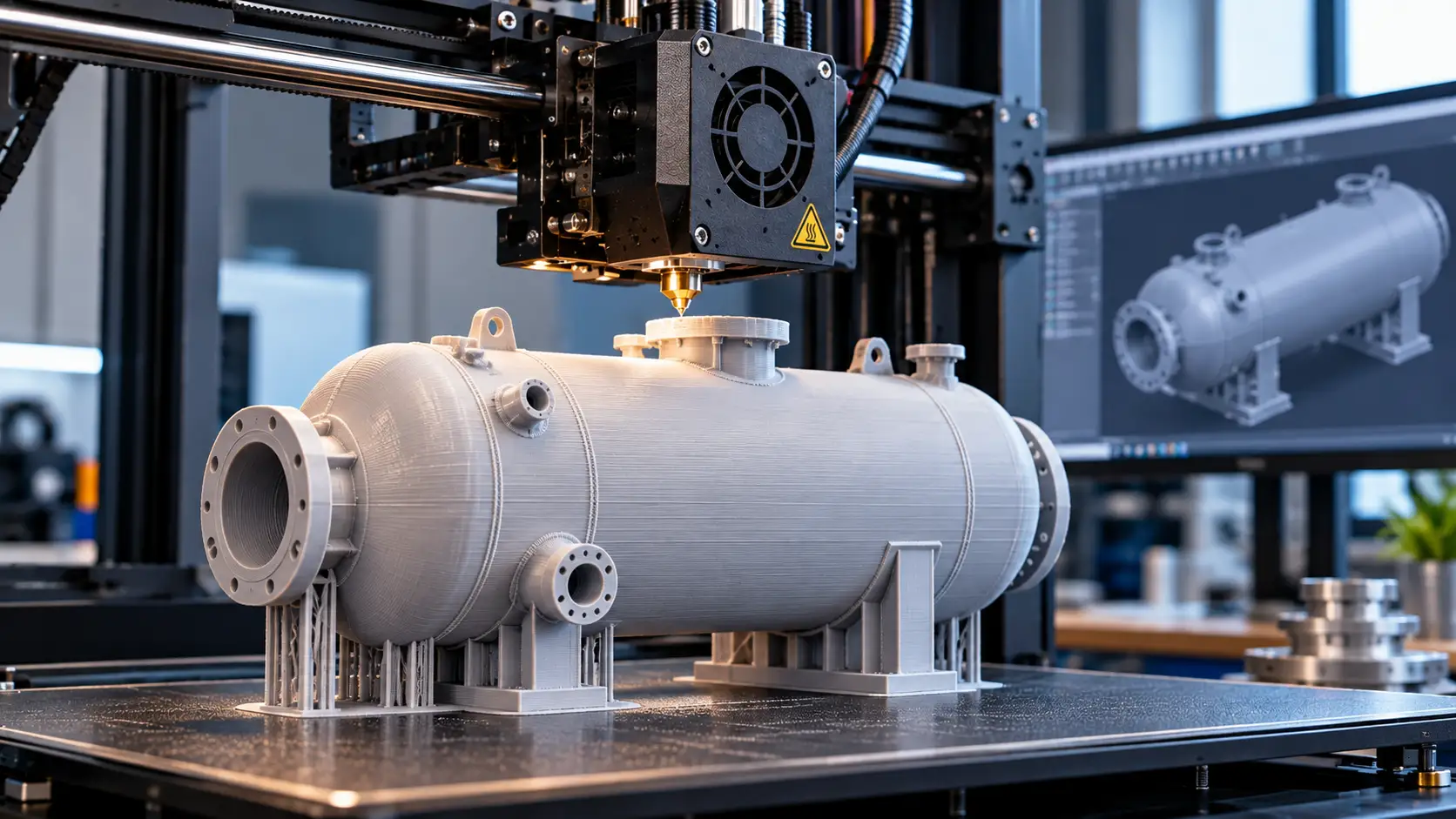
With 3D product rendering, manufacturers can present realistic product visuals directly from CAD models, even before a physical prototype is manufactured.
For technical buyers, these visuals make it easier to:
- Understand the overall product design and construction.
- Compare different materials, colours and surface finishes.
- Identify important components and design features.
- Visualise product configurations and variations.
- Review the intended product appearance before manufacturing.
For manufacturers, it also provides a consistent way to present products across technical presentations, catalogues, websites and sales proposals.
Showing Materials and Surface Finishes
Material selection plays an important role in both product appearance and application.
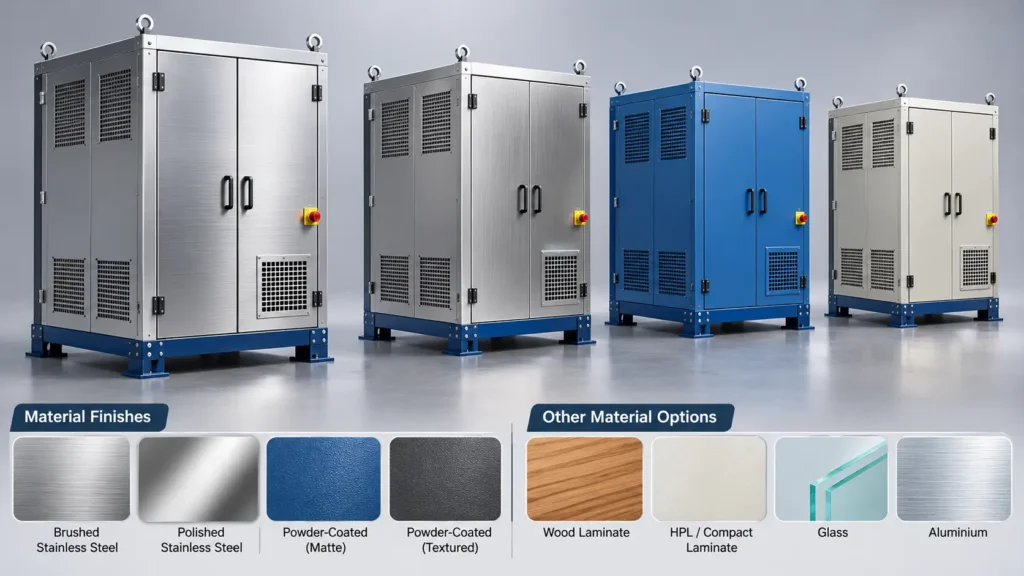
Consider an industrial equipment manufacturer presenting a new machine enclosure. The enclosure may be designed using stainless steel, carbon steel or aluminium, with different surface treatments and powder-coated finishes.
Similarly, commercial furniture may combine wooden panels, metal frames, glass surfaces and decorative laminates.
A well-developed 3D product rendering can represent these material choices using appropriate textures, colours, reflectivity and surface properties.
Manufacturers can use professional 3D product rendering services to present different material choices, colours, textures and surface finishes before production.
For example:
- Stainless steel: Brushed, polished or satin appearances.
- Powder-coated metal: Matte, gloss or textured finishes.
- Wood: Different grain patterns, colours and surface textures.
- Glass: Transparency, reflections and visual thickness.
- Plastic: Different colours, gloss levels and surface textures.
Imagine presenting the same metal workstation in three different powder-coated colours. Instead of manufacturing three physical samples, the manufacturer can generate different render variations from the same 3D model.
This makes it easier for buyers to compare the intended appearance and discuss finish preferences before production.
One important distinction: rendered material appearances are visual representations. They do not independently establish the actual material grade, coating specification or physical performance.
Highlighting Product Features and Design Details
A product may have several features that are difficult to communicate through a single image.
Consider an industrial machine with access panels, ventilation openings, control panels, mounting arrangements and removable covers.
A commercial workstation may include adjustable shelves, storage cabinets, cable management and modular accessories.
A single front-view image may not communicate all these details.
3D product rendering allows manufacturers to present products from multiple viewing angles and highlight specific design features.
While rendering communicates product appearance, product animation and product rendering can work together to explain both product design and functionality.
Different visual approaches can be used depending on the product:
Close-up renderings: Highlight smaller components, surface details, handles, hinges, control panels and connection arrangements.
Multiple-view renderings: Show front, rear, side, top and isometric views to communicate the overall product construction.
Exploded-view renderings: Present individual components separated from their assembled positions to explain how an assembly is organised.
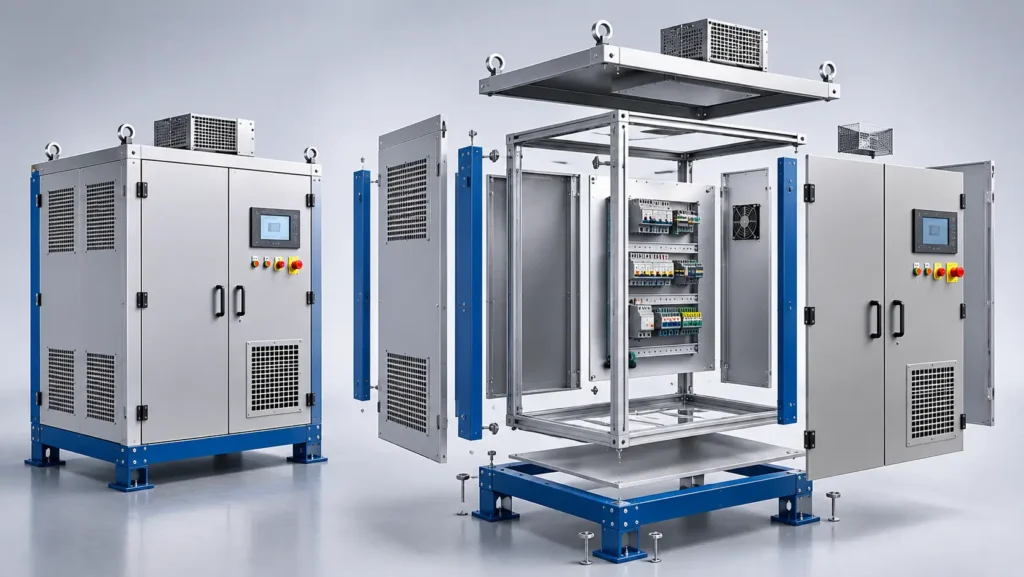
These views are particularly useful when presenting products with complex assemblies or multiple functional components.
Industrial Product Rendering: Communicating Engineering Design
Industrial products often contain complex geometries, multiple assemblies and fabrication-specific details.
For these products, rendering is not simply about creating an attractive image. It is about presenting the engineering design in a visually understandable format.
Common applications include:
- Industrial machinery and equipment
- Heat exchangers and process equipment
- Sheet metal enclosures and electrical cabinets
- Manufacturing fixtures and equipment
- Skids, platforms and mechanical assemblies
- Industrial workbenches and storage systems
For example, a manufacturer developing a process equipment skid may need to present its overall arrangement, equipment positioning, piping layout, structural supports and access platforms.
A CAD-based rendering can help communicate the equipment arrangement and overall appearance in a single visual.
Similarly, sheet metal manufacturers can showcase enclosures with different door arrangements, ventilation openings, mounting features and surface finishes.
These visuals help technical buyers understand the proposed design more clearly during product evaluations and project discussions.
However, engineering drawings and specifications remain necessary for verifying dimensions, tolerances, connections and fabrication requirements.
Commercial Product Rendering: Presenting Design and Customisation Options
Commercial products often require a different visual approach.
Here, buyers may focus on aesthetics, product usability, material combinations and how the product fits into its intended environment.
Common applications include:
- Office and commercial furniture
- Laboratory furniture and workstations
- Wood and metal furniture
- Retail fixtures and display units
- Fitness equipment
- Custom-designed furniture systems
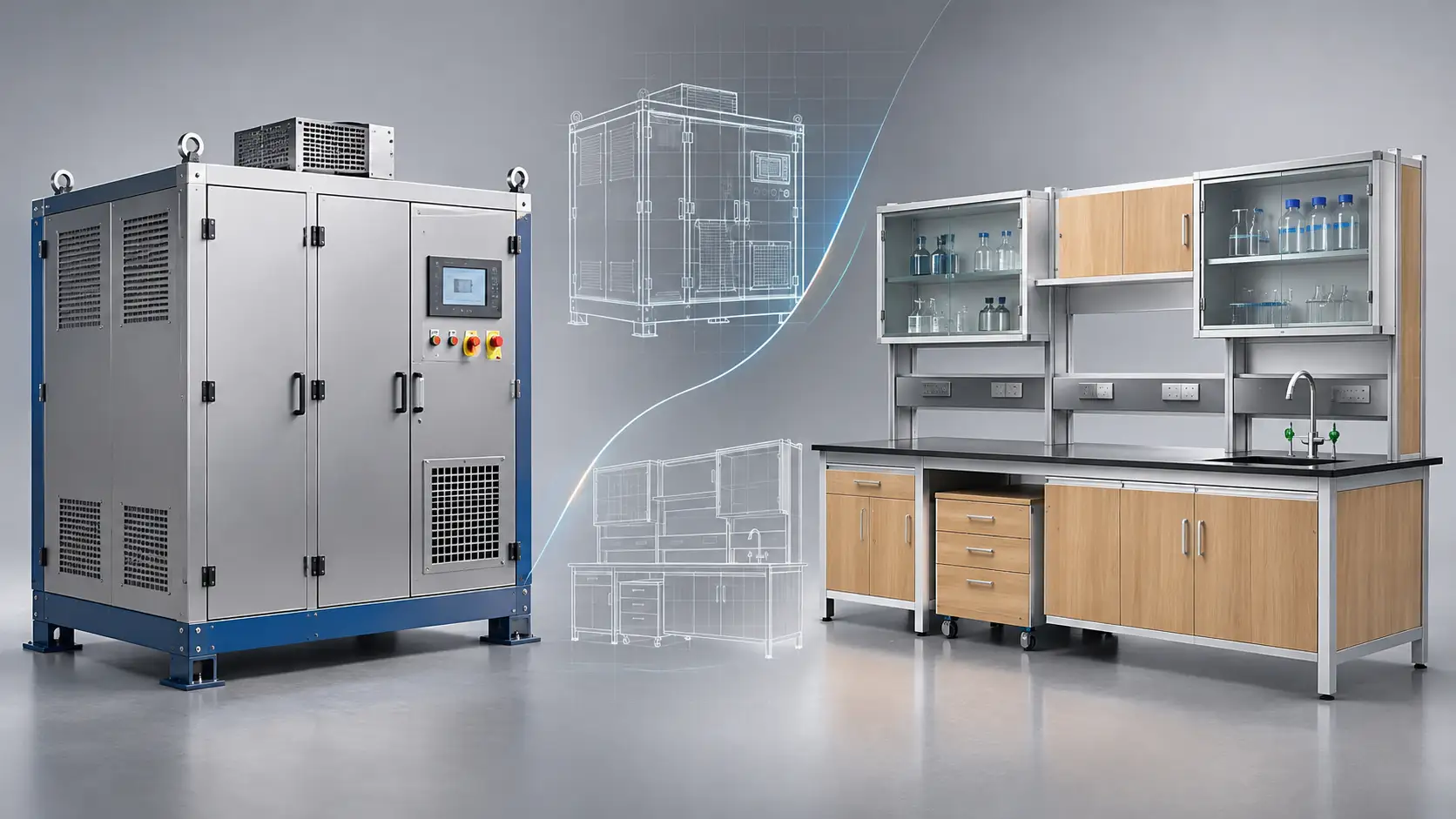
Consider a laboratory furniture manufacturer offering different workbench configurations.
The buyer may want to compare cabinet arrangements, worktop materials, storage options, metal frame finishes and overall workstation layouts.
Rather than presenting only technical drawings, manufacturers can use realistic product renderings to show how these combinations will look.
Products can also be presented in realistic environments.
For example, a laboratory workstation can be visualised within a laboratory setting, showing its storage arrangement, work surface, cabinets and relationship with the surrounding space.
Similarly, office furniture can be presented in different colour combinations and interior layouts.
This helps buyers understand both the product itself and how it may fit into its intended environment.
Why CAD-Based Rendering Makes a Difference
The quality of a product rendering depends not only on the rendering software but also on the accuracy of the underlying 3D model.
Using engineering CAD models as the starting point helps maintain consistency between product geometry and rendered visuals.
A typical CAD-based rendering workflow includes:
- 3D CAD model preparation: Creating or preparing the product geometry and assembly using engineering software.
- Material assignment: Applying appropriate colours, textures and visual surface properties.
- Lighting and environment setup: Establishing lighting conditions that reveal product details clearly.
- Camera positioning: Selecting viewing angles that highlight important features.
- Rendering: Generating high-resolution images with realistic materials, shadows and reflections.
- Visual review: Checking the final output against the approved design and intended presentation requirements.
Tools such as SolidWorks, Autodesk Inventor, KeyShot, Blender and 3ds Max can support different stages of this workflow.
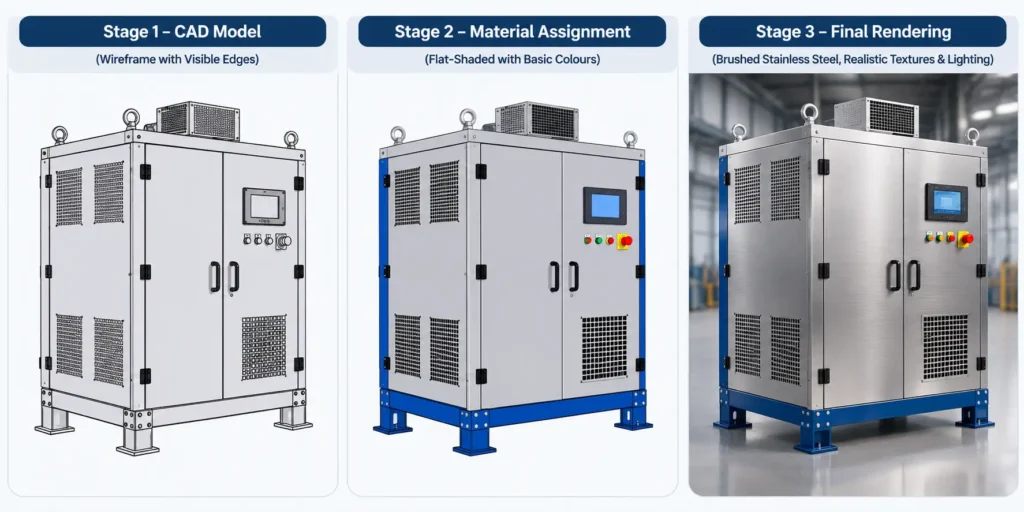
Another advantage of CAD-based rendering is reusability.
When the underlying design changes, the updated CAD model can be used to generate revised product visuals. Manufacturers can also create multiple views and finish variations from the same model.
This is particularly useful for manufacturers offering customised products or multiple product configurations.
It is important to remember that a visually accurate rendering does not automatically validate engineering performance, material properties or manufacturing feasibility. These still require appropriate engineering analysis and documentation.
Where Can Product Renderings Be Used?
Product rendering is not limited to marketing images. The same 3D model can support different stages of product communication.
Some common applications include:
Product catalogues and brochures: Present product ranges, configurations, finishes and design features through consistent visuals.
Website product pages: Help visitors understand products through high-quality images and multiple viewing angles.
Technical presentations and sales proposals: Communicate proposed product designs to customers, project teams and purchasing departments.
Product configurators: Use 3D models and rendered assets to help customers explore different product configurations, colours and finish options. Interactive configurators may require additional model preparation and real-time visualisation workflows.
Pre-production design reviews: Help teams discuss the intended product appearance and identify visual changes before manufacturing.
Product launch presentations: Showcase new products even when physical samples or prototypes are not yet available.
The same CAD model can therefore become a useful visual asset across engineering, sales and marketing activities.
How Immersiv Techsphere Supports Product Rendering
At Immersiv Techsphere, we provide 3D modelling and product rendering services for industrial and commercial products.
Our team works with engineering CAD models to create realistic visuals that highlight product features, material finishes, component arrangements and design details.
Our rendering capabilities cover industrial machinery, process equipment, sheet metal products, laboratory furniture, office furniture and customised commercial products.
Using tools such as SolidWorks, KeyShot, Blender and 3ds Max, we help manufacturers present their products through detailed visuals for websites, catalogues, technical presentations and sales proposals.
Explore our 3D Modelling and Rendering Services to see how engineering models can be transformed into realistic product visuals.
Final Thoughts
Good product visuals should do more than make a product look attractive. They should help buyers understand what they are evaluating.
For industrial products, this means communicating equipment construction, assemblies, component arrangements and engineering features.
For commercial products, it means presenting materials, finishes, design options and real-world applications.
At Immersiv Techsphere, we work with engineering CAD models and 3D visualisation workflows to develop product renderings for industrial equipment, sheet metal products, laboratory furniture, wood and metal furniture and other commercial products.
By combining accurate 3D modelling with realistic materials, lighting and presentation techniques, we help manufacturers communicate their product designs more clearly, even before the physical product reaches the production stage.
Frequently Asked Questions (FAQs)
Product rendering helps technical buyers visualise a product’s construction, materials, surface finishes and design features through realistic 3D images. It makes product details easier to understand before manufacturing or purchasing decisions.
Yes. 3D product rendering can represent materials such as stainless steel, aluminium, powder-coated metal, wood, glass and plastic, including different colours, textures and surface finishes.
Industrial product rendering focuses on machinery, equipment, assemblies and engineering details. Commercial product rendering focuses more on product appearance, material combinations, customisation options and presentation in real-world environments.
Yes. Product rendering can highlight specific components, assembly arrangements, surface details and functional features through close-up views, multiple camera angles and exploded views.
Yes. Product rendering can be developed using 3D CAD models before physical manufacturing begins. It allows manufacturers to showcase proposed designs, material options and product variations without producing physical prototypes.
Have a Project in Mind?
Need help with 3D animation, industrial visualization, HSE training animation, or product visualization? Tell us about your project and our team will get back to you.