

Table of Contents
Introduction
Manufacturing and engineering teams often spend a significant amount of time performing repetitive tasks inside SolidWorks. Creating similar parts, updating dimensions, generating drawings, exporting DXF files, updating custom properties, preparing BOMs, and saving files in the correct format can consume hours of engineering time.
While these tasks may appear simple individually, the cumulative effort can create engineering bottlenecks, increase the risk of manual errors, and delay downstream manufacturing processes.
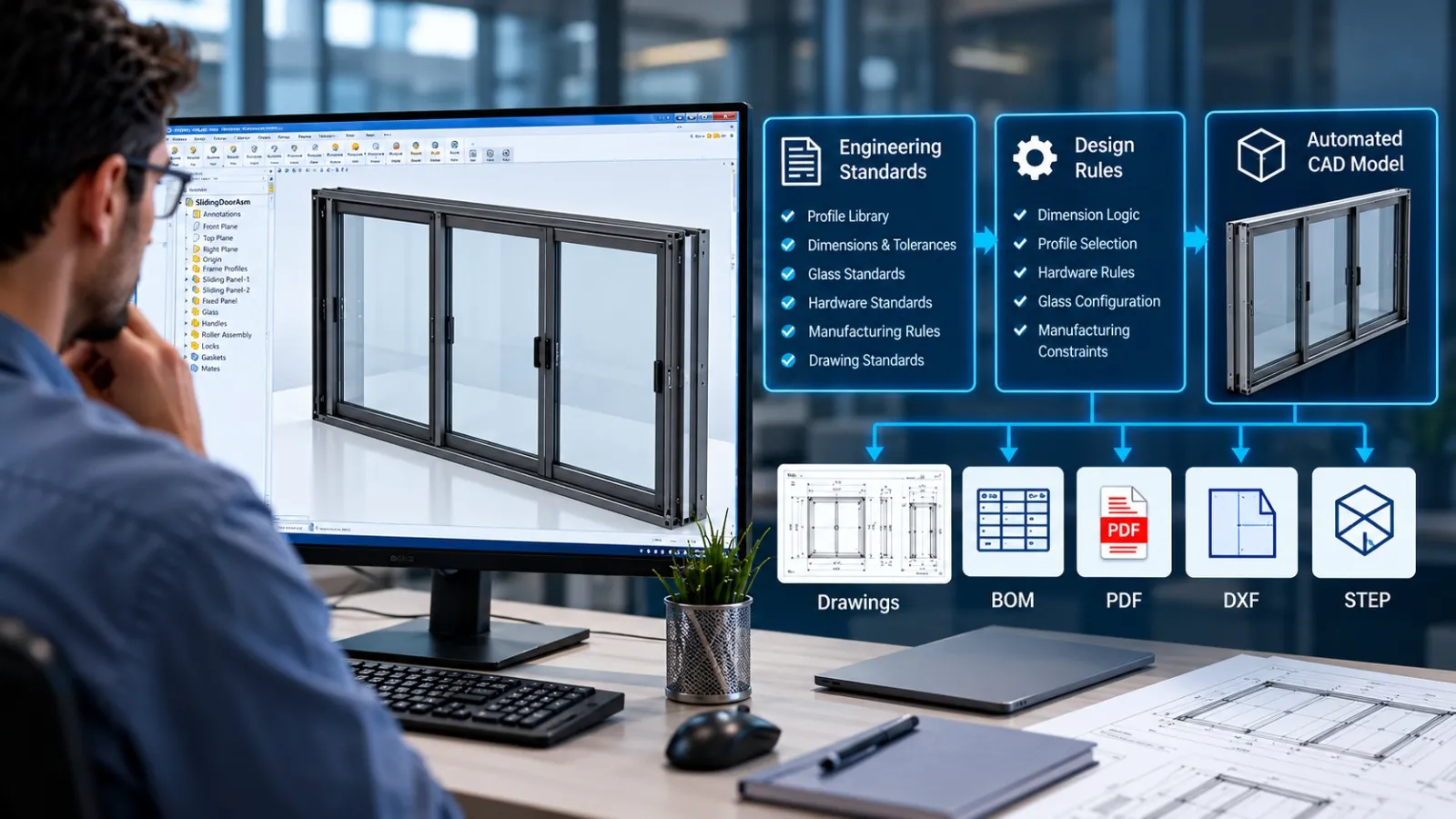
SolidWorks API Automation helps manufacturers automate these repetitive engineering tasks by connecting custom logic, business rules, and external data with SolidWorks. Instead of manually repeating the same CAD operations, engineers can use automated workflows to generate, update, export, and organize engineering data.
At Immersiv Techsphere, we develop customized SolidWorks API automation solutions and broader CAD automation solutions for manufacturers that want to reduce repetitive CAD work and create more efficient engineering Workflows.
What Is SolidWorks API Automation?
The SolidWorks API (Application Programming Interface) provides access to SolidWorks functions through programming. It allows developers to create custom applications, macros, add-ins, and automation tools that interact directly with SolidWorks models, assemblies, drawings, and engineering data.
Using the SolidWorks API, a custom automation solution can perform tasks such as:
- Creating and modifying parts
- Updating model dimensions and parameters
- Changing configurations
- Generating assemblies
- Creating manufacturing drawings
- Exporting DXF, DWG, PDF, STEP, and other file formats
- Extracting and updating custom properties
- Generating Bill of Materials (BOM)
- Renaming and organizing CAD files
- Automating repetitive drawing updates
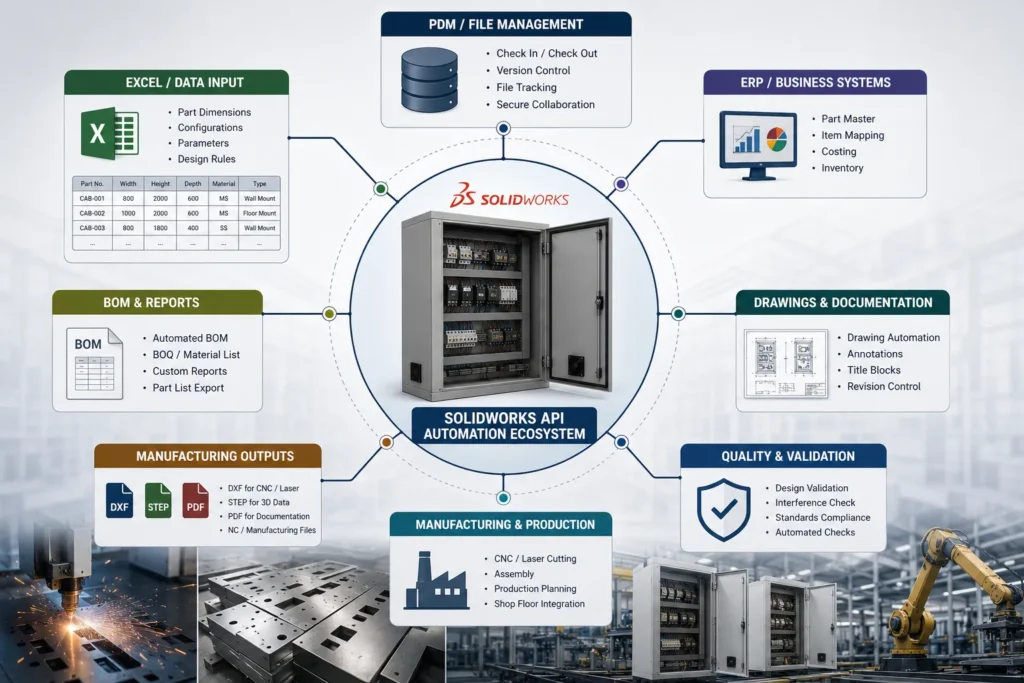
- Connecting SolidWorks data with Excel, ERP, PDM, or other business systems
The objective is not simply to automate one click or command. A well-designed SolidWorks automation workflow can automate an entire engineering process based on predefined rules.
For example, instead of manually opening a sheet metal part, selecting the flat pattern, exporting it as a DXF, naming the file, and saving it in the correct folder, a custom API tool can perform the complete workflow automatically.
Why Do Manufacturers Need SolidWorks API Automation?
As product portfolios grow, engineering teams often manage hundreds or thousands of CAD files. Many products may have similar designs but different dimensions, materials, configurations, or customer-specific requirements.
Without automation, engineers may repeatedly perform the same activities for every project.
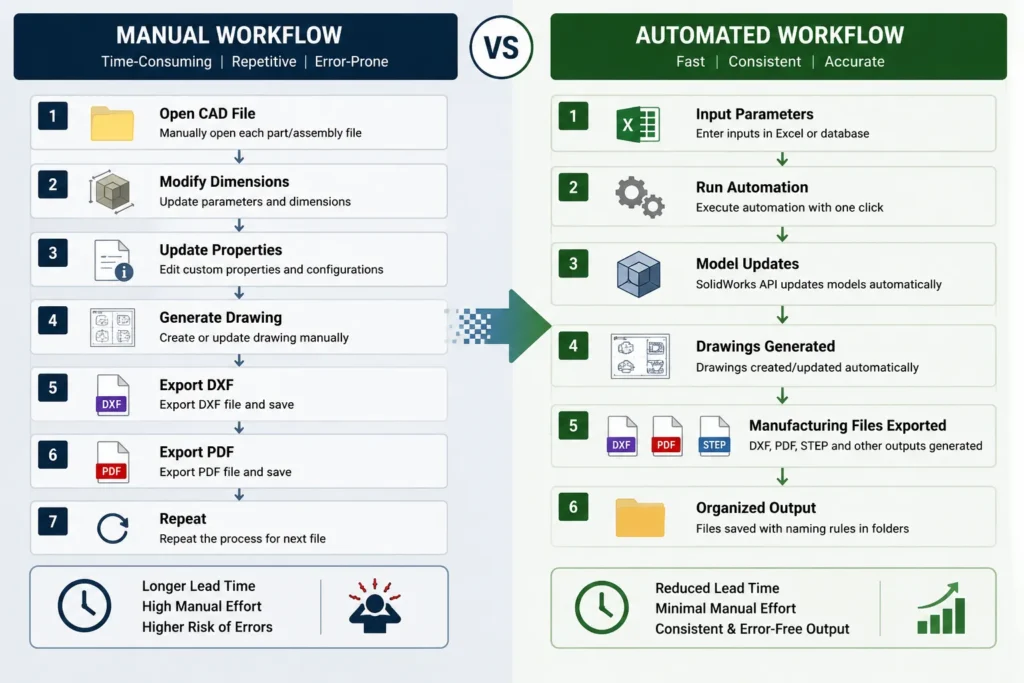
A typical manual workflow may involve:
- Opening an existing SolidWorks model
- Updating dimensions
- Changing configuration parameters
- Updating custom properties
- Regenerating drawings
- Checking the BOM
- Exporting manufacturing files
- Renaming and saving the files
- Repeating the process for the next product or order
This process creates several challenges:
- Engineering time is spent on repetitive tasks
- Manual data entry can introduce errors
- File naming may become inconsistent
- Drawing updates can be missed
- Manufacturing data preparation takes longer
- Experienced engineers spend time on non-engineering activities
- Scaling the workflow becomes difficult as order volume increases
SolidWorks API Automation addresses these challenges by converting repetitive engineering procedures into repeatable digital workflows.
How Does SolidWorks API Automation Work?
A SolidWorks API automation solution is developed around the existing engineering workflow of a manufacturer.
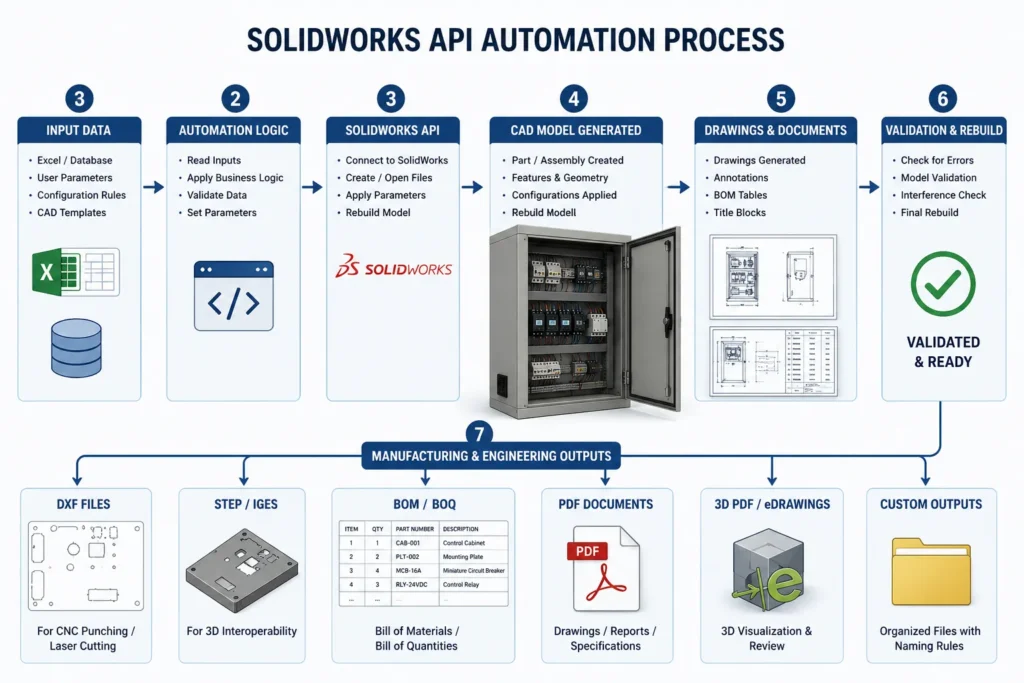
The process generally involves four stages.
1. Identify Repetitive Engineering Tasks
The first step is identifying activities that engineers perform repeatedly.
These may include:
- Updating dimensions from Excel
- Generating multiple product variants
- Creating similar drawings
- Exporting flat patterns
- Updating custom properties
- Generating BOMs
- Exporting files for CNC or laser cutting
- Creating PDF drawing packages
Tasks that follow defined rules are usually strong candidates for automation.
2. Define Engineering Rules and Inputs
The automation needs to understand how the product or workflow should behave.
Inputs may include:
- Product dimensions
- Material selection
- Thickness
- Configuration options
- Customer requirements
- Part numbers
- Project information
- Manufacturing rules
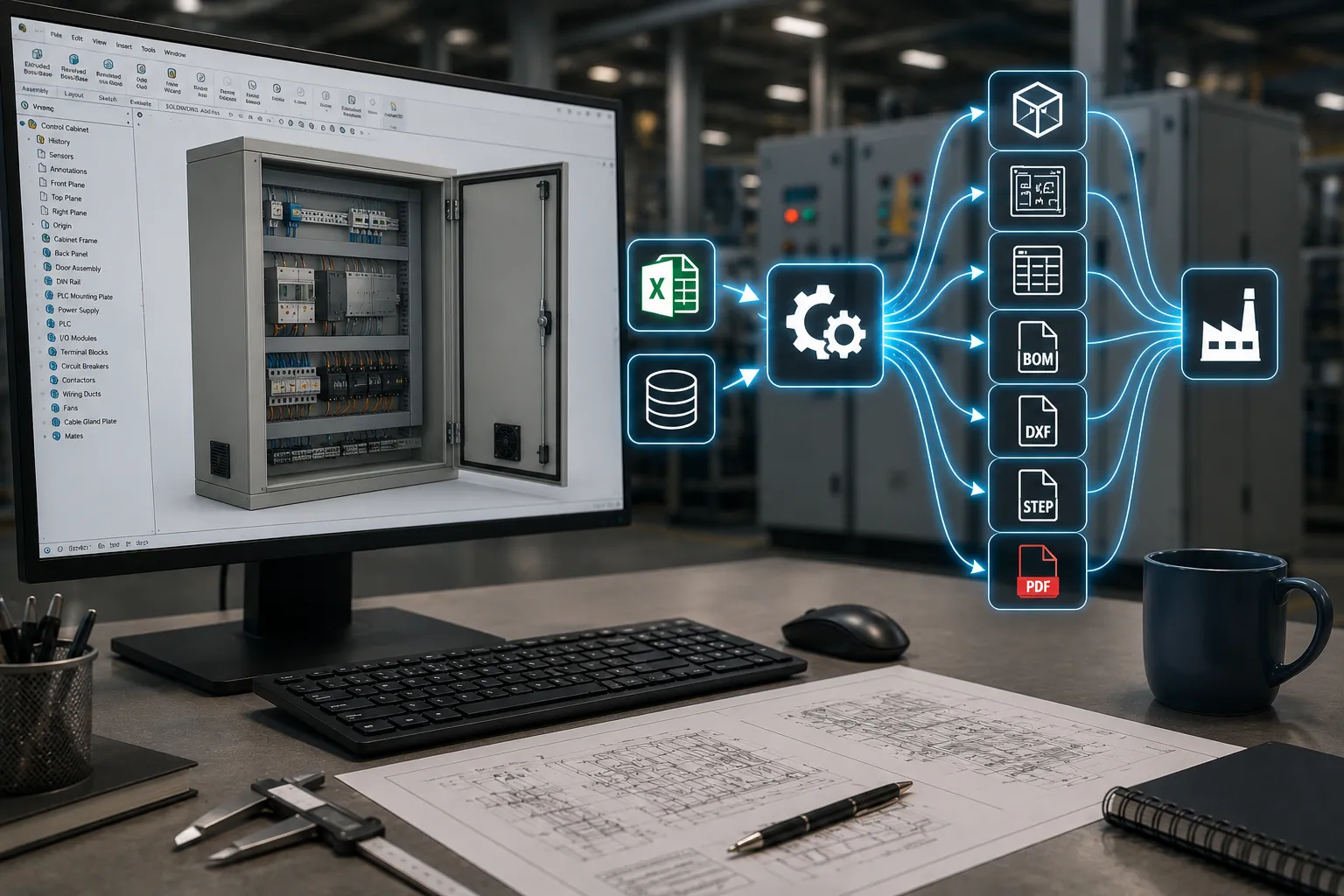
These inputs can come from a user interface, Excel spreadsheet, database, ERP system, or another application.
3. Develop the SolidWorks API Workflow
Custom code is developed to interact with SolidWorks and perform the required operations.
Depending on the project, the solution may be developed as:
- A SolidWorks macro
- A VBA application
- A C# or VB.NET application
- A custom SolidWorks add-in
- A standalone engineering automation tool
The appropriate approach depends on the complexity of the workflow, the number of users, integration requirements, and future scalability.
4. Generate Engineering and Manufacturing Outputs
Once the workflow is executed, the automation can generate the required outputs.
For example:
Input Parameters → SolidWorks Model Update → Drawing Update → BOM Generation → DXF/PDF/STEP Export
This creates a structured process where engineering data can move from design to manufacturing with fewer manual steps.
Common SolidWorks API Automation Use Cases for Manufacturers
1. Automating Repetitive Part and Assembly Creation
Many manufacturers create products that follow a standard design structure but vary in size or configuration.
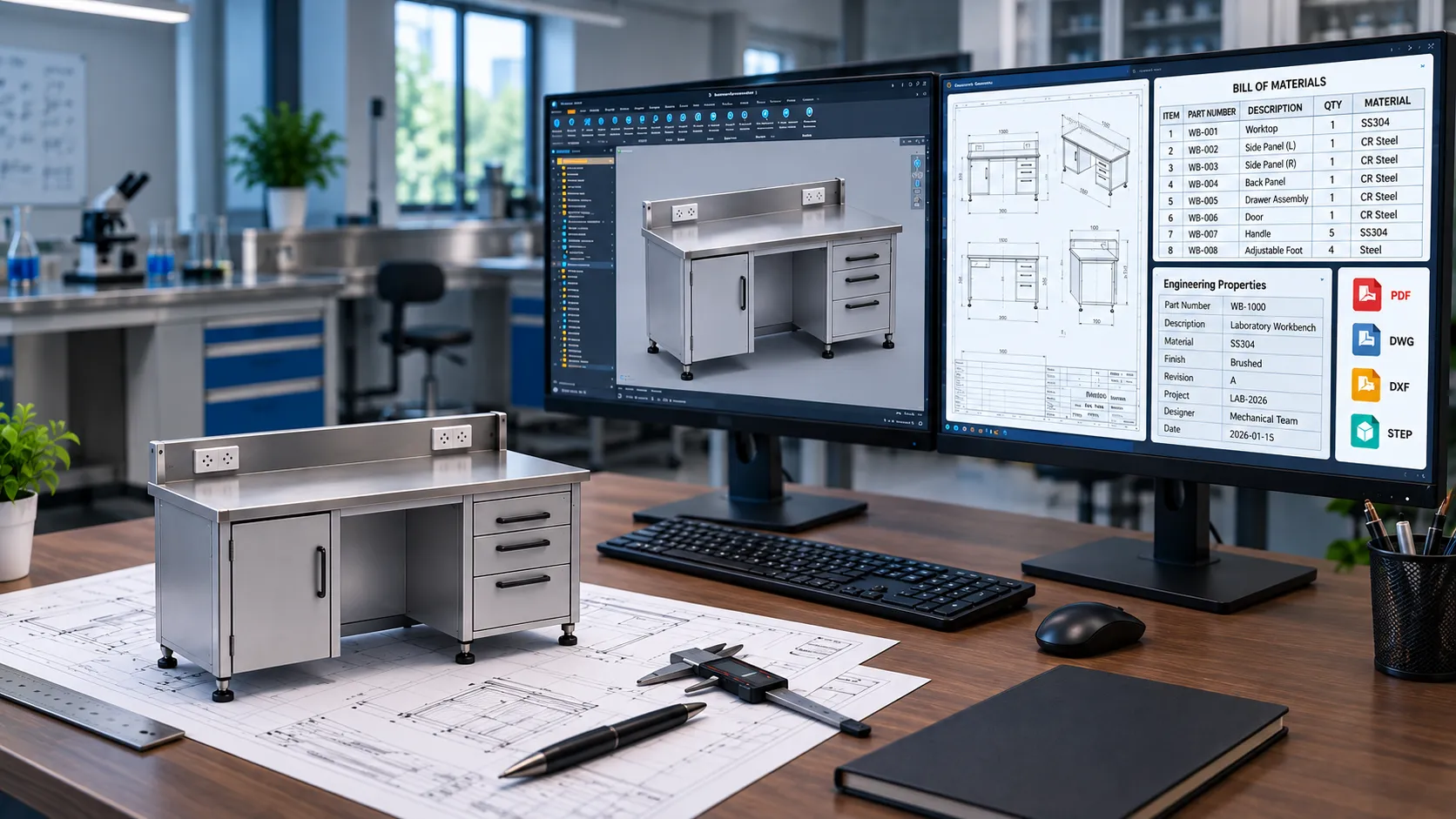
For example, an equipment manufacturer may have multiple versions of the same:
- Machine frame
- Workbench
- Enclosure
- Process skid
- Cabinet
- Structural assembly
- Sheet metal product
An engineer may normally create each variation by manually changing dimensions and components.
With SolidWorks API automation, predefined parameters can drive the CAD model automatically.
The workflow can:
- Read input dimensions
- Update parameters
- Select the correct components
- Update configurations
- Rebuild the model
- Save the generated files
- Create the required drawings
This is particularly useful for configure-to-order and engineer-to-order manufacturing workflows.
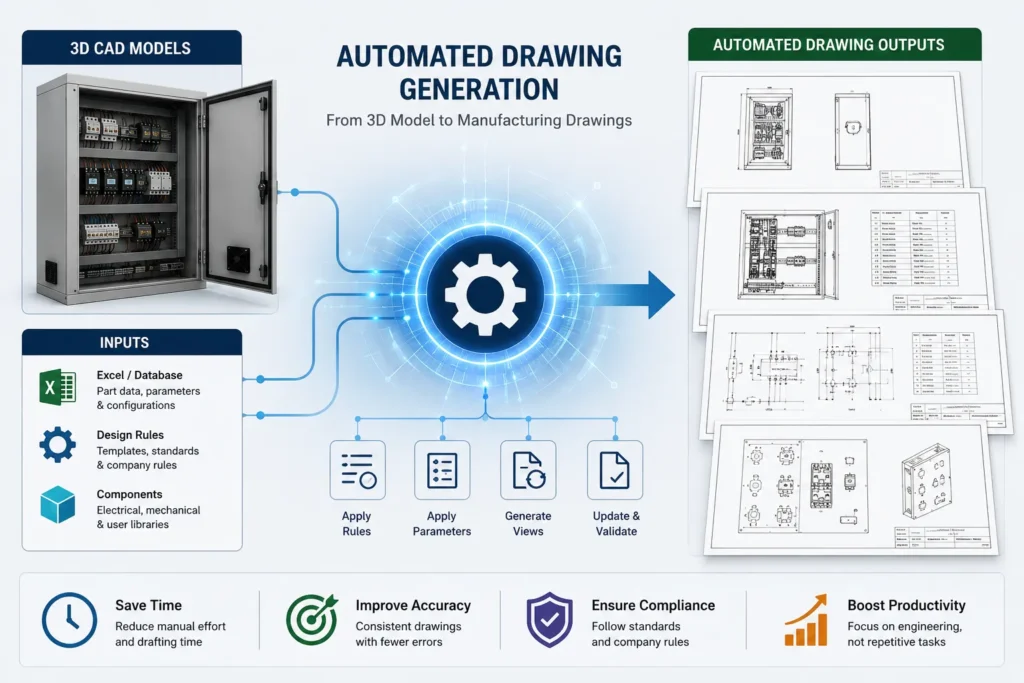
2. Automating SolidWorks Drawing Generation
Creating manufacturing drawings can be one of the most repetitive activities in an engineering department.
A drawing may require:
- Standard views
- Section views
- Dimensions
- Notes
- Weld symbols
- Custom properties
- Revision information
- Material details
If the drawing follows a standard format, many of these activities can be automated.
A custom SolidWorks drawing automation tool can help:
- Create drawings from predefined templates
- Insert standard views
- Populate custom properties
- Update title blocks
- Add model information
- Generate PDFs
- Save drawings using predefined naming rules
This reduces repetitive drawing preparation while helping maintain consistency across engineering documents.
3. Bulk DXF Export for Sheet Metal Manufacturing
Sheet metal manufacturers frequently need to export flat patterns as DXF files for laser cutting, plasma cutting, or other CNC manufacturing processes.
Manually exporting DXF files for hundreds of parts can be time-consuming.
A SolidWorks DXF export automation workflow can automatically:
- Open or process multiple SolidWorks files
- Identify sheet metal parts
- Generate flat patterns
- Export DXF files
- Apply naming conventions
- Organize files into specific folders
- Use custom properties in file names
For manufacturers processing large numbers of sheet metal components, bulk DXF automation can significantly reduce repetitive engineering work.
A similar CAD-to-manufacturing workflow is explored in our guide to automating DXF export and CNC data generation, which demonstrates how export processes can be streamlined through automation.
4. Automated BOM Generation and Data Extraction
Engineering and manufacturing teams often need Bill of Materials data for:
- Procurement
- Production planning
- ERP systems
- Cost estimation
- Assembly instructions
Manual BOM preparation can create inconsistencies between the CAD model and downstream business systems.
Using the SolidWorks API, automation can extract information such as:
- Part number
- Description
- Quantity
- Material
- Weight
- Custom properties
- Configuration information
The data can then be exported to formats such as Excel or integrated with other internal workflows.
A customized SolidWorks BOM automation solution can also apply company-specific formatting and data rules.
5. Automating Custom Property Updates
Custom properties are used throughout the manufacturing process.
They may include:
- Part number
- Description
- Material
- Finish
- Project number
- Customer name
- Revision
- Drawing number
Updating this information manually across multiple files can result in inconsistencies.
SolidWorks API automation can update custom properties based on predefined rules or external data.
For example, a workflow can read product information from an Excel file and automatically update the corresponding SolidWorks models and drawings.
This helps create better consistency between CAD data and manufacturing documentation.
6. Automated PDF and STEP File Export
Manufacturers often need to share CAD data in multiple formats.
For every project, engineers may need to export:
- PDF drawings
- STEP files
- DXF files
- DWG files
- 3D PDFs
When this process is repeated for multiple models and assemblies, it becomes a strong candidate for automation.
A SolidWorks API tool can export the required formats automatically and save them using predefined folder structures and naming conventions.
This helps standardize the engineering release process.
7. SolidWorks PDM and Engineering Data Automation
For organizations using a product data management system, repetitive activities may also exist around file properties, document release, metadata, and data export.
Automation can support workflows involving:
- Property synchronization
- File naming
- BOM extraction
- Metadata export
- Report generation
- Document processing
The objective is to reduce manual interaction between engineering data and downstream processes while maintaining structured data management.
8. Excel-to-SolidWorks Automation
Excel is commonly used by manufacturers for product dimensions, specifications, and configuration data.
Instead of manually entering the same information into SolidWorks, an automation workflow can use Excel as an input source.
For example:
Excel Input → Read Parameters → Update SolidWorks Model → Rebuild → Generate Drawing → Export Manufacturing Files
This approach is useful when product dimensions or order information are already maintained in spreadsheets.
9. Batch Processing Multiple SolidWorks Files
Some engineering tasks need to be performed across a large number of existing files.
Examples include:
- Updating custom properties
- Changing materials
- Exporting PDFs
- Exporting STEP files
- Generating DXFs
- Updating file names
- Rebuilding models
Opening and processing each file manually can take considerable time.
A custom batch processing tool can perform the required operation across multiple files according to defined rules.
This can be especially useful when updating legacy CAD data or preparing a large set of files for manufacturing or migration.
SolidWorks Macro vs SolidWorks API Add-In: What Is the Difference?
Both macros and API-based add-ins can automate SolidWorks, but they are suitable for different requirements.
SolidWorks Macro
A macro is generally suitable for a specific task or a relatively simple workflow.
For example:
- Exporting a DXF
- Updating a property
- Renaming files
- Creating a drawing
Macros can be a practical option when the process is straightforward and used by a limited number of engineers.
SolidWorks API Add-In
A custom add-in is generally more suitable for larger or more complex workflows.
An add-in can provide:
- A dedicated user interface
- Multiple automation functions
- Advanced business logic
- Integration with external systems
- Better workflow control
- Standardized tools for multiple users
The right solution depends on the engineering workflow.
In many cases, manufacturers do not need a large application. A focused automation tool that removes a specific bottleneck may provide the best return.
Which Manufacturing Tasks Are Best for SolidWorks Automation?
A task is usually a good candidate for automation when it has the following characteristics:
- It Is Repetitive: The same sequence of actions is performed frequently.
- It Follows Defined Rules: The workflow has predictable conditions and outcomes.
- It Uses Structured Inputs: The process works with parameters such as dimensions, materials, part numbers, or configuration options.
- It Requires Multiple Manual Steps: The more repetitive clicks and data entry involved, the greater the potential value of automation.
- It Creates a Risk of Human Error: Automation can improve consistency when manual mistakes frequently occur.
A good starting point is often to identify tasks that engineers repeat every day or every week.
Example: Automating a Sheet Metal Engineering Workflow
Consider a manufacturer that designs customized sheet metal enclosures.
For every customer order, the engineering team may need to:
- Update enclosure dimensions
- Change material thickness
- Update cutouts
- Modify the assembly
- Generate manufacturing drawings
- Export flat patterns
- Create DXF files
- Update the BOM
- Export PDF drawings
If this workflow is repeated for every order, the engineering effort can increase rapidly.
A customized SolidWorks API automation workflow could allow the engineer to enter the required dimensions and specifications once.
The automation can then:
Read Order Parameters → Update the 3D Model → Update Assembly → Generate Drawings → Export DXF → Generate BOM → Create PDF Package
The engineer remains responsible for engineering decisions and validation, while the software handles repetitive operations.
This is one of the key benefits of CAD automation for manufacturing: engineers can spend less time repeating standardized tasks and more time solving design and production challenges.
Benefits of SolidWorks API Automation for Manufacturers
Reduced Repetitive CAD Work
Automation reduces the amount of manual effort required to perform repetitive SolidWorks operations.
This can help engineering teams process more work without requiring every task to be completed manually.
1. Improved Engineering Consistency
Automation follows predefined rules.
This can help standardize:
- File naming
- Drawing formats
- Custom properties
- Export procedures
- BOM structures
- Manufacturing documentation
2. Reduced Risk of Manual Errors
Manual processes can lead to missed updates, incorrect file names, inconsistent properties, or forgotten exports.
Automation can reduce these risks by performing the same process consistently.
However, engineering validation is still important, particularly for complex or safety-critical designs.
3. Faster Manufacturing Data Preparation
Automating file exports, drawing generation, and BOM processing can reduce the time required to prepare manufacturing information.
4. Better Scalability
A workflow that works for ten products may become inefficient when the same process must be repeated for hundreds of products or configurations.
Automation helps organizations scale repetitive engineering processes more efficiently.
5. Improved Use of Engineering Resources
Experienced engineers are valuable resources.
Automating repetitive tasks allows engineering teams to focus more of their time on:
- Product development
- Design improvements
- Design validation
- Problem solving
- Manufacturing optimization
- Customer-specific engineering
SolidWorks API Automation vs CAD Configurators
SolidWorks API automation and a product configurator can work together, but they serve different purposes.
A product configurator allows users to select or enter product options, dimensions, and features.
A SolidWorks API automation workflow can use those selected parameters to automatically generate or update CAD data.
For example:
Customer or Sales Input → Product Configuration → Parameter Validation → SolidWorks API → 3D Model → Drawing → BOM → Manufacturing Files
This combination can be valuable for manufacturers offering configurable or customized products.
The configurator captures the product requirements, while the CAD automation workflow generates the required engineering outputs.
For manufacturers developing configurable products, Immersiv Techsphere also provides solutions related to Product Configurators and CAD Automation.
How Immersiv Techsphere Develops SolidWorks API Automation Solutions
Every manufacturing company has a different engineering process.
A generic macro may automate one small task, but a customized API solution can be designed around the company’s existing workflow, CAD standards, and manufacturing requirements.
At Immersiv Techsphere, the process typically focuses on understanding:
- The current engineering workflow
- Repetitive tasks and bottlenecks
- Existing SolidWorks models and assemblies
- Input data sources
- Required manufacturing outputs
- File management requirements
- Integration requirements
- Engineering validation steps
Based on these requirements, we can develop customized solutions for workflows such as:
- SolidWorks macros
- SolidWorks API applications
- Custom add-ins
- Automated drawing generation
- Bulk DXF export
- BOM automation
- Custom property automation
- Excel-to-SolidWorks workflows
- Manufacturing file generation
- CAD data extraction and reporting
- Configuration-driven CAD automation
You can also see how this approach can be applied to a specific engineering workflow in our SolidWorks API automation case study for drawing generation.
The goal is to create an automation workflow that fits the actual engineering process rather than forcing the engineering team to change its workflow around a generic tool.
When Should a Manufacturer Invest in SolidWorks API Automation?
SolidWorks automation may be worth considering when:
- Engineers repeatedly perform the same CAD operations
- Product variations follow defined design rules
- Drawing creation takes significant time
- Large numbers of DXF or PDF files must be generated
- Custom properties require frequent updates
- BOM preparation is repetitive
- Manufacturing data must be exported regularly
- Excel data is manually entered into SolidWorks
- Engineering teams are spending time on administrative CAD tasks
The best automation opportunities are often hidden in everyday engineering activities.
A workflow that takes only 10 or 15 minutes may not appear significant. But if multiple engineers repeat that workflow hundreds of times per year, the total engineering effort can become substantial.
Frequently Asked Questions
The SolidWorks API is used to create custom automation tools, macros, and applications that interact with SolidWorks. It can automate tasks involving parts, assemblies, drawings, configurations, custom properties, BOMs, and file exports.
Yes. Repetitive tasks that follow defined rules can often be automated using SolidWorks macros, API applications, or custom add-ins.
Examples include DXF export, drawing generation, BOM extraction, property updates, file renaming, and batch processing.
Yes. A custom SolidWorks API automation tool can automate flat pattern generation and DXF export for sheet metal parts. The workflow can also apply predefined naming and folder rules.
A macro is generally suitable for smaller or task-specific automation. An API add-in is more suitable for larger workflows that require a dedicated interface, advanced business logic, multiple functions, or integration with other systems.
Yes. SolidWorks automation can use Excel as an input or output source. For example, dimensions and configuration parameters can be read from Excel, or CAD data and BOM information can be exported to Excel.
Yes. Depending on the workflow, automation can create drawings from templates, insert views, update model information, populate properties, and generate PDF outputs.
Yes. Automation does not always require a large enterprise-level application. A focused macro or custom tool can automate a specific repetitive process and provide value for a small or medium-sized manufacturing team.
Automating Engineering Workflows Beyond Repetitive Clicks
The real value of SolidWorks API Automation is not simply reducing the number of clicks inside CAD software.
It is about converting repetitive engineering procedures into structured, repeatable workflows.
For manufacturers, this can mean:
- Faster engineering turnaround
- More consistent CAD and drawing data
- Reduced repetitive work
- Fewer manual processing steps
- Better preparation of manufacturing outputs
- Improved scalability for configurable products
The most effective automation projects usually start with a simple question:
Which engineering task is your team repeating again and again?
If that task follows defined rules, it may be possible to automate it.
Immersiv Techsphere develops customized SolidWorks API Automation and CAD Automation solutions to help manufacturers streamline repetitive engineering workflows, automate CAD data processing, and generate consistent outputs for design and manufacturing.
Looking to Automate a Repetitive SolidWorks Workflow?
If your engineering team regularly spends time updating models, generating drawings, exporting DXF files, preparing BOMs, or managing repetitive CAD data, the workflow may be suitable for automation.
Immersiv Techsphere can analyze the workflow and develop a customized SolidWorks API automation solution based on your engineering and manufacturing requirements.
Have a Project in Mind?
Need help with 3D animation, industrial visualization, HSE training animation, or product visualization? Tell us about your project and our team will get back to you.