

Table of Contents
Introduction
High-risk industrial procedures are difficult to teach with words alone.
A written procedure can explain what workers must do. A safety checklist can identify hazards. A classroom presentation can introduce rules and precautions. But when a procedure involves complex equipment, hazardous chemicals, confined spaces, high-pressure systems, moving machinery, or emergency responses, workers also need to understand what the procedure looks like in the real operating environment.
This is where 3D safety animation becomes valuable.
A well-designed 3D safety animation can transform a complex industrial procedure into a visual sequence that shows the equipment, people, hazards, control measures, and correct actions in context. Instead of asking workers to mentally translate technical documentation into a physical scenario, organizations can demonstrate the procedure visually before the task takes place.
This makes industrial safety animation, HSE animation, and EHS training videos particularly useful for industries where a mistake can have serious consequences.
For chemical and pharmaceutical facilities, for example, 3D animation can visualize hazardous material handling, equipment isolation, cleaning procedures, process deviations, emergency shutdowns, PPE requirements, and other high-risk activities without exposing workers to the actual hazard during training.
What Is 3D Safety Animation?
3D safety animation is a computer-generated visual training method used to explain workplace hazards, operating procedures, emergency responses, and safety controls through realistic three-dimensional environments and scenarios.
Unlike a conventional 2D instructional graphic, a 3D safety animation can represent the spatial relationship between workers, machinery, piping, vessels, valves, platforms, vehicles, and other components of an industrial environment.
A typical animation may show:
- The industrial facility or work area
- Equipment and machinery
- Worker movements and interactions
- Hazard zones
- Required PPE
- Safe and unsafe behaviors
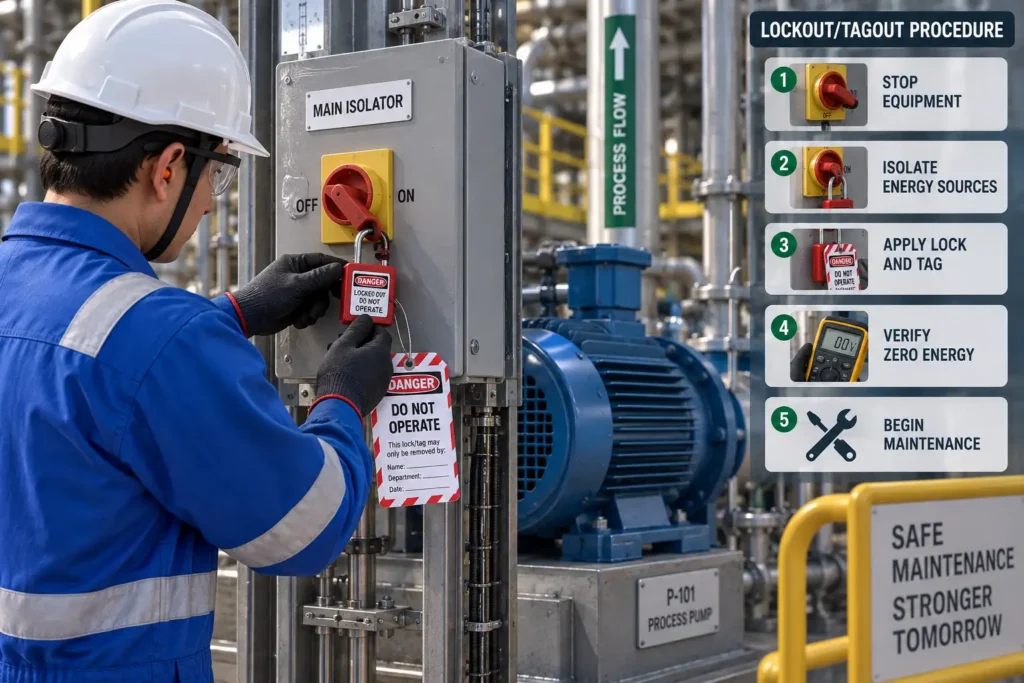
- Lockout/tagout sequences
- Isolation points
- Chemical or material movement
- Emergency response actions
- Warning signs and visual indicators
- Correct operating sequences
- Potential consequences of unsafe actions
The objective is not simply to make safety training more visually appealing. The objective is to make a procedure easier to understand, remember, and apply correctly.
Why High-Risk Procedures Are Difficult to Explain
Many industrial procedures contain several layers of information.
A worker may need to understand:
- What equipment is involved?
- What hazards are present?
- What needs to be isolated?
- Which valves or controls must be operated?
- What PPE is required?
- Where should personnel stand?
- What sequence should be followed?
- What happens if something goes wrong?
- When should the task be stopped?
- How should an emergency be reported or controlled?
A written SOP may contain all of this information, but the worker still has to construct a mental picture of the procedure.
This becomes particularly challenging when the procedure involves equipment that workers cannot easily observe internally.
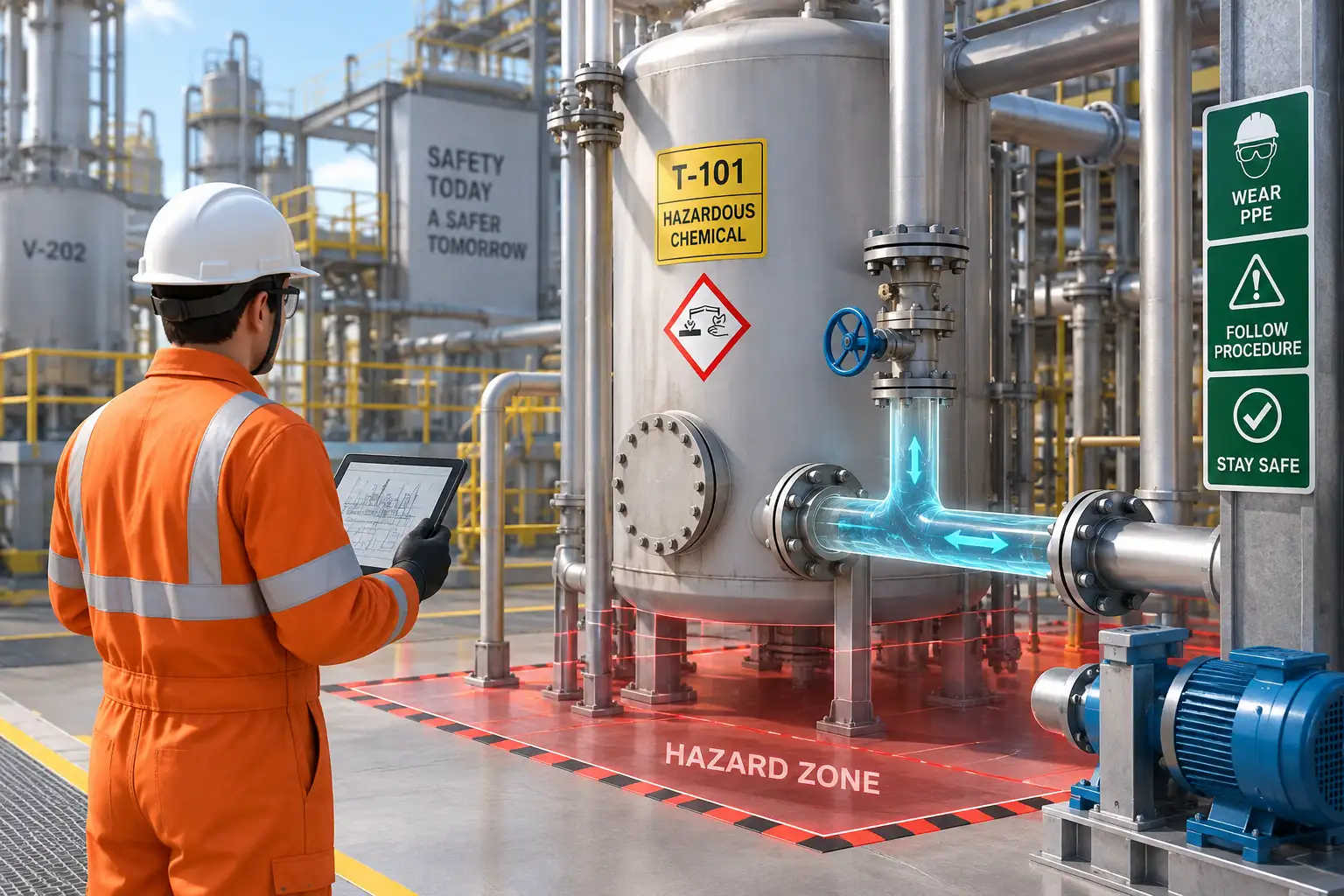
For example, a chemical process may involve interconnected vessels, pumps, pipelines, valves, pressure systems, ventilation, and safety devices. A 3D animation can cut away or transparently visualize equipment to show what is happening inside the system while simultaneously showing what the operator is doing outside it.
That combination of process visualization + human action + hazard visualization is one of the strongest applications of 3D safety training.
How 3D Safety Animation Explains a High-Risk Procedure
A strong safety animation generally follows the logic of the actual procedure rather than presenting disconnected safety messages.
1. Establish the Work Environment
The animation first establishes where the activity is taking place.
For example, the scene may show:
- A process plant
- A pharmaceutical manufacturing area
- A chemical storage facility
- A laboratory
- A production floor
- A maintenance area
- A utility room
- A confined-space entry location
Showing the environment gives workers spatial context before the procedure begins.
This is especially important when multiple pieces of equipment are involved.
2. Introduce the Hazard
The animation can then identify the hazard associated with the task.
Depending on the procedure, this may include:
- Toxic chemical exposure
- Flammable material
- Corrosive substances
- Pressure
- Temperature
- Electrical energy
- Rotating machinery
- Stored mechanical energy
- Moving vehicles
- Falls from height
- Confined-space hazards
- Dust or airborne contaminants
- Process contamination
The hazard can be represented visually without putting workers into an actual dangerous situation.
3. Show the Correct Safety Controls
The next step is to demonstrate how the hazard is controlled.
For example:
Hazard → Control → Correct Action
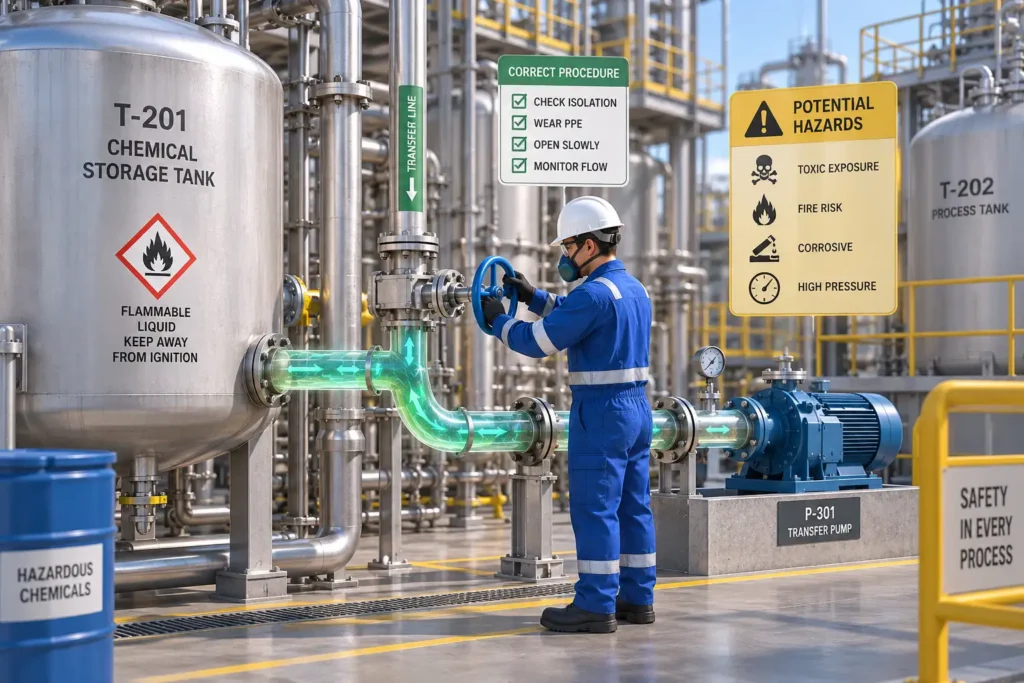
A chemical transfer scenario could show:
Chemical exposure risk → closed transfer system + PPE → correct connection and transfer procedure
A maintenance scenario could show:
Unexpected equipment startup → energy isolation → lockout/tagout → verification → maintenance
A confined-space scenario could show:
Atmospheric hazard → gas testing → ventilation → permit controls → entry
This structure makes the safety message easier to follow because workers can see not only the rule but also why the control is necessary.
4. Demonstrate the Procedure Step by Step
This is where animation becomes particularly useful.
Instead of saying:
“Isolate the equipment before maintenance.”
The animation can show the sequence:
Stop equipment → identify energy sources → close isolation points → apply locks and tags → release stored energy → verify zero energy → begin work.
The same principle can be applied to complex operating procedures.
Workers can see:
- Which component is being operated
- Where the operator moves
- Which control is selected
- Which valve is closed
- Which isolation point is locked
- Where PPE is required
- Where personnel should remain
- What verification must occur before the next step
This converts a procedure from a static document into a visual sequence of actions.
3D Safety Animation in Chemical Industries
Chemical manufacturing and processing environments contain numerous hazards that are difficult to communicate through conventional training materials.
OSHA’s Process Safety Management framework specifically addresses hazards associated with processes involving highly hazardous chemicals and emphasizes the identification, evaluation, and control of process hazards.
This creates a strong use case for process safety animation.
1. Chemical Handling
3D animation can demonstrate:
- Chemical receiving
- Drum or container handling
- Chemical transfer
- Tank filling
- Pipeline transfer
- Sampling
- Chemical charging
- Spill response
- Chemical storage
- PPE selection
- Emergency isolation
For hazardous chemicals, animation can also visually distinguish different materials and their associated hazards.
The International Labour Organization emphasizes systematic approaches to chemical safety, including hazard identification, exposure assessment, control measures, information, instruction, training, and emergency procedures.
2. Process Safety
A process safety animation can show how multiple safeguards work together.
For example:
Abnormal pressure → alarm → operator response → automatic protection → emergency shutdown → safe isolation
A 3D environment can also show the relationship between process equipment and safety systems.
This is useful for explaining:
- Pressure relief systems
- Emergency shutdown systems
- Interlocks
- Gas detection
- Fire protection
- Ventilation
- Process alarms
- Isolation systems
- Hazardous area controls
OSHA’s PSM requirements include consideration of engineering and administrative controls, consequences of control failure, human factors, emergency shutdowns, and safety systems.
3. Chemical Spill and Emergency Response
Emergency procedures are often difficult to teach because employees cannot realistically recreate every hazardous scenario during training.
3D animation can simulate:
Leak detected → alarm activated → personnel notified → area isolated → access restricted → PPE selected → spill response initiated → emergency services contacted.
The animation can also demonstrate unsafe responses and their potential consequences without physically exposing trainees to the hazard.
3D Safety Animation in Pharmaceutical Industries
Pharmaceutical manufacturing introduces another layer of complexity because safety procedures can involve both worker safety and product/process integrity.
A pharmaceutical facility may contain:
- Reactors
- Mixing vessels
- Processing equipment
- Cleanrooms
- Packaging equipment
- Solvent systems
- HVAC systems
- Utilities
- Laboratory equipment
- Material transfer systems
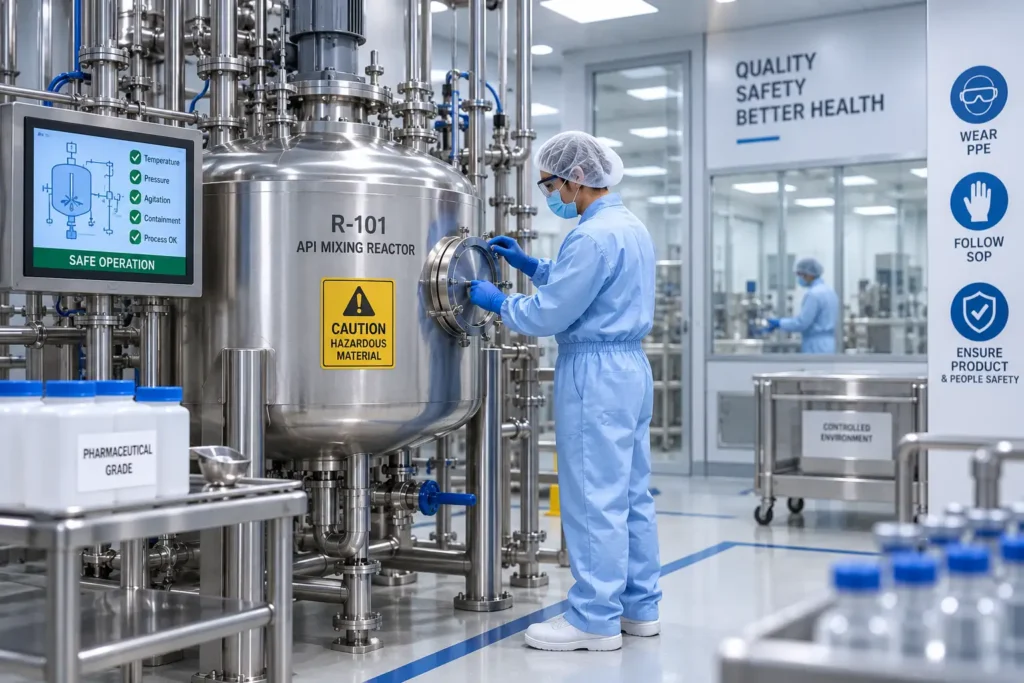
A 3D safety animation can demonstrate how employees interact with these environments while maintaining required safety procedures.
1. Pharmaceutical Equipment Safety
Animations can explain:
- Equipment startup and shutdown
- Machine guarding
- Maintenance isolation
- Safe access
- Cleaning procedures
- Equipment changeover
- Material handling
- Emergency stops
- PPE requirements
2. Hazardous Material Handling
Pharmaceutical processes can involve solvents, active pharmaceutical ingredients, powders, gases, and other potentially hazardous substances.
An animation can visualize:
- Safe material transfer
- Containment practices
- PPE
- Spill response
- Exposure prevention
- Waste handling
- Emergency procedures
3. Cleanroom and Controlled-Environment Safety
3D visualization can also demonstrate movement through controlled areas.
For example:
Personnel entry → gowning → required PPE → controlled movement → equipment interaction → exit/de-gowning
The visual format helps communicate the sequence without relying entirely on text-based instructions.
Showing the Consequences of Unsafe Actions
One of the most powerful applications of industrial safety animation is demonstrating what can happen when a safety procedure is ignored.
Consider a maintenance activity.
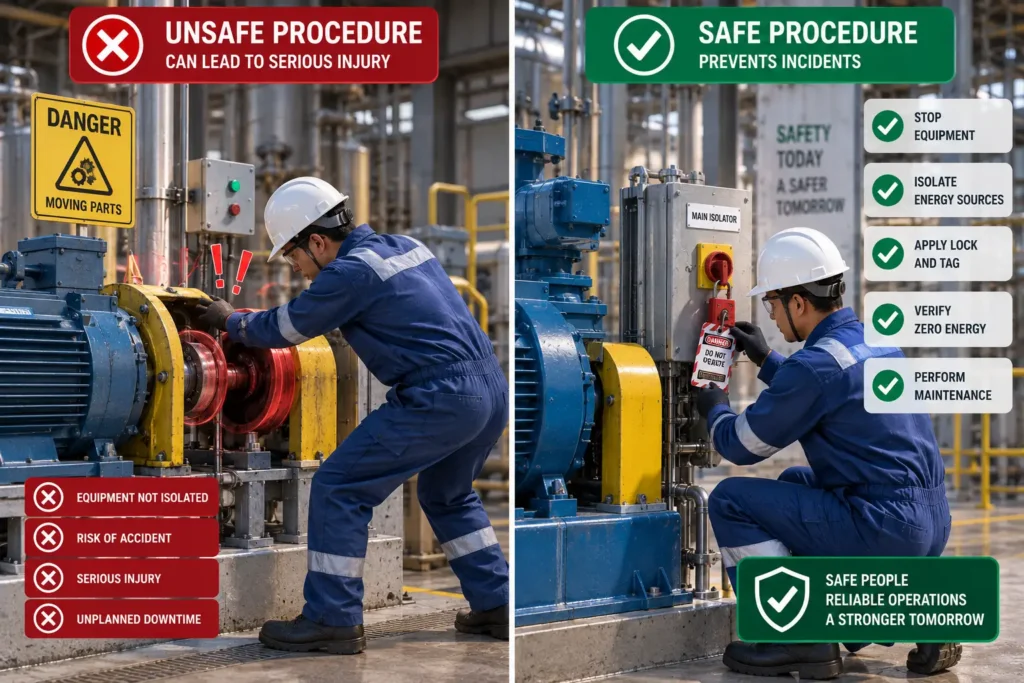
The animation can present two paths:
Unsafe Sequence:
Maintenance begins → energy remains connected → equipment activates → worker exposed to hazard
Safe Sequence:
Equipment stopped → energy sources identified → isolation performed → lockout/tagout applied → zero-energy state verified → maintenance begins
This approach transforms an abstract safety rule into a cause-and-effect scenario.
The worker does not simply hear:
“Follow the isolation procedure.”
They see why the procedure matters.
3D Animation for Emergency Shutdown Procedures
Emergency shutdown procedures are another area where visual training can be particularly effective.
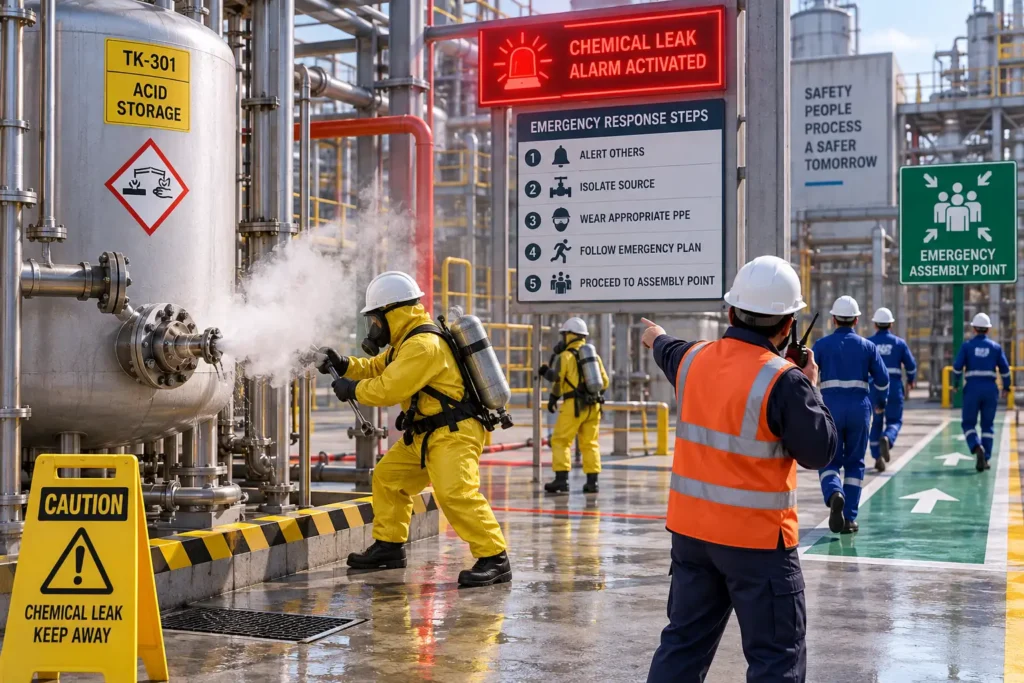
During an abnormal situation, employees may need to respond quickly while following predefined responsibilities.
An animation can demonstrate:
- Recognition of the abnormal condition
- Alarm activation
- Operator notification
- Emergency shutdown
- Isolation of affected equipment
- Evacuation or movement to a safe location
- Emergency response coordination
- Post-incident actions
For chemical processing environments, this type of visualization can make the relationship between process conditions, alarms, shutdown systems, and human response easier to understand.
Turning SOPs and HSE Procedures into Visual Training
A useful safety training animation should be based on the organization’s actual procedures.
A typical development workflow can be:
SOP / Work Instruction → Hazard Review → Script → Storyboard → 3D Environment → Animation → Safety Review → Final Training Video
This approach allows technical documents to become structured visual learning content.
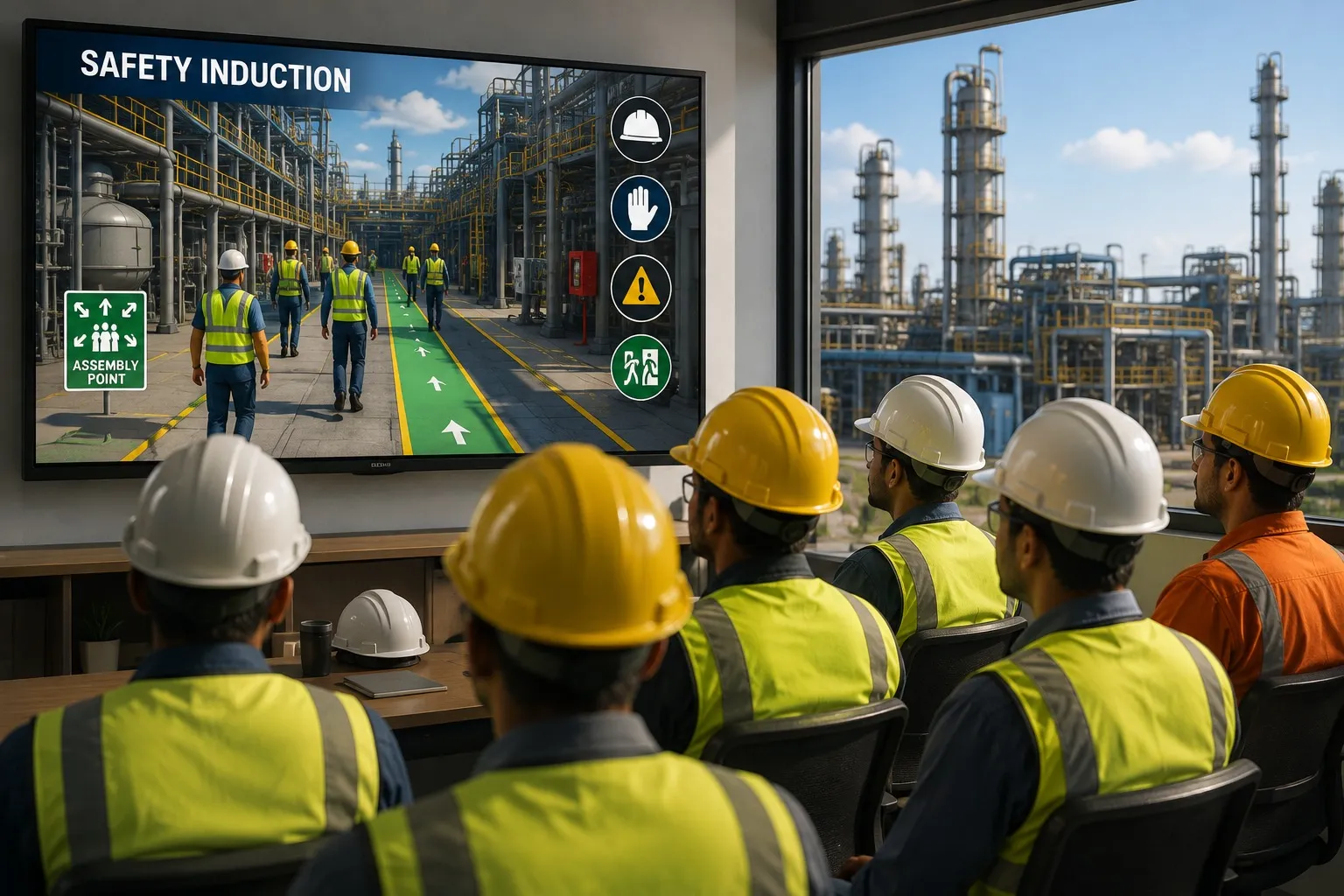
Immersiv Techsphere’s HSE Animation Services are designed around industrial safety communication, including safety induction, operational safety, emergency preparedness, and EHS training applications.
The company can combine 3D modeling, engineering understanding, animation, and AI-assisted production workflows to create safety-focused visual content for industrial environments.
What Makes an Effective 3D Safety Animation?
Not every 3D animation automatically becomes an effective training tool.
The animation should prioritize technical accuracy and learning objectives over visual complexity.
- Technical Accuracy: Equipment, process flow, worker actions, PPE, warning systems, and safety controls should reflect the intended procedure.
- Clear Visual Hierarchy: The viewer should immediately understand what is happening, what the hazard is, what the worker should do, and what the worker should avoid.
- Step-by-Step Structure: High-risk procedures should be broken into logical stages instead of showing too many actions simultaneously.
- Realistic Industrial Environments: Realistic equipment and environments help employees connect the training scenario with their actual workplace.
- Visual Hazard Indicators: Hazards can be emphasized using controlled visual effects such as highlighting, cutaways, labels, arrows, warning indicators, process-flow visualization, and before-and-after comparisons.
- Voiceover and Subtitles: Voiceover can explain the procedure while subtitles reinforce critical instructions and improve accessibility. Organizations can also use multilingual versions when training involves workers with different language requirements.
3D Safety Animation vs. Traditional Safety Training
3D animation does not need to replace existing safety training methods.
Instead, it can complement:
- Classroom training
- SOPs
- Toolbox talks
- Safety induction
- Demonstrations
- E-learning
- Risk assessments
- Emergency drills
- On-the-job training
For example, a worker may first review an SOP, watch a 3D safety training video, participate in instructor-led training, and then perform the task under supervision.
The animation becomes one component of a broader safety management and competency framework.
This aligns with the broader principle of systematic occupational health and safety management reflected in ISO 45001, which covers areas such as hazard identification, risk assessment, emergency planning, worker participation, incident investigation, and continual improvement.
Key High-Risk Procedures That Can Be Visualized
Organizations can use 3D safety animation for a wide range of industrial procedures.
- Process and Chemical Safety:
- Chemical transfer
- Tank entry
- Reactor operation
- Chemical charging
- Spill response
- Emergency shutdown
- Process deviation
- Hazardous material handling
- Mechanical Safety:
- Machine operation
- Machine guarding
- Maintenance isolation
- Lockout/tagout
- Stored-energy hazards
- Rotating equipment safety
- Electrical Safety:
- Electrical isolation
- Electrical panel safety
- Arc-flash awareness
- Electrical maintenance procedures
- Energization and de-energization
- Workplace Safety:
- Working at height
- Confined-space entry
- Forklift operations
- Crane and lifting operations
- Hot work
- PPE
- Contractor safety induction
- Emergency Response:
- Fire emergency
- Chemical release
- Gas leak
- Evacuation
- Emergency shutdown
- First-response procedures
Organizations can explore examples of industrial and EHS visual content through Immersiv Techsphere’s Video portfolio.
How 3D Safety Animation Supports Safety Culture
Safety culture depends on more than policies and documentation. Workers need to understand the hazards associated with their tasks and know how to respond appropriately.
Visual communication can help connect:
Policy → Procedure → Hazard → Action → Expected Behavior
When the same visual safety message is used during onboarding, refresher training, toolbox sessions, and procedure reviews, organizations can create greater consistency in how critical procedures are communicated.
This is particularly valuable for complex industrial operations where employees, contractors, engineers, maintenance teams, and operators may interact with the same process from different perspectives.
How AI Can Support Safety Animation Production
AI-assisted workflows can help accelerate parts of the animation development process, such as:
- Concept development
- Script assistance
- Storyboarding
- Visual ideation
- Scene planning
- Voice and subtitle workflows
- Content adaptation
- Localization
However, AI should support—not replace—the technical review required for industrial safety content.
A safety animation needs accurate interpretation of equipment, procedures, hazards, human factors, and site-specific requirements.
For high-risk procedures, the final content should therefore be reviewed against the organization’s approved documentation and safety requirements before deployment.
A Practical Example: Visualizing a Chemical Equipment Maintenance Procedure
Consider a maintenance procedure for equipment used in a chemical processing facility.
A conventional document may describe:
- Shut down the equipment.
- Isolate all energy sources.
- Depressurize the system.
- Drain remaining material.
- Apply locks and tags.
- Verify isolation.
- Begin maintenance.
A 3D animation can turn these instructions into a visual scenario.
The viewer sees the actual equipment, follows the operator through each isolation point, observes pressure being released, sees the lockout/tagout process, and watches the verification step before maintenance begins.
The animation can then show what could happen if one critical step is skipped.
This provides a much stronger connection between the procedure and the consequence of non-compliance.
How to Create a 3D Safety Animation for Your Facility
A practical development process can follow these stages:
Step 1: Define the Training Objective
Determine exactly what employees should know or be able to do after watching the animation.
Step 2: Identify the High-Risk Scenario
Select the procedure where visual explanation provides the most value.
Step 3: Collect Technical Information
Relevant inputs may include:
- SOPs
- Work instructions
- P&IDs
- Equipment drawings
- Site photographs
- Safety procedures
- Risk assessments
- Existing training material
Step 4: Develop the Script and Storyboard
Convert the technical procedure into a logical visual sequence.
Step 5: Build the 3D Environment
Recreate the relevant equipment, workplace, and process environment.
Step 6: Animate the Procedure
Show worker actions, equipment behavior, hazards, controls, and correct sequences.
Step 7: Conduct Technical and Safety Review
The animation should be checked against the approved procedure and relevant safety requirements.
Step 8: Deploy Across Training Channels
The final content can support:
- Employee onboarding
- Contractor induction
- Refresher training
- E-learning
- Toolbox talks
- Emergency preparedness
- Safety awareness programs
Compliance Resources for Industrial Safety Training
3D animation should support an organization’s safety program rather than be treated as a substitute for regulatory requirements, risk assessment, engineering controls, or approved operating procedures.
For organizations working with hazardous chemical processes, OSHA Process Safety Management provides information on managing hazards associated with highly hazardous chemicals.
The ILO guidance on harmful chemical and biological agents covers workplace exposure, risk assessment, control measures, information, instruction, and training related to hazardous substances.
For occupational health and safety management systems, ISO 45001 provides an internationally recognized framework for managing OH&S risks and improving safety performance.
These resources can help organizations establish the broader safety framework within which visual training content is developed.
FAQs
3D safety animation is a visual training method that uses three-dimensional computer-generated environments, equipment, workers, hazards, and procedures to explain workplace safety requirements and high-risk industrial activities.
3D animation can make complex procedures easier to visualize by showing equipment, worker actions, hazards, safety controls, and consequences within the same scenario.
Yes. Chemical industries can use 3D animation for chemical handling, process safety, hazardous material transfer, emergency shutdowns, spill response, equipment isolation, PPE, and other safety procedures.
Yes. Pharmaceutical manufacturers can use 3D safety animation for equipment operation, maintenance safety, material handling, hazardous substance awareness, cleanroom procedures, emergency response, and employee training.
Yes. A 3D simulation can visually represent a chemical leak or release and demonstrate appropriate emergency actions without recreating the hazardous condition physically.
Yes. Animation can show the sequence of equipment shutdown, energy-source identification, isolation, lock and tag application, stored-energy release, verification, and maintenance.
No. Animation should complement approved SOPs, work instructions, risk assessments, training programs, and other safety controls. It provides a visual way to communicate procedures that may otherwise be difficult to understand from text alone.
Site-specific animations can be developed using technical documentation, equipment drawings, P&IDs, photographs, existing procedures, and subject-matter-expert input to create a visual representation of the relevant workplace and procedure.
Conclusion
High-risk industrial procedures require more than instructions—they require understanding.
3D safety animation helps bridge the gap between written procedures and real-world actions by showing workers what a hazardous situation looks like, where the risks exist, what controls are required, and how the correct procedure should be performed.
For chemical and pharmaceutical industries, this visual approach can be particularly valuable for explaining complex processes, hazardous material handling, equipment isolation, emergency shutdowns, spill response, maintenance activities, and other safety-critical procedures.
When developed with technical accuracy and aligned with an organization’s established safety procedures, industrial safety animation and EHS training videos can become an effective component of modern safety communication.
Immersiv Techsphere combines 3D visualization, engineering understanding, animation, and AI-assisted workflows to create visual safety content for industrial environments.
Have a complex industrial safety procedure that is difficult to explain through documents alone?
Explore Immersiv Techsphere’s HSE Animation Services or review the industrial video portfolio to see how complex safety concepts can be transformed into visual training experiences.
Have a Project in Mind?
Need help with 3D animation, industrial visualization, HSE training animation, or product visualization? Tell us about your project and our team will get back to you.