

Table of Contents
Introduction
Confined space entry training can be challenging when workers need to understand hazards, follow multiple safety procedures, and respond correctly to emergencies. Tanks, pressure vessels, pipelines, silos, and underground chambers may contain risks that are difficult to recognize from the outside. Explaining these situations through written procedures alone does not always help workers visualize what can happen during an actual operation.
For industrial organizations, 3D EHS animation offers a practical way to demonstrate confined space hazards, safe entry procedures, and emergency response scenarios through realistic visual training. Instead of simply listing safety instructions, an animation can show the workplace, the people involved, the required actions, and the consequences of unsafe decisions.
Immersiv Techsphere provides customized EHS and HSE animation services to help industrial organizations communicate safety procedures through visual storytelling. By combining 3D modeling, animation expertise, and AI-assisted video production workflows, we can develop training content tailored to specific equipment, procedures, and workforce requirements.
This article explores how confined space safety animation can support workforce training, how AI can assist the video creation process, and what organizations can expect when developing a customized EHS training video.
1. The Challenge: How Do You Explain Confined Space Hazards?
Imagine a maintenance worker preparing to enter a storage tank. The equipment appears to be shut down, but the job still requires equipment isolation, atmospheric testing, entry authorization, communication arrangements, and a suitable rescue plan.
How can a training team explain all these requirements clearly, particularly to workers who have never encountered the same equipment or situation?
This is a common challenge in industrial safety training. Workers may understand written instructions but struggle to visualize invisible atmospheric hazards, restricted access, or the coordination required during an emergency.
Other challenges include:
- Complex procedures: Multiple checks and approvals must be completed in the correct sequence.
- Invisible hazards: Oxygen deficiency and toxic gases cannot always be detected through sight or smell.
- Different workforce groups: Employees, contractors, supervisors, and rescue personnel need role-specific information.
- Inconsistent training: Different trainers or shifts may communicate the same procedure differently.
- Limited emergency practice: Some hazardous situations cannot be safely recreated during routine training sessions.
A customized confined space safety animation can address these communication gaps by showing the relevant workplace conditions and demonstrating the approved procedure step by step.
The purpose is not to replace safety documentation. It is to make that documentation easier to understand through visual examples.
2. How Can 3D EHS Animation Improve Confined Space Entry Training?
A 3D animation can recreate an industrial environment and demonstrate how workers should prepare for entry, identify hazards, use required equipment, and respond when conditions change.
Here are seven ways visual training can support confined space entry training.
1. Visualize hazards that are difficult to demonstrate
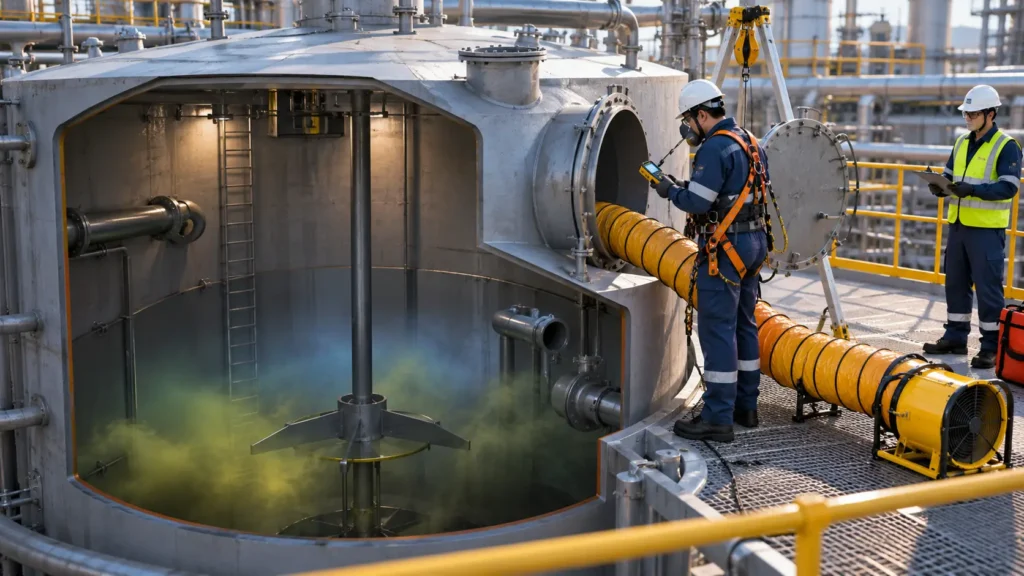
A confined space may appear safe while its atmosphere remains hazardous. A 3D cutaway view can illustrate a tank interior, access points, ventilation arrangements, and atmospheric testing activities.
The animation can highlight the need for appropriate gas detection and monitoring without suggesting that invisible gases can be reliably identified by sight.
2. Demonstrate the correct entry procedure
A training video can follow the sequence of an approved entry procedure, from initial assessment to authorization and entry.
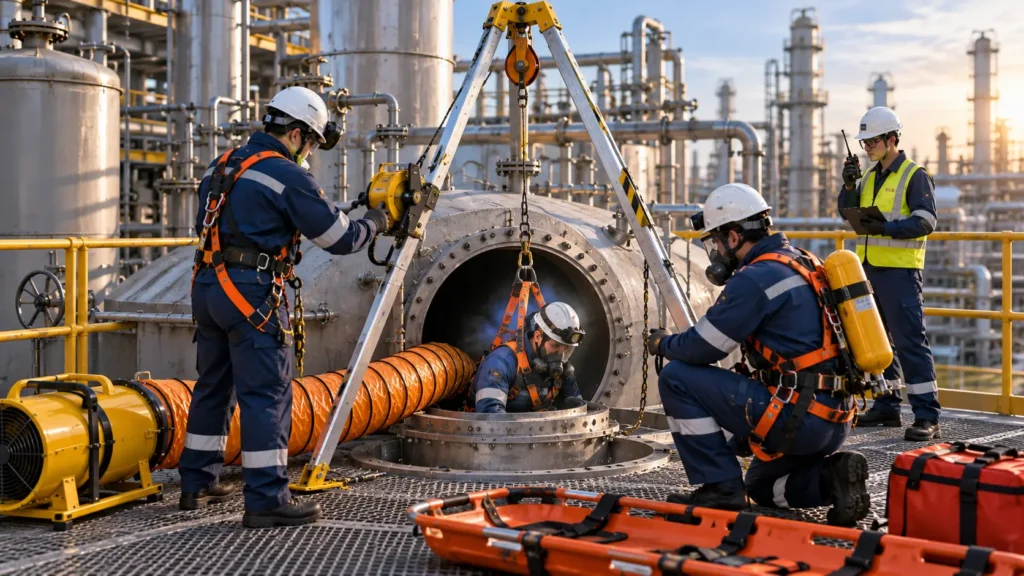
Scenes may demonstrate permit verification, equipment isolation, atmospheric testing, ventilation, communication arrangements, PPE checks, and confirmation of rescue readiness.
The sequence should be developed from the client’s approved procedure and applicable requirements rather than from a generic animation template.
3. Show safe and unsafe actions
What happens when a worker skips a required check or enters without authorization?
An animation can present an unsafe decision, explain the potential consequences, and then demonstrate the correct response. This gives trainers a visual resource for discussing safety expectations without recreating an actual dangerous situation.
4. Explain individual responsibilities
Entrants, attendants, entry supervisors, and rescue personnel have different responsibilities. Animation can show how these roles interact during preparation, entry, monitoring, and emergency response.
This is useful for site induction, contractor onboarding, and refresher training where workers need to understand how their actions affect the wider operation.
5. Visualize emergency response
Confined space rescue scenarios can demonstrate alarm activation, communication, evacuation, and the planned response by trained rescue personnel.
Where appropriate to the approved rescue plan, the video can illustrate non-entry retrieval equipment or specialist entry rescue. It should never imply that an untrained colleague should enter a hazardous space to attempt a rescue.
6. Standardize training across locations
A consistent animation can help organizations communicate the same approved procedure across shifts, departments, and facilities. Separate versions can be developed for different equipment, sites, languages, or workforce groups where needed.
7. Support refresher and digital learning
Short animation modules can be used during induction sessions, toolbox talks, refresher training, or digital learning programs. Workers can revisit a particular procedure without requiring the entire training presentation to be repeated.
Animation supplements, rather than replaces, practical exercises, competent supervision, hands-on equipment training, and competency assessment.
3. How Can AI Assist in EHS Animation Video Creation?
Developing an industrial safety video involves several stages, from understanding the procedure to preparing the final approved content. AI-assisted tools can support selected tasks within this workflow.
For example, AI may help organize source material, prepare initial script drafts, explore visual concepts, generate narration, create subtitles, or support multilingual adaptation. The exact workflow depends on the project’s technical requirements and the tools selected.
For confined space entry training, the process can include the following stages.
Step 1: Define the training objective
The first step is to identify the intended audience and the specific training gap.
Does the video need to explain entry preparation, demonstrate atmospheric testing, reinforce attendant responsibilities, or communicate an emergency response procedure?
The team establishes the learning objective, expected duration, target audience, languages, and final delivery formats before production begins.
Step 2: Review source material and develop the script
The client may provide standard operating procedures, risk assessments, equipment drawings, site photographs, permit templates, and existing training documents.
AI-assisted tools can help organize the information and prepare an initial script structure. The production team then refines the content to make it suitable for the intended audience and visual sequence.
A qualified EHS or technical reviewer should verify the hazards, controls, terminology, and procedural steps before production proceeds.
Step 3: Develop the storyboard and visual concepts
The storyboard translates the script into individual scenes, showing the environment, characters, actions, camera views, narration, and key messages.
Generative AI tools may support early visual exploration and concept development. These outputs are references, not automatically approved representations of the actual facility.
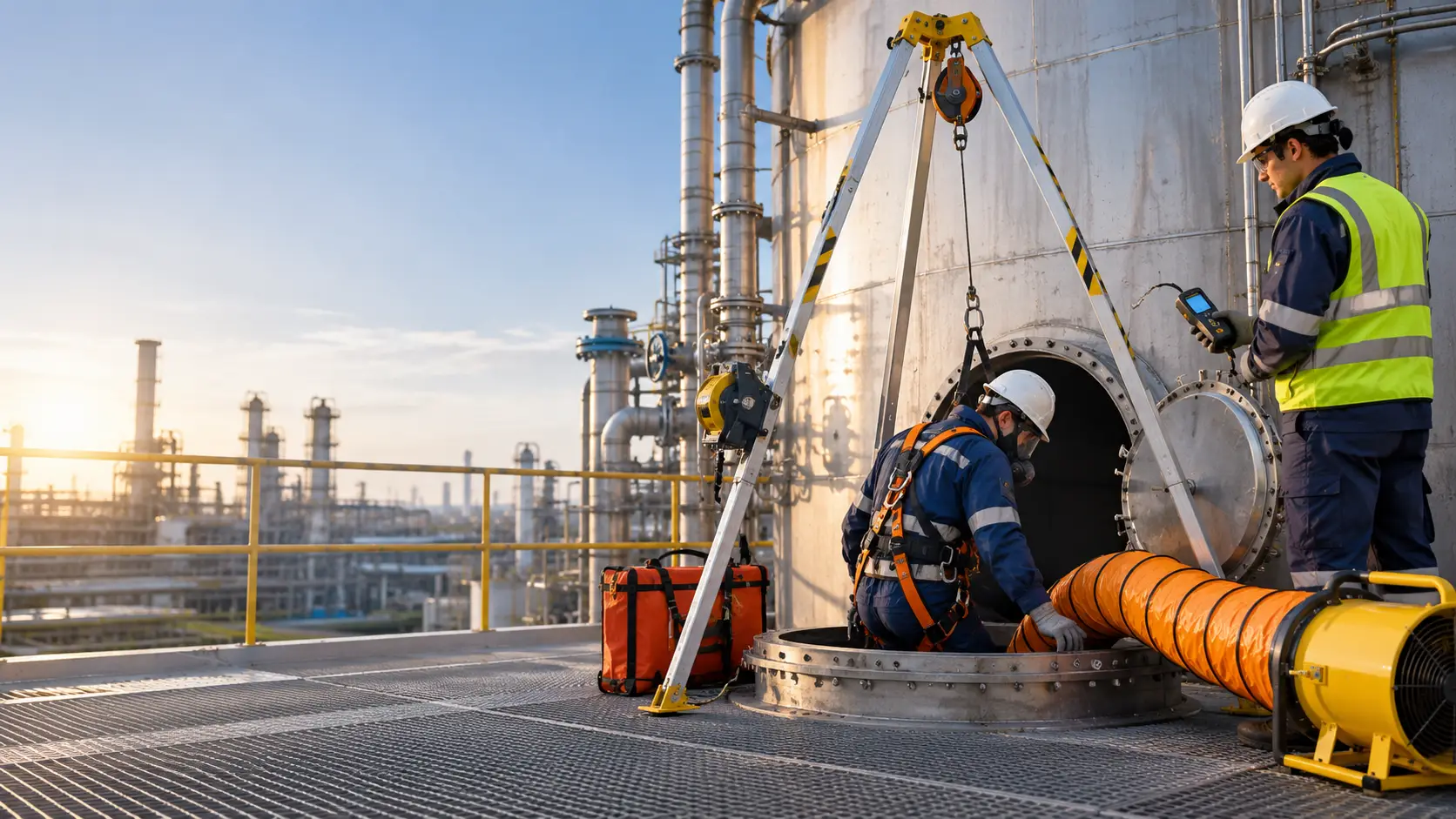
For example, a concept may show the exterior of a storage tank, its access opening, an attendant, and the equipment required for entry preparation. The production team then determines which elements require accurate 3D modeling.
Step 4: Create the industrial environment
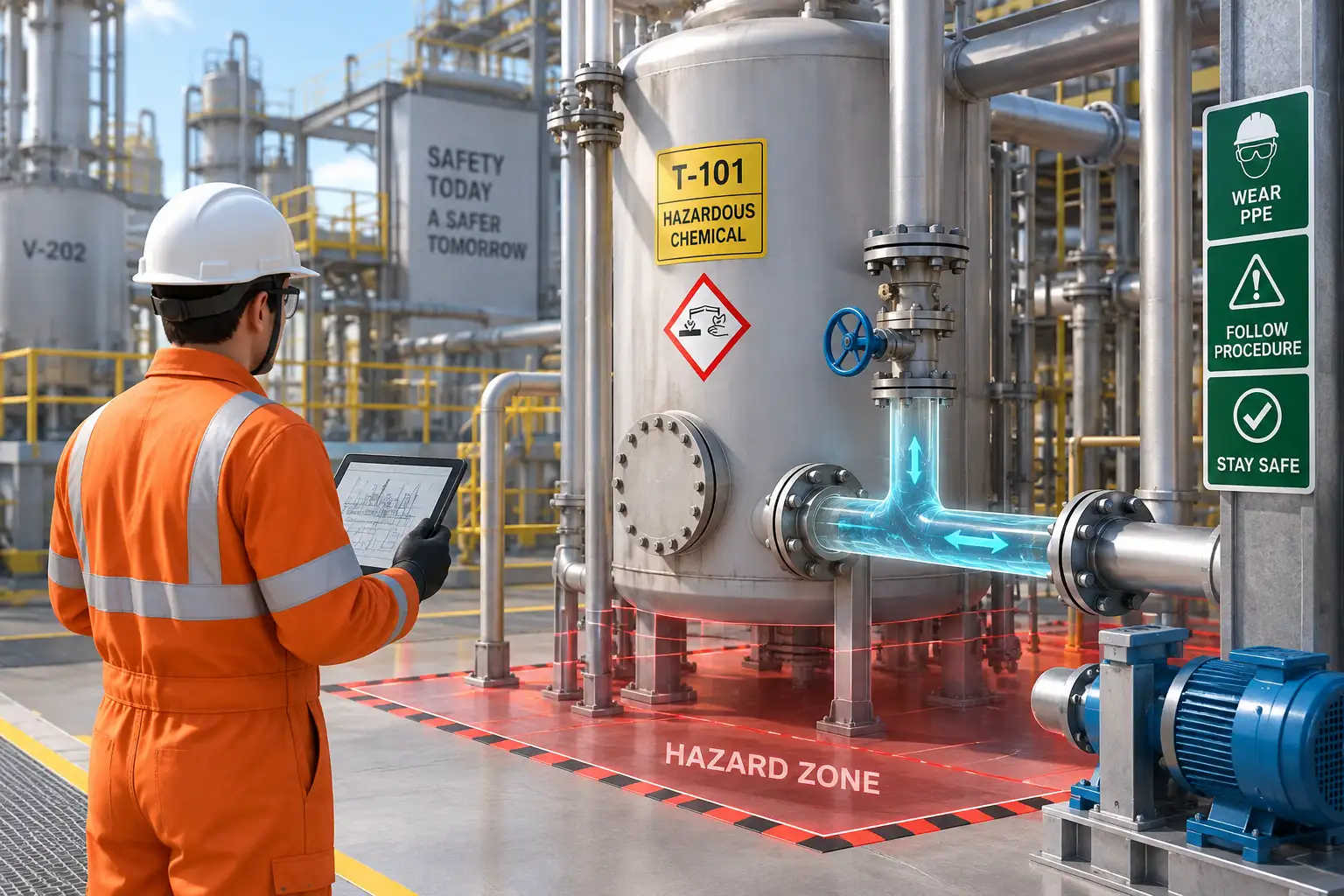
3D modeling can be used to represent tanks, vessels, pipelines, machinery, valves, access routes, and relevant site features.
The required detail depends on the learning objective. A general safety awareness video may need a simplified environment, while a procedure-specific animation may require closer alignment with actual equipment and layouts.
Immersiv Techsphere uses established visualization tools, including Blender and 3ds Max, where appropriate to the project.
AI-generated imagery should not substitute for verified engineering geometry when equipment arrangement, dimensions, or procedural accuracy are important.
Step 5: Produce the animation and narration
Once the storyboard and visual elements are approved, the scenes are animated to demonstrate the required actions.
AI-assisted voice generation may be used where suitable. Subtitles, on-screen labels, and supporting graphics can reinforce the main training messages.
The final video should maintain a clear relationship between the narration and the visual actions, ensuring that the intended audience can follow the procedure.
Step 6: Prepare multilingual versions
Organizations with multilingual workforces may require different narration and subtitle versions.
AI-assisted translation and voice generation can support this process, but technical terminology, pronunciation, instructions, and local meaning must be checked by appropriate reviewers before release.
Step 7: Conduct technical review and final approval
The final animation should be reviewed against the approved source material.
The review should cover equipment representation, PPE, hazard controls, procedural sequence, emergency actions, narration, subtitles, and translations.
Client feedback is incorporated before final approval and delivery.
AI can assist the production process, but it does not independently validate safety procedures. Human review remains essential wherever technical accuracy and worker safety are involved.
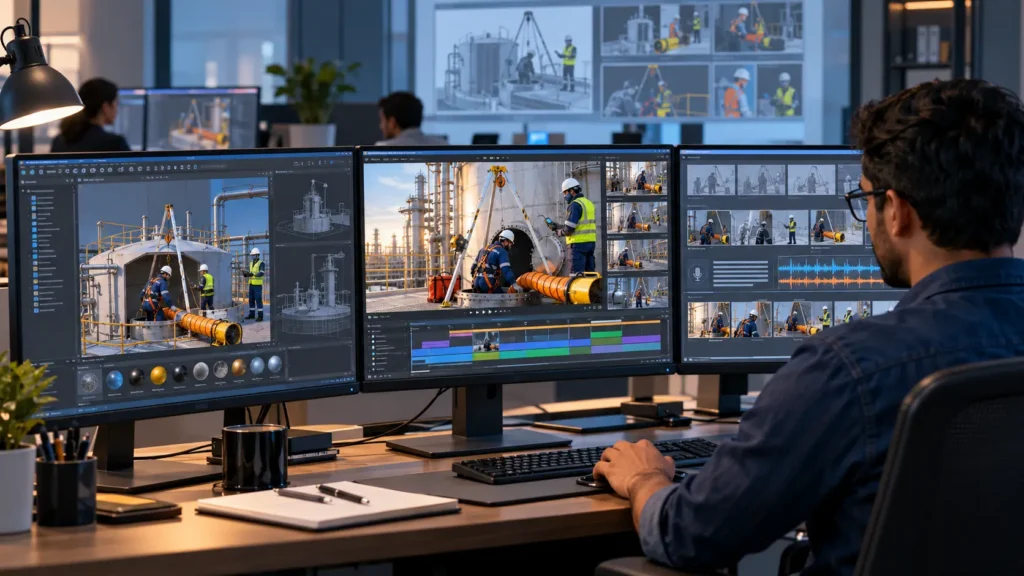
4. What EHS Animation Services Can Immersiv Techsphere Provide?
Every industrial organization has different equipment, procedures, training objectives, and workforce requirements. A generic safety video may explain the basics, but it may not represent the actual situations workers encounter.
Immersiv Techsphere develops customized 3D EHS and HSE training animations to communicate industrial hazards, operating procedures, and emergency response scenarios.
Depending on the project scope, our services can include:
- Industrial 3D modeling: Visualization of tanks, vessels, machinery, pipelines, access points, and relevant site features.
- Safety procedure animation: Step-by-step demonstrations of approved work procedures.
- Hazard visualization: Illustrations of atmospheric hazards, equipment isolation, restricted access, and other identified risks.
- Emergency response scenarios: Visual demonstrations of alarms, evacuation, communication, and planned rescue arrangements.
- AI-assisted production: Support for script structuring, visual concept exploration, voiceovers, subtitles, and content adaptation where suitable.
- Voiceover and subtitle integration: Narration and on-screen text tailored to the intended audience.
- Multilingual training content: Additional language versions with technical review.
- Digital learning deliverables: Video content for induction, presentations, refresher training, and LMS-compatible or SCORM-compatible solutions where agreed.
The final scope depends on the learning objective, source material, animation complexity, review requirements, and delivery platform.
Beyond confined space safety, these capabilities can support training related to PPE, lockout/tagout, machine safety, fire response, chemical handling, plant induction, and other industrial EHS topics.
Explore Immersiv Techsphere’s EHS Training Animation Services for more information.
5. What Does the Animation Development Process Look Like?
A structured production workflow helps align the final video with the client’s training objectives.
| Stage | Activity | Output |
|---|---|---|
| Requirement understanding | Review training objectives, audience, and source material | Agreed project scope |
| Script development | Organize approved information into a visual narrative | Script for review |
| Storyboarding | Plan scenes, actions, and camera views | Approved storyboard |
| 3D modeling | Develop the required industrial environment and equipment | 3D assets and scenes |
| Animation production | Animate procedures, workers, and equipment interactions | Draft animation |
| AI-assisted enhancements | Add suitable narration, subtitles, or language versions | Enhanced video elements |
| Technical review | Validate procedures, visuals, and terminology | Reviewed draft |
| Final delivery | Incorporate approved feedback and prepare deliverables | Final training video |
The client should identify an EHS or technical contact who can review the script, storyboard, and final video. This helps resolve questions before they become expensive production changes.
6. What Should You Provide Before Starting an EHS Animation Project?
You do not need to have a complete video script ready before contacting an animation team. However, providing relevant project information helps establish a practical scope.
Where available, prepare:
- The approved SOP, work instruction, or training document.
- Relevant risk assessments and hazard-control information.
- Equipment drawings, plant layouts, photographs, or reference videos.
- The target audience and intended learning outcome.
- Preferred duration, languages, and delivery formats.
- Branding guidelines and internal terminology.
- Review and approval requirements, including the designated technical reviewer.
If some details are missing, the initial discussion can identify what is needed before production begins.
7. How Does Visual Training Fit Into Your EHS Program?
EHS animation works best when it supports a broader safety training program.
For example, a confined space animation may introduce the entry procedure, while hands-on sessions provide practical experience with gas detectors, PPE, communication equipment, and other relevant tools. Emergency drills then allow designated personnel to practice the approved response.
The animation should reinforce the same procedures used in the workplace rather than introduce a separate or conflicting version.
For US general-industry projects, OSHA’s permit-required confined spaces standard, 29 CFR 1910.146 provides an important regulatory reference. Requirements differ across jurisdictions, so the applicable local framework must be checked before finalizing safety content.
For related visual training applications, read Emergency Response Training Using 3D Safety Animation.
Frequently Asked Questions
Yes. Approved SOPs, risk assessments, drawings, and site information can form the basis of the script and storyboard. The final video should be reviewed by the client’s designated technical and EHS personnel.
AI can assist with selected tasks, including script development, concept exploration, voice generation, and subtitles. A customized industrial animation still requires appropriate modeling, production decisions, technical checks, and human approval.
Yes. The scope can include customized 3D models based on available drawings, layouts, photographs, and other approved references. The required level of engineering detail should be agreed at the beginning of the project.
Yes. Additional narration and subtitle versions can be scoped for different workforce languages. Safety terminology and translations should be reviewed before the content is released.
Deliverables can include standard video files, presentation-ready content, subtitles, and LMS-compatible or SCORM-compatible solutions where required and agreed. The preferred format should be specified during project planning.
No. Animation supports understanding and communication, but it does not replace required practical training, supervision, drills, competency assessment, or approved workplace procedures.
Discuss Your EHS Animation Project
If your organization needs to explain a safety procedure, demonstrate an industrial hazard, or develop customized training videos, Immersiv Techsphere can help define a suitable visual approach.
Share your training objectives, approved source material, target audience, and preferred deliverables to discuss the production workflow and project requirements.
Visit Immersiv Techsphere’s EHS Training Animation Services or view our video portfolio to explore relevant capabilities.
Have a specific safety training requirement? Contact Immersiv Techsphere to discuss the scenario, animation scope, AI-assisted production options, and technical review process for your project.
Have a Project in Mind?
Need help with 3D animation, industrial visualization, HSE training animation, or product visualization? Tell us about your project and our team will get back to you.