

Table of Contents
Introduction
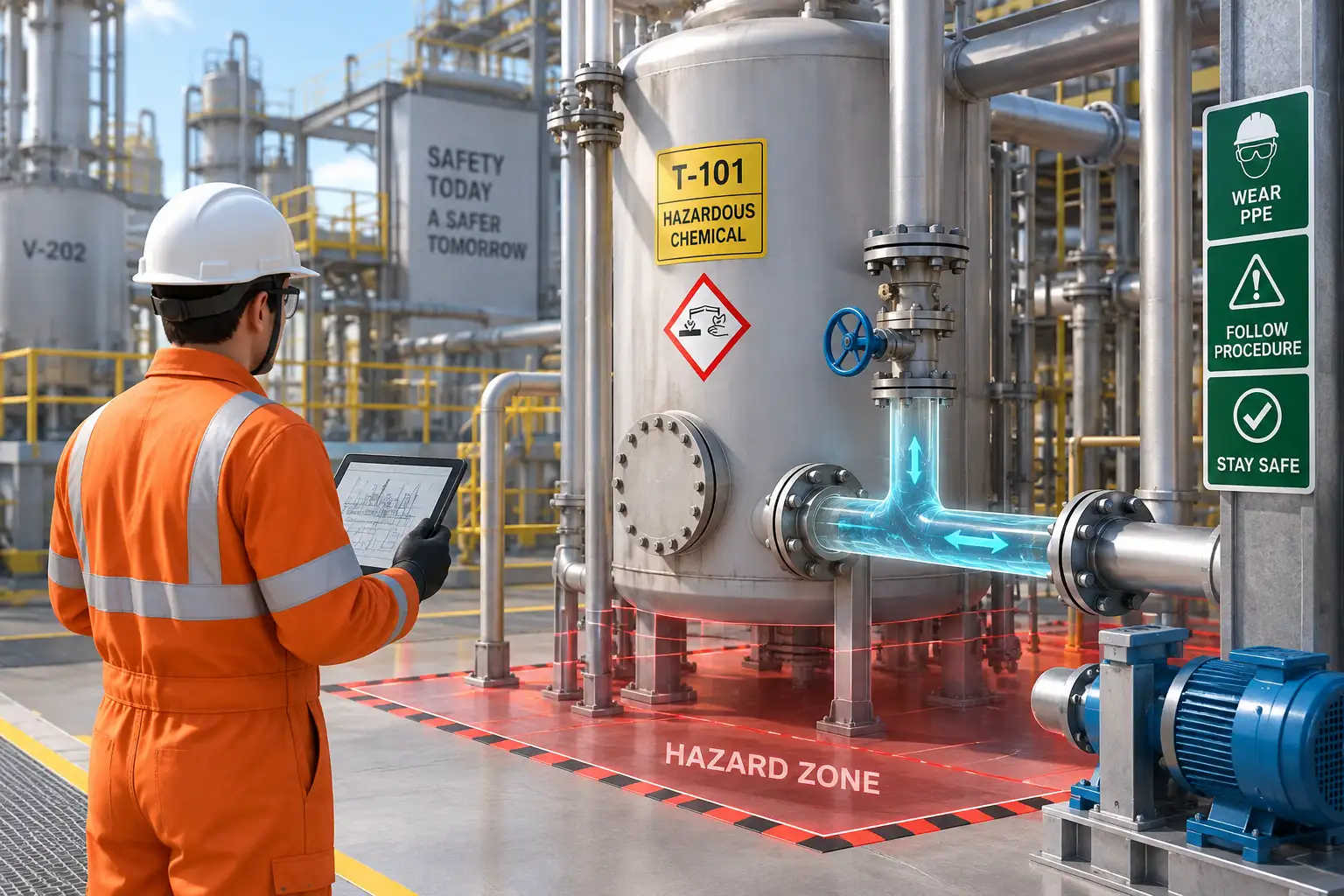
Hazard Identification Training is essential for helping employees recognize workplace hazards before they lead to injuries, equipment damage, or operational disruptions. However, identifying a hazard from a written description is very different from recognizing the same hazard in a real industrial environment.
A worker may read about electrical hazards, machine guarding, chemical exposure, working at height, forklift traffic, or confined spaces. But during an actual shift, hazards appear within moving equipment, changing work conditions, complex plant layouts, and routine activities.
This is where interactive 3D animation can make hazard identification more practical.
Instead of simply explaining what a hazard is, an interactive 3D safety training experience can place workers inside a realistic digital environment and ask them to identify unsafe conditions, select the correct action, and understand what could happen if a hazard is ignored.
The result is a more engaging approach to EHS training, workplace safety awareness, and risk assessment training.
What Is Hazard Identification Training?
Hazard Identification Training teaches employees how to recognize, assess, report, and respond to conditions that could cause injury, illness, property damage, or operational disruption.
According to OSHA, effective safety programs require a proactive and ongoing process for identifying and assessing workplace hazards. This includes workplace inspections, reviewing hazard information, investigating incidents and near misses, and considering emergency or nonroutine situations.
Traditional training may use:
- Safety manuals
- PowerPoint presentations
- Classroom lectures
- Photographs
- SOPs and checklists
- Toolbox talks
- Workplace inspections
These methods remain useful, but they do not always provide workers with a realistic representation of how multiple hazards can appear together.
Interactive 3D animation adds another layer by allowing employees to see, explore, identify, and respond to hazards within a simulated workplace environment.
How Interactive 3D Animation Improves Hazard Identification Training
Interactive 3D animation changes safety training from a passive information-delivery exercise into a scenario-based learning experience.
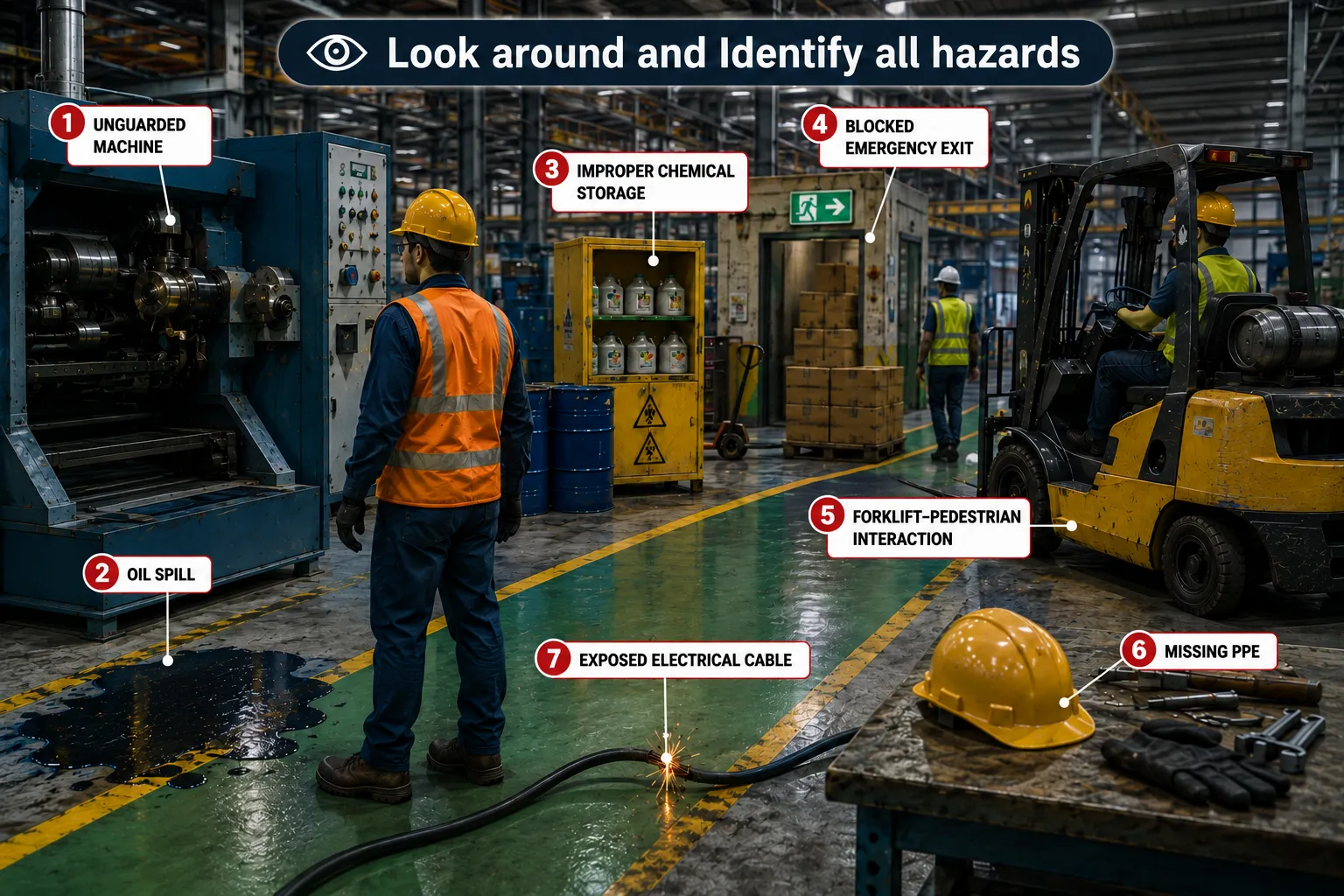
For example, imagine a virtual manufacturing facility containing:
- An exposed electrical cable
- An incorrectly stored chemical container
- A blocked emergency exit
- An unguarded machine component
- A worker without appropriate PPE
- A forklift moving through a pedestrian zone
- An oil spill near a walkway
- An improperly positioned ladder
Instead of showing these hazards individually in photographs, a 3D environment can present them together.
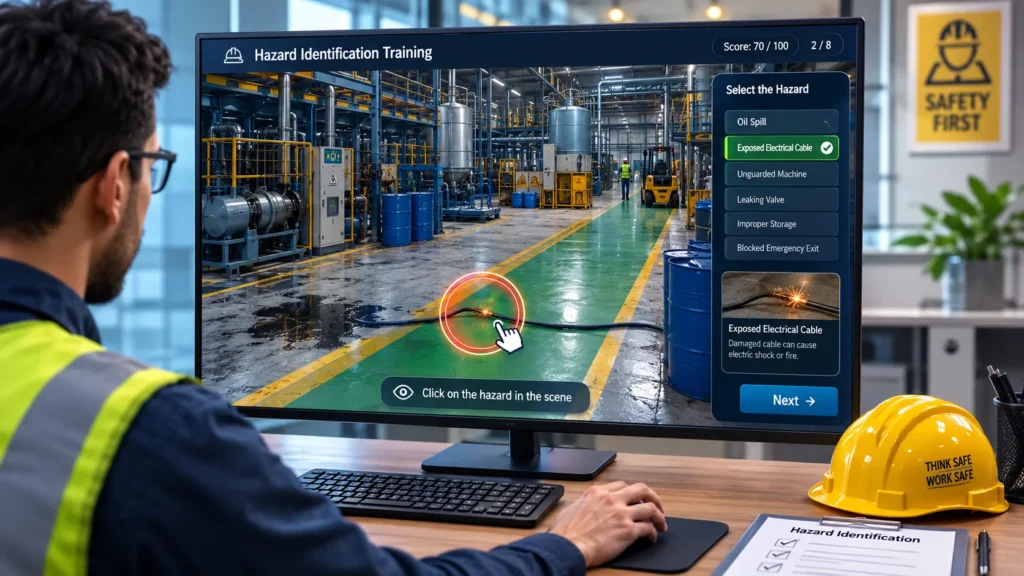
The learner can be asked: “Identify all hazards before proceeding.”
The employee can then click on the hazards they recognize. The system can provide immediate feedback, explain the associated risk, and show the appropriate preventive or corrective action.
This approach makes Hazard Identification Training closer to the visual decision-making workers perform in actual workplaces.
7 Powerful Benefits of Hazard Identification Training With 3D Animation
Some workplace hazards are difficult to explain using text alone.
A 3D animation can visually highlight unsafe conditions such as:
- Pinch points
- Electrical exposure
- Slip and trip hazards
- Moving machinery
- Chemical exposure
- Poor housekeeping
- Falling-object risks
- Unsafe lifting operations
- Confined-space hazards
- Inadequate machine guarding
Workers can see the relationship between the hazard, the worker, and the surrounding environment.
This helps transform abstract safety concepts into recognizable workplace situations.
2. Creates Realistic Industrial Training Scenarios
Generic stock images rarely represent the exact equipment, layout, or workflow found at a specific facility.
Interactive 3D animation can recreate:
- Factories
- Warehouses
- Process plants
- Oil & gas facilities
- Fabrication shops
- Construction sites
- Laboratories
- Manufacturing lines
- Industrial equipment
- Maintenance areas
This allows organizations to develop site-specific hazard identification training based on actual operating environments.
Immersiv Techsphere already develops HSE animation content for manufacturing, oil & gas, fabrication, warehouses, laboratories, process plants, and other industrial environments.
3. Encourages Active Participation
Traditional safety videos often follow a simple structure: watch, listen, and remember.
Interactive training can add decision points.
For example:
Scenario: A maintenance technician approaches a machine.
Question: Which hazard should be addressed before maintenance begins?
The learner selects an answer and receives immediate feedback.
Possible interactions include:
- Click-to-identify hazards
- Multiple-choice questions
- Drag-and-drop safety actions
- Correct/incorrect decisions
- Scenario branching
- Equipment inspection
- Hazard prioritization
- Before-and-after comparisons
This transforms employees from passive viewers into active participants in the learning process.
4. Demonstrates Cause and Effect
One of the strongest advantages of 3D safety animation is the ability to demonstrate what could happen when a hazard is ignored.
For example:
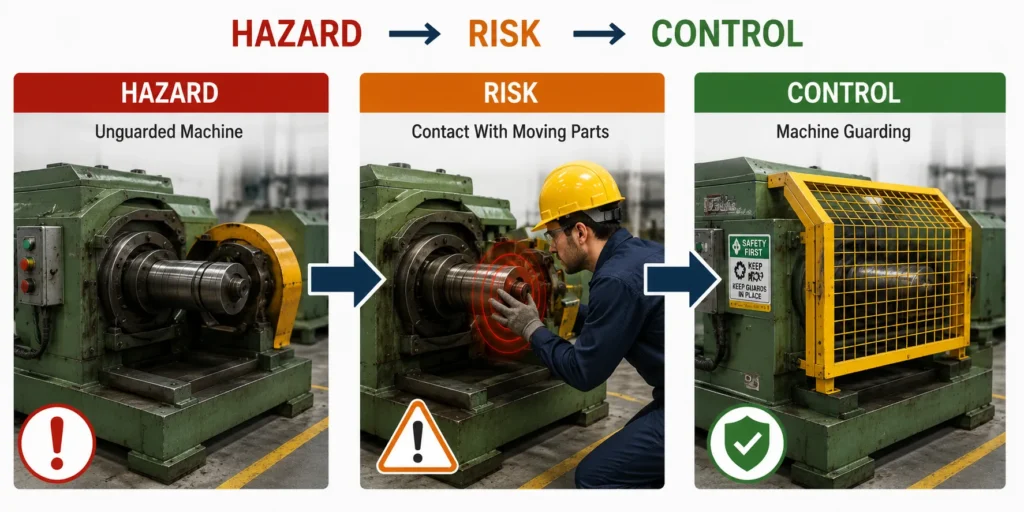
Hazard: A machine guard has been removed.
Action: Worker operates the machine without restoring the guard.
Potential consequence: Contact with a moving component.
A controlled animation can demonstrate the sequence without exposing employees to the real-world hazard.
The objective is not to dramatize an accident. It is to help employees understand the relationship between hazard → unsafe action → potential consequence → preventive control.
This approach can also complement workplace incident animation and near-miss training.
5. Supports the Hierarchy of Controls
Effective Hazard Identification Training should go beyond asking workers to “spot the hazard.” Employees should also understand how hazards can be controlled.
The NIOSH hierarchy of controls prioritizes:
- Elimination
- Substitution
- Engineering controls
- Administrative controls
- Personal protective equipment
NIOSH identifies elimination, substitution, and engineering controls as more effective because they can reduce exposure with less reliance on individual worker interaction.
Interactive 3D animation can visually demonstrate this concept.
For example, a chemical exposure scenario could show:
Hazard: Worker exposed to airborne contaminants.
Control options:
- Eliminate the hazardous process
- Substitute a safer material
- Install local exhaust ventilation
- Introduce safe work procedures
- Use appropriate PPE
This helps employees understand that PPE is not automatically the first or only solution.
6. Standardizes Safety Communication
Large organizations may have workers across multiple shifts, departments, locations, and contractor groups.
Instructor-led training can vary depending on:
- Trainer experience
- Location
- Language
- Audience
- Training duration
- Delivery method
A standardized 3D safety module provides the same visual scenario and learning objectives to every participant.
This is particularly useful for:
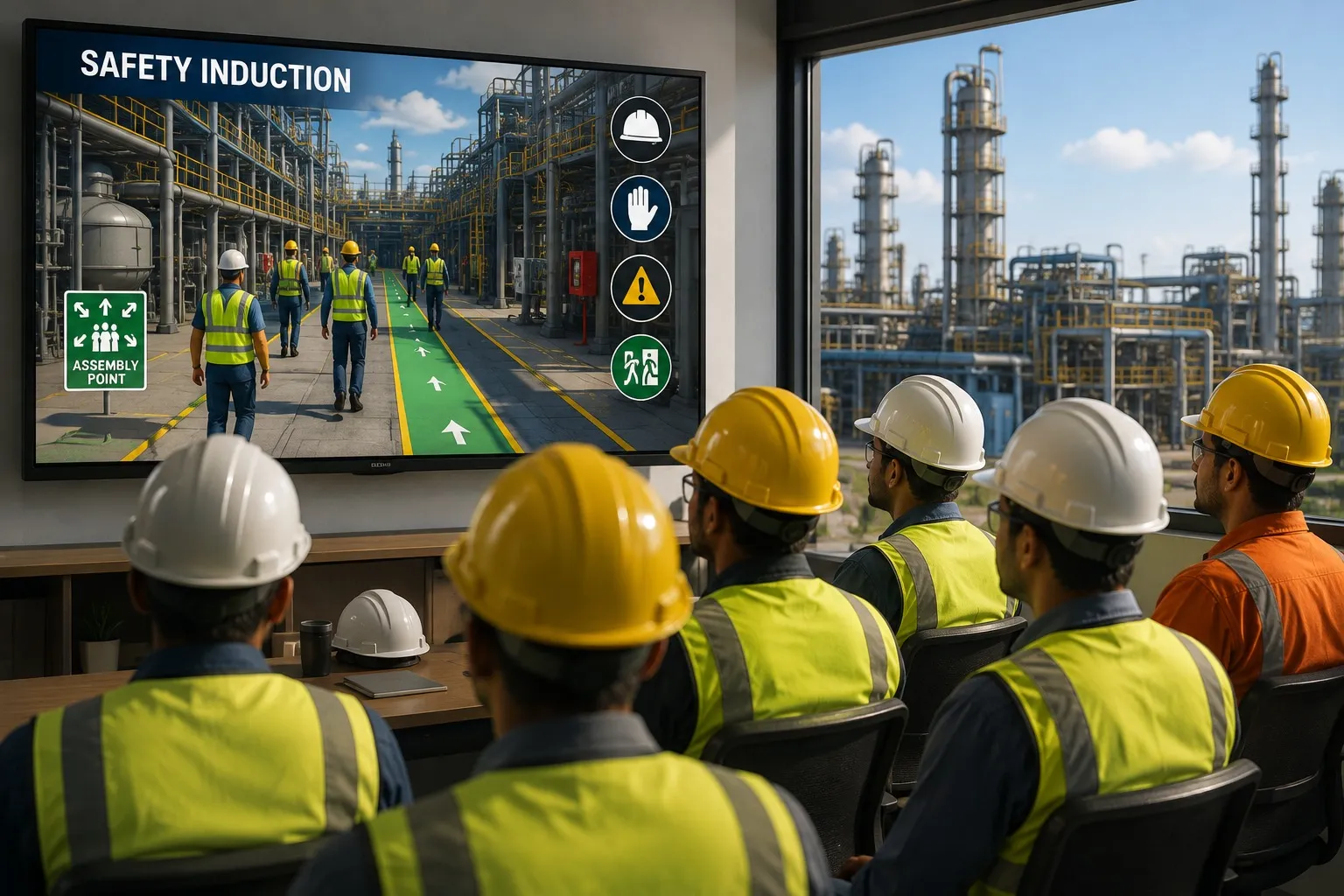
- Employee onboarding
- Contractor induction
- Refresher training
- Toolbox learning
- Multi-site operations
- HSE awareness campaigns
- Digital learning platforms
OSHA also emphasizes that safety training should help workers understand workplace hazards, identify and report them, and understand appropriate controls.
7. Enables Measurable Learning Through Interactive Assessment
Interactive Hazard Identification Training can include assessments directly within the learning experience.
A module could measure:
- Number of hazards correctly identified
- Time taken to identify hazards
- Incorrect selections
- Understanding of control measures
- Scenario decision-making
- Final assessment score
This creates a clearer distinction between watching training and demonstrating understanding.
For organizations using LMS platforms, interactive content can also be structured for digital learning and SCORM-compatible delivery. Immersiv Techsphere’s HSE animation service supports LMS and SCORM-compatible training content.
What Hazards Can Be Covered?
A well-designed Hazard Identification Training program can be customized around the hazards relevant to a particular workplace.
1. Mechanical Hazards
3D animation can demonstrate:
- Moving machinery
- Rotating components
- Pinch points
- Shear points
- Unguarded equipment
- Unexpected machine movement
2. Electrical Hazards
Training scenarios can cover:
- Exposed conductors
- Electrical panels
- Improper isolation
- Lockout/Tagout
- Arc-flash risks
- Unsafe maintenance activities
3. Chemical Hazards
Visual scenarios can demonstrate:
- Chemical spills
- Incorrect storage
- Incompatible materials
- Exposure routes
- Missing PPE
- Emergency response
4. Material Handling Hazards
Examples include:
- Forklift-pedestrian interaction
- Improper lifting
- Unstable loads
- Crane operations
- Poor rigging
- Blocked pathways
5. Working at Height
Training can visualize:
- Unsafe ladders
- Missing guardrails
- Improper fall protection
- Unsafe scaffolding
- Unprotected edges
6. Confined Space Hazards
3D animation can show:
- Restricted access
- Atmospheric hazards
- Permit requirements
- Inadequate ventilation
- Rescue procedures
- Unauthorized entry
A Typical Interactive Hazard Identification Scenario
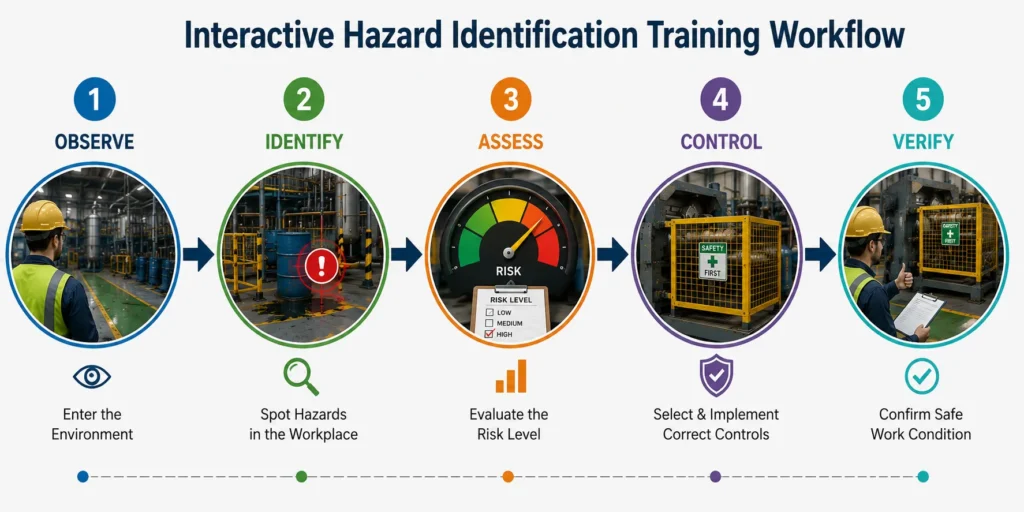
A practical module can follow a simple five-stage learning flow:
1. Enter the environment
The learner enters a realistic 3D factory, warehouse, plant, or construction environment.
2. Observe the workplace
The learner explores the environment and reviews normal operations.
3. Identify hazards
The learner selects unsafe conditions visible in the scene.
4. Evaluate the risk
The module explains the potential consequence and asks the learner to prioritize the hazard.
5. Select the control
The learner chooses an appropriate control based on the hazard and the hierarchy of controls.
This creates a complete learning cycle:
Observe → Identify → Assess → Control → Verify
Hazard Identification Training vs Traditional Safety Training
| Training Approach | Traditional Safety Training | Interactive 3D Training |
|---|---|---|
| Hazard recognition | Often explained through text or images | Demonstrated inside realistic environments |
| Employee participation | Mostly passive | Interactive and scenario-based |
| Site-specific content | Limited | Can recreate actual facilities and equipment |
| Cause and effect | Difficult to demonstrate | Can be visualized through animation |
| Risk assessment | Explained theoretically | Practiced through scenarios |
| Training consistency | Can vary by trainer | Standardized digital content |
| Assessment | Often separate | Can be integrated into the module |
| High-risk scenarios | Difficult to demonstrate safely | Can be simulated without real exposure |
How Immersiv Techsphere Develops 3D HSE Training
At Immersiv Techsphere, the development process combines engineering understanding, industrial visualization, and HSE training objectives.
The process typically includes:
- Requirement Understanding: Define the workplace, hazards, target audience, and learning objectives.
- Script & Storyboard: Convert safety requirements into clear scenarios and decision points.
- 3D Environment Development: Recreate machinery, facilities, workers, PPE, and operational conditions.
- Animation & Interaction: Develop hazard scenarios, movements, consequences, and learner interactions.
- Technical Review: Review the content with relevant safety, engineering, or operations stakeholders.
- Final Delivery: Prepare the animation for presentations, onboarding, internal training, or LMS/e-learning use.
This engineering-focused approach is particularly valuable when the training involves complex machinery, industrial processes, facility layouts, or technical safety procedures.
You can explore Immersiv Techsphere’s HSE Animation Services for examples of industrial safety training applications.
How 3D Animation Fits Into a Broader HSE Training Program
Interactive animation should not replace workplace inspections, risk assessments, Job Hazard Analysis, safety procedures, or competent safety supervision.
Instead, it can strengthen those activities by helping workers practice hazard recognition before encountering the situation in the workplace.
OSHA describes hazard identification as a proactive process and recommends involving workers, conducting inspections, investigating incidents and near misses, and evaluating hazards for severity and likelihood.
Organizations can therefore combine:
Workplace Inspection + Risk Assessment + HSE Procedures + Interactive Training + Practical Verification
This creates a more complete safety learning process.
For additional safety resources, organizations can refer to the official OSHA Hazard Identification and Assessment guidance and the NIOSH Hierarchy of Controls.
These authoritative resources provide useful foundations for developing hazard recognition and control training.
Frequently Asked Questions
Hazard Identification Training teaches workers how to recognize workplace hazards, understand their potential consequences, report unsafe conditions, and identify appropriate control measures.
Interactive 3D animation allows workers to practice identifying hazards inside realistic workplace scenarios rather than only reading about hazards in manuals or presentations.
Yes. A training module can be developed around a company’s actual machinery, facility layout, work processes, PPE requirements, hazards, and safety procedures.
Manufacturing, oil & gas, construction, fabrication, chemical processing, logistics, warehousing, utilities, pharmaceuticals, laboratories, and other industrial sectors can use interactive safety training.
Yes. Interactive modules can include hazard-spotting exercises, multiple-choice questions, scenario-based decisions, scoring, and feedback.
No. It is a training and communication tool. It should complement workplace inspections, risk assessments, Job Hazard Analysis, safety procedures, supervision, and applicable regulatory requirements.
Conclusion
Effective safety training is not simply about telling employees what a hazard looks like. Workers need opportunities to recognize hazards in context, understand why they are dangerous, evaluate potential consequences, and identify appropriate controls.
Hazard Identification Training using interactive 3D animation provides a practical way to create those learning experiences.
By combining realistic industrial environments, scenario-based interaction, hazard recognition exercises, and immediate feedback, organizations can make HSE and EHS training more engaging and easier to apply to real workplace situations.
For manufacturing plants, oil & gas facilities, warehouses, fabrication shops, process industries, and other industrial environments, interactive 3D safety animation can become a valuable part of a broader workplace safety and risk-management strategy.
Explore Immersiv Techsphere’s HSE Animation Services to develop customized 3D safety training for your workplace.
Have a Project in Mind?
Need help with 3D animation, industrial visualization, HSE training animation, or product visualization? Tell us about your project and our team will get back to you.